

- A role that can see leads: Global Admin, Workspace Admin or Contacts Manager. Content Editors do not have access to lead data.
- A lead. Open your funnel’s Leads page, hover over the lead’s row and click the “Open lead” icon. See View and manage your leads.
Important to note
Write a note
1
Open the Notes tab
In the lead’s side panel, click Notes.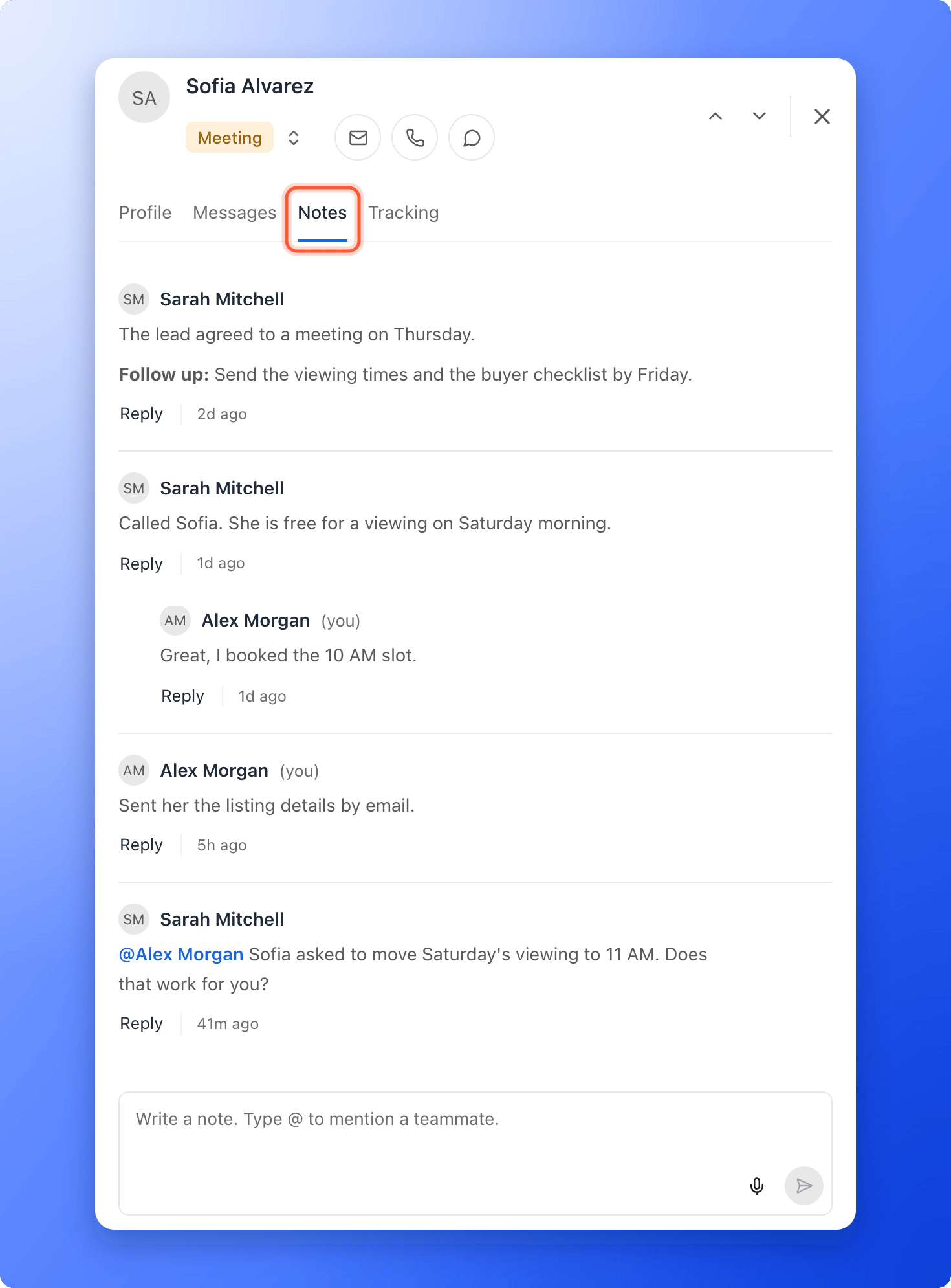
2
Type your note and send it
Type in the box that says Write a note. Type @ to mention a teammate. and click the send arrow. The words you have typed are kept if you close the panel before you send them.
What you can do with a note
- Mention a teammate: type @ and pick a name from the list. The name shows in blue in the note, and your teammate gets a notification. They find it in the bell, under Mentions. The list holds the teammates who can see this lead: Global Admins, and the Workspace Admins and Contacts Managers of the workspace.
- Reply: click “Reply” under a note to answer it in place. The reply sits under the note. On a phone, replies open in a view of their own, with a Back button.
- React: point at a note and click the smiley to add one of six reactions. The reactions show under the note with who gave them.
- Edit or delete a note: point at your note and open its menu. A note you edited shows an edited mark. You can change or delete your own notes. A Global Admin or Workspace Admin can also delete a note written by someone who has left the organization.
Dictate a note
Available on: the Growth plan and above.
- Click the microphone icon in the note box (Dictate a note) and allow your browser to use the microphone.
- Speak. The box shows a timer. Click the square to stop, or the X to throw the recording away. A note can be up to 5 minutes long.
- Wait for Transcribing…. AskFunnel turns what you said into a short, clear note, in English or in Roman Urdu if you spoke Urdu, and may add a Follow up line. The words appear in the box for you to read and change. Nothing is sent until you click the send arrow.
Troubleshooting
The microphone icon is greyed out
The microphone icon is greyed out
Voice notes are available on the Growth plan and above. Point at the icon to see which plan you need, and see Upgrade your plan.
Nothing was recorded
Nothing was recorded
Couldn’t record. Check your microphone and try again. Check that your browser may use the microphone for dash.askfunnel.com, then try again.
I do not see a teammate when I type @
I do not see a teammate when I type @
Only teammates who can see this lead are listed. A Content Editor, or someone with no role in this workspace, is not.
What to do next
See where a lead came from
Open a lead’s Tracking tab for the source and device.
Track lead and team activity
See every note, status change and assignment in one timeline.