

- A funnel with leads, and a role that can see them: Global Admin, Workspace Admin or Contacts Manager. See View and manage your leads.
Important to note
Show, hide and reorder fields
1
Open the Fields panel
Click Fields in the toolbar above the table. A panel lists every field. Type in Search fields to find one.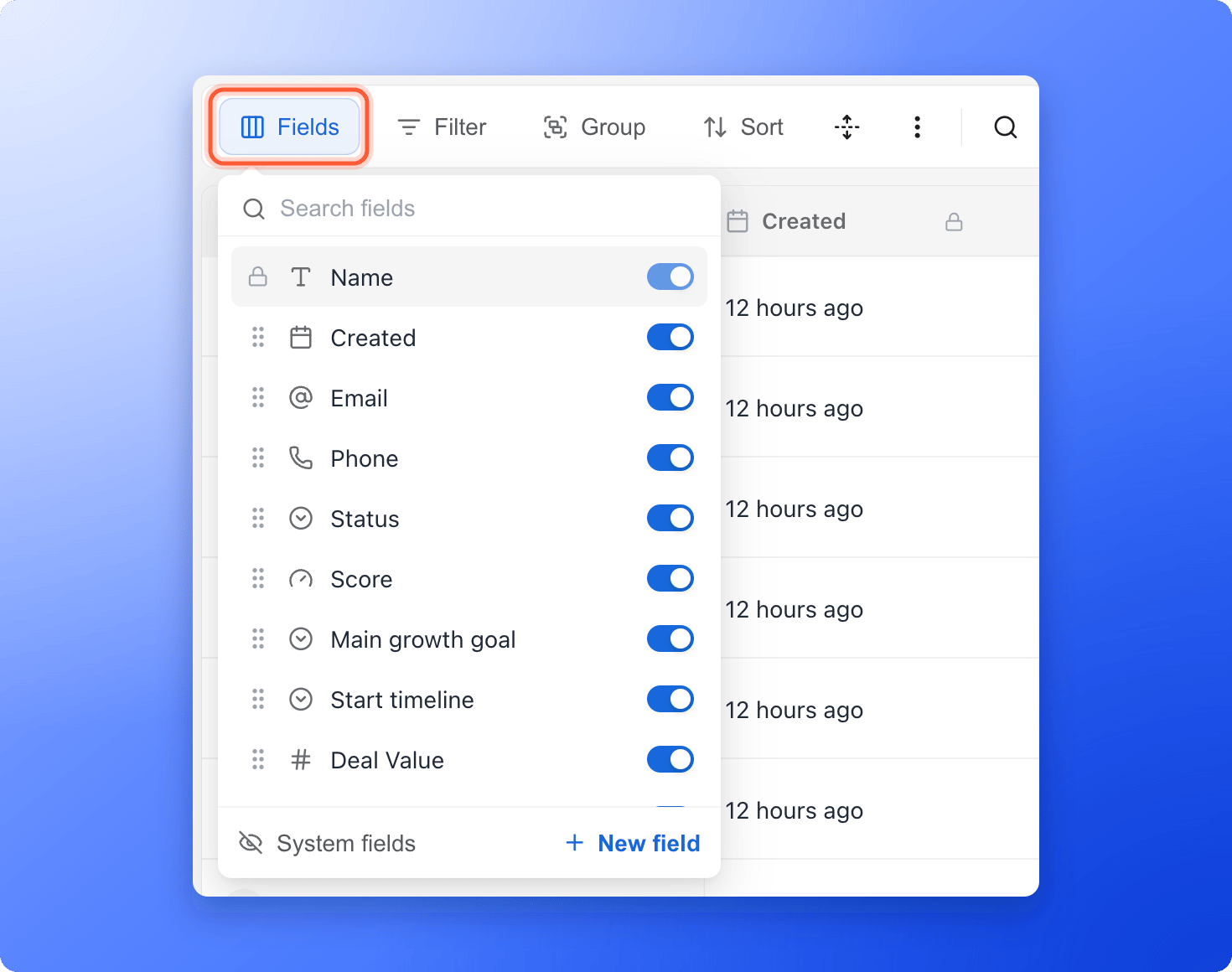
2
Turn fields on or off
Use the switch next to a field to show or hide its column. The Fields button shows how many fields are hidden. Name is pinned to the left and always stays visible.
3
Drag to reorder
Drag a field by the six dots at its left to move its column. You can also drag the fields in a lead’s Profile tab, and the table columns follow.
Use a column’s menu
Hover over a column header and click the small arrow that appears to open the column’s menu.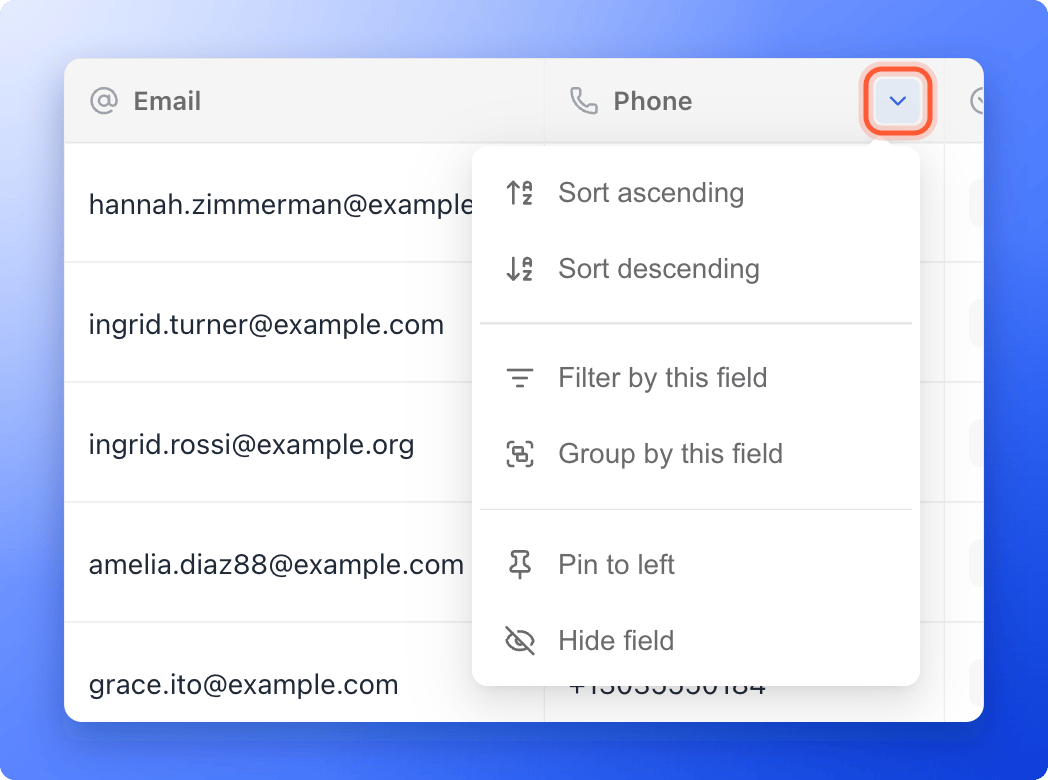
- Sort ascending and Sort descending
- Filter by this field: adds a filter for this field and opens the filter panel.
- Group by this field or Remove grouping
- Pin to left or Unpin from left: choose which column stays in view on the left. Name is pinned by default.
- Hide field
- Edit field and Delete field: only for fields you created yourself.
Fields AskFunnel creates
A lock icon means a field is read only. Created, Score, Updated and Appointment are filled in by AskFunnel.- Contact fields: Name, Email and Phone, taken from the matching fields in your lead form. If your form has a time field, you also get Preferred time.
- One field for every question and form field in your funnel. The field is named after the question or the form field’s placeholder text, and it holds each lead’s answer.
- Built-in fields: Created, Status, Updated and, when lead scoring is on, Score. If a form on your funnel has booking turned on, you also get Appointment.
- Fields added with your first lead: Assigned To, Tags and Deal Value. Deal Value is what a lead is worth. It is used by Meta revenue tracking, so it cannot be deleted, but you can hide it.
- Your own custom fields. See Create a custom field.
What to do next
Create a custom field
Add your own column for notes, budgets or internal IDs.
Export your leads
Download the columns you chose as a file.