

- A role that can see leads: Global Admin, Workspace Admin or Contacts Manager.
- A funnel with at least one lead. See View and manage your leads.
Open a lead’s tracking details
1
Open the lead
In your funnel’s Leads tab, hover over the lead’s name and click the “Open lead” icon. A panel opens on the right.
2
Open the Tracking tab
The panel has three tabs: Profile, Notes and Tracking. Click Tracking.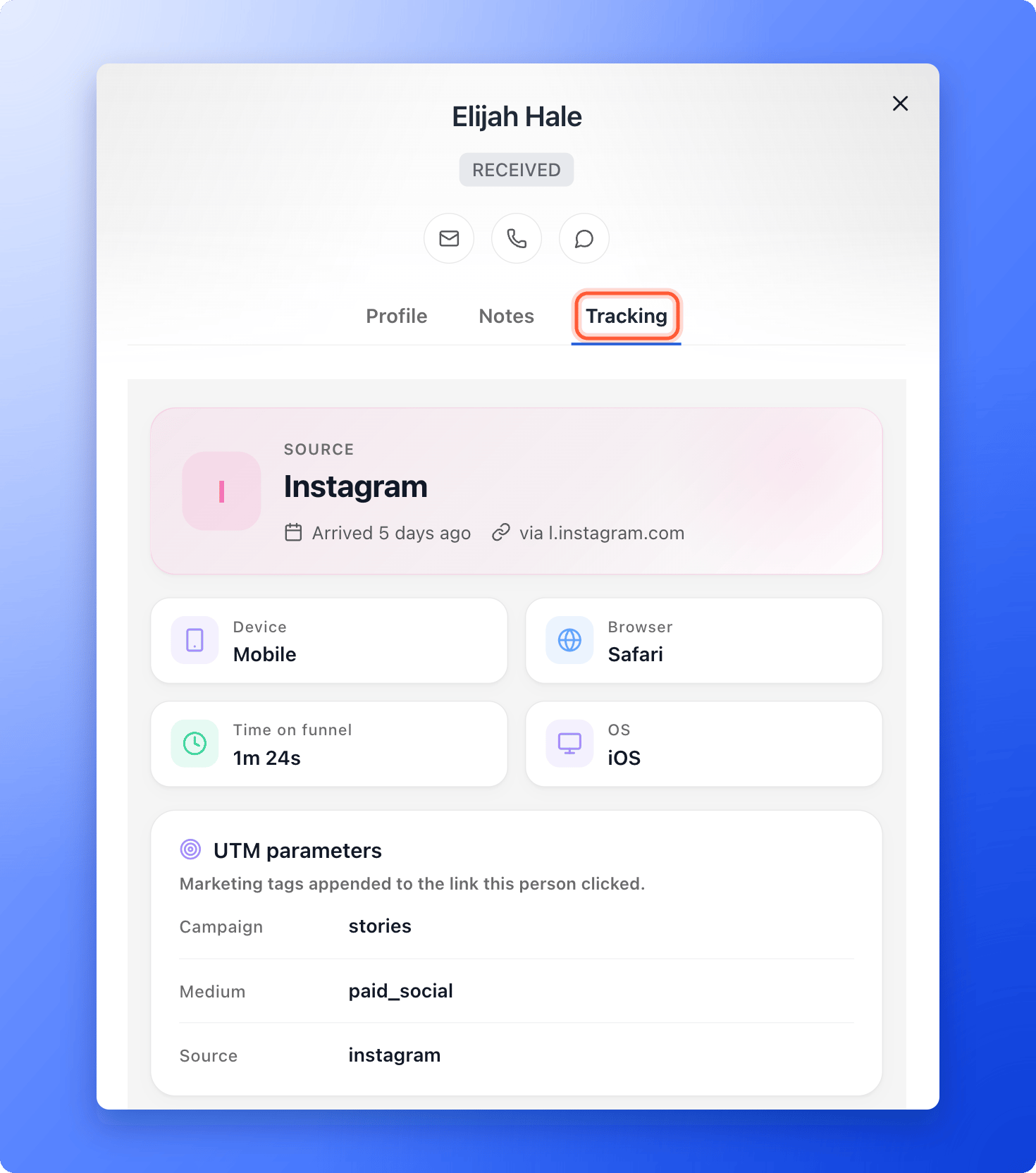
Keep notes and update the lead
-
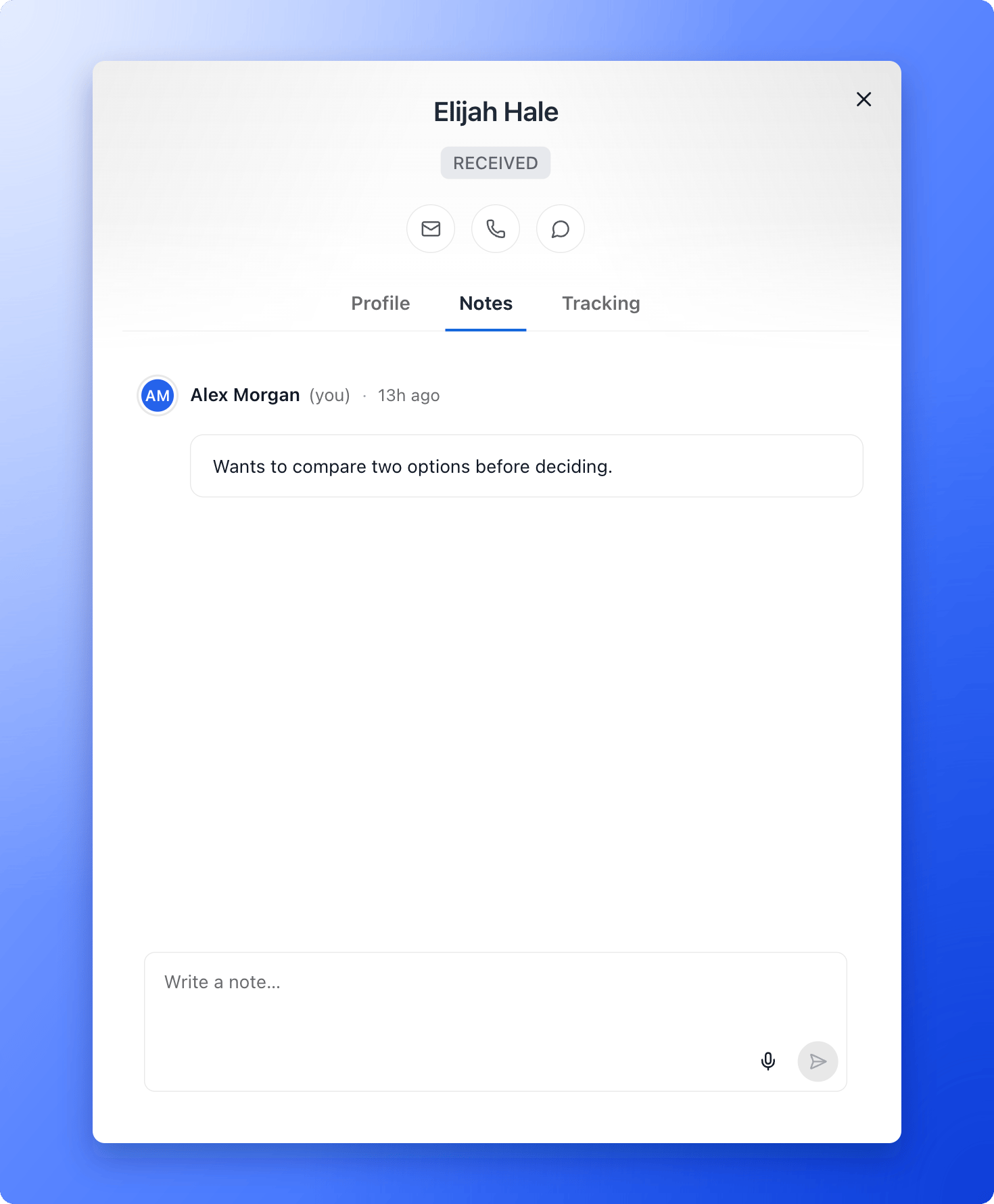
Write a note: open the Notes tab, type in Write a note… and click the send arrow. Each note shows who wrote it and when. You can edit or delete your own notes, but not a teammate’s.
- Change the status: click the status at the top of the panel. See Track leads with statuses.
- Add tags or change details: use the Profile tab. Click any field to edit it, for example Tags or Preferred time.
- Contact the lead: use the email, call and WhatsApp icons at the top of the panel. See Message a lead on WhatsApp.
- See their emails: in Profile, the Email flows section lists every automated email flow the lead is in and what was sent.
What the Tracking tab shows
- Source: a headline with where the lead arrived from (for example a social network or a search engine), when they arrived, and the campaign name if your link had one. With no campaign tags, it shows the site they came from, or Direct / Unknown.
- Device, Browser, OS and Time on funnel: four tiles. Time on funnel is how long the lead spent before they submitted. A long time can mean strong interest, or that the funnel was hard to follow, so read it next to their answers.
- UTM parameters: the marketing tags on the link the lead clicked (source, medium, campaign, term and content). AskFunnel captures them automatically.
- Device & environment: device type, browser, operating system, language and time zone.
- Landing & session: the Referrer (the page that sent them), the Landing URL (the page they arrived on) and Time on page.
What to do next
Track lead and team activity
See every status change, note and funnel update in one timeline.
See how your funnel performs
Visitors, conversions and where people drop off.