

Available on: all plans (Starter, Growth, Scale and Enterprise).
- A verified sender. See Add and verify a sender email.
- Teammates who have accepted their invitation. Only they can be picked. See Give access to a workspace.
- Some familiarity with flows. See Send automated emails to new leads.
Important to note
Set up a team alert
1
Create a flow and set its trigger
- From your main dashboard, click the three small dots (…) on the funnel’s row, then “Edit Funnel”.
- Click the Funnel button at the top and choose “Flows”.
- Click “New flow” and click the Trigger card.
- Pick the status that should notify your team. RECEIVED alerts them about every new lead. To alert them about only some leads, click “Add rule”, choose a question such as your budget question, set Is one of and pick the answers that mean a hot lead. Click “Save”.
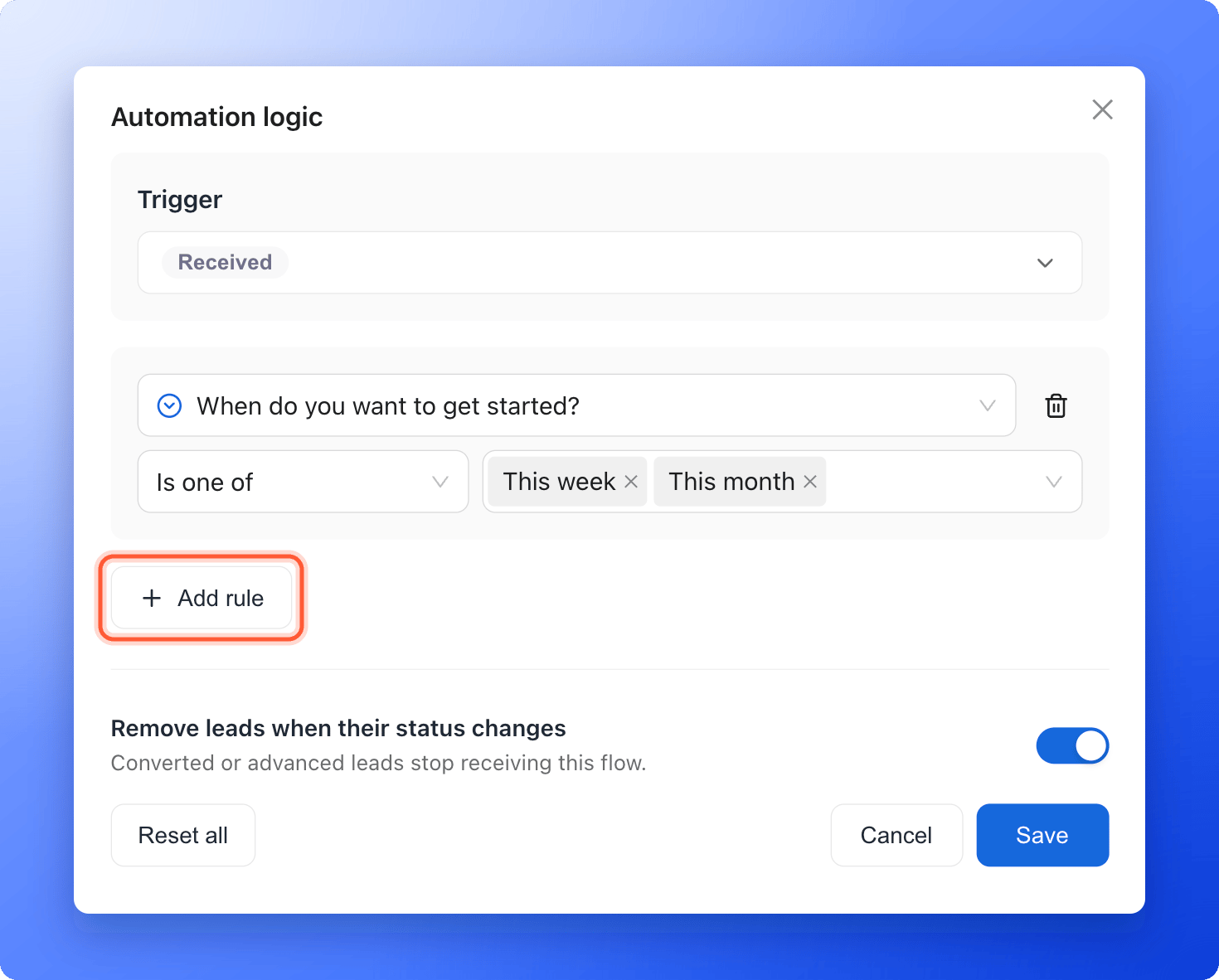
2
Send the email to workspace members
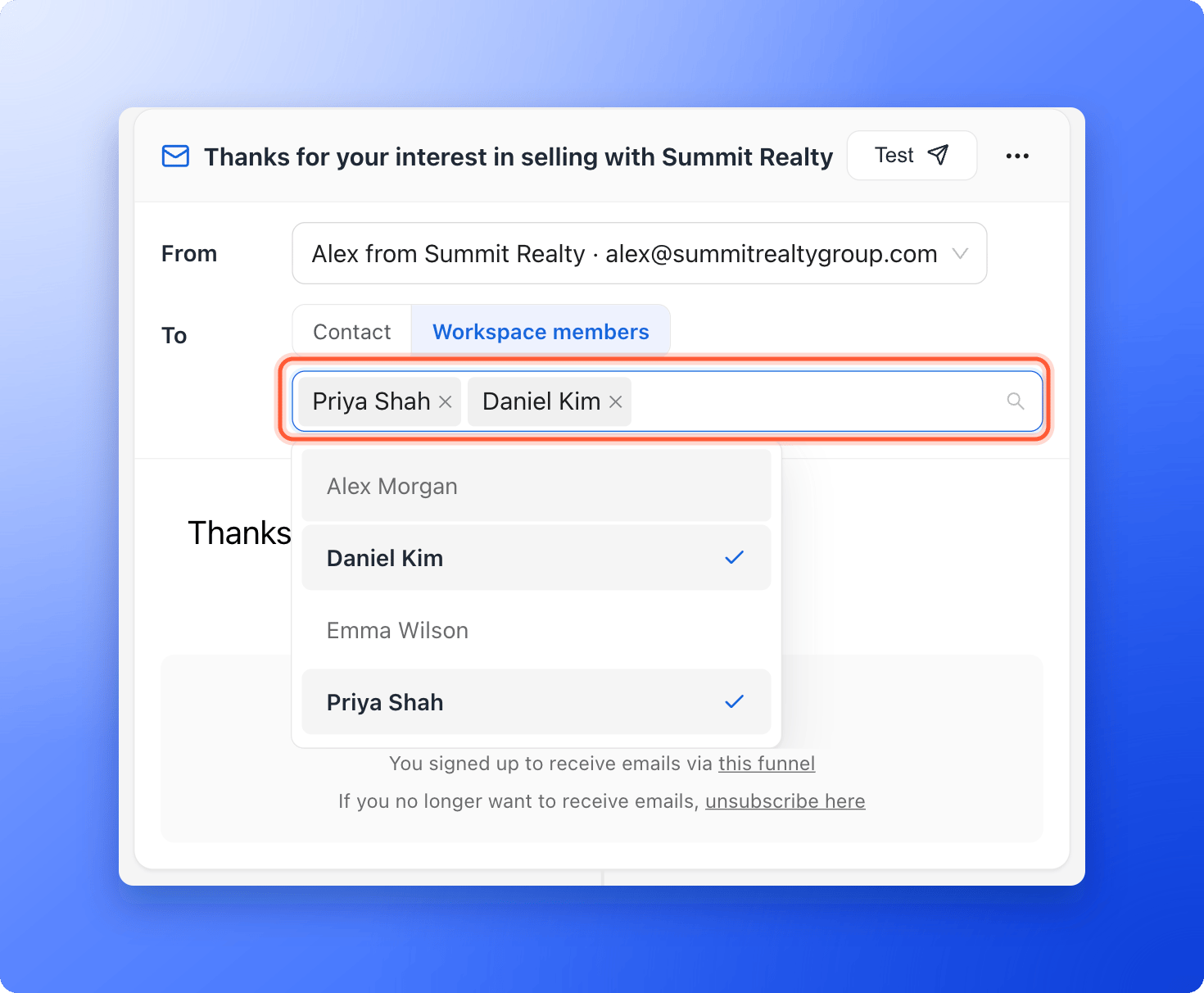
- Next to From, choose your verified sender.
- Next to To, click “Workspace members”.
- Click Choose members to notify and select the teammates who should get the alert. You can pick up to 20.
3
Write the alert
Add a clear subject, such as “New hot lead, follow up now”, and write the message. Type @ to insert details from the lead, such as their name, so your team sees who to contact. Pick the field, then enter a fallback (the text used when the field is empty) or click “No fallback”.
4
Test and publish
Click “Test” to send the alert to your own inbox, then click “Publish Flow”. From now on, every lead who matches the trigger sends your team an email.
Troubleshooting
The Workspace members option is grayed out
The Workspace members option is grayed out
Your workspace has no accepted teammates yet. Hover over the button to see why. Invite teammates in your workspace settings, and pick them once they accept. See Give access to a workspace.
My team did not get the alert
My team did not get the alert
Check that the flow is Live, that you picked members under To, and that the lead matched your trigger and rules. Ask your teammates to check their spam folders. If a teammate clicked unsubscribe in an earlier alert, they no longer get flow emails from this workspace.
What to do next
Send automated emails to new leads
Email the lead too, with a welcome message or a guide.
Keep your emails out of spam
Help your emails reach the inbox.
Message a lead on WhatsApp
Start a chat from the lead’s profile.