

- A Global Admin role. Only Global Admins can create workspaces. If you do not see the button, ask a Global Admin to create the workspace for you.
Important to note
Create a workspace
1
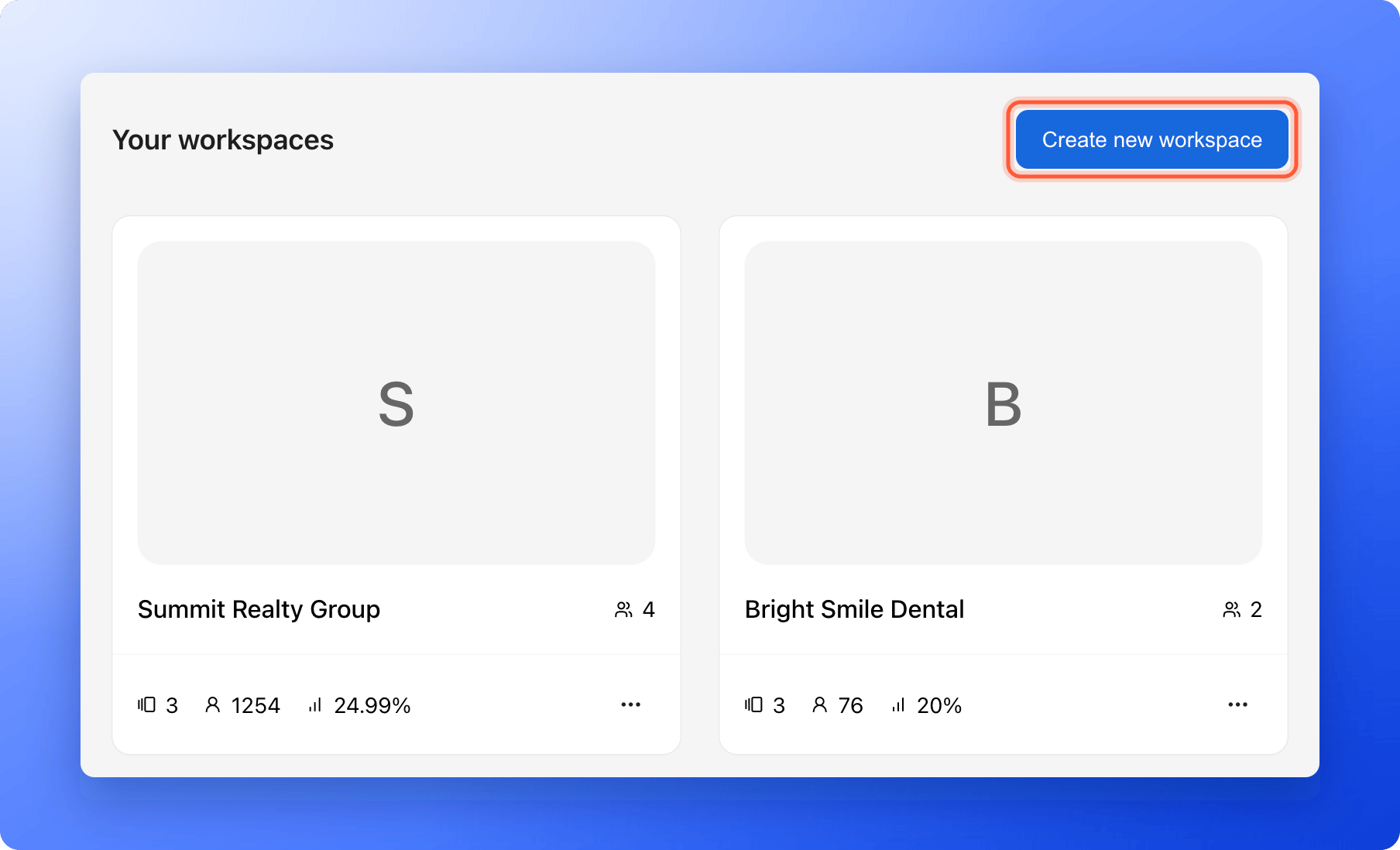
Open Your workspaces
- Click the home icon in the top left corner.
- Click “Create new workspace”. If you have no workspaces yet, click “Create workspace” instead.
2
Fill in the details
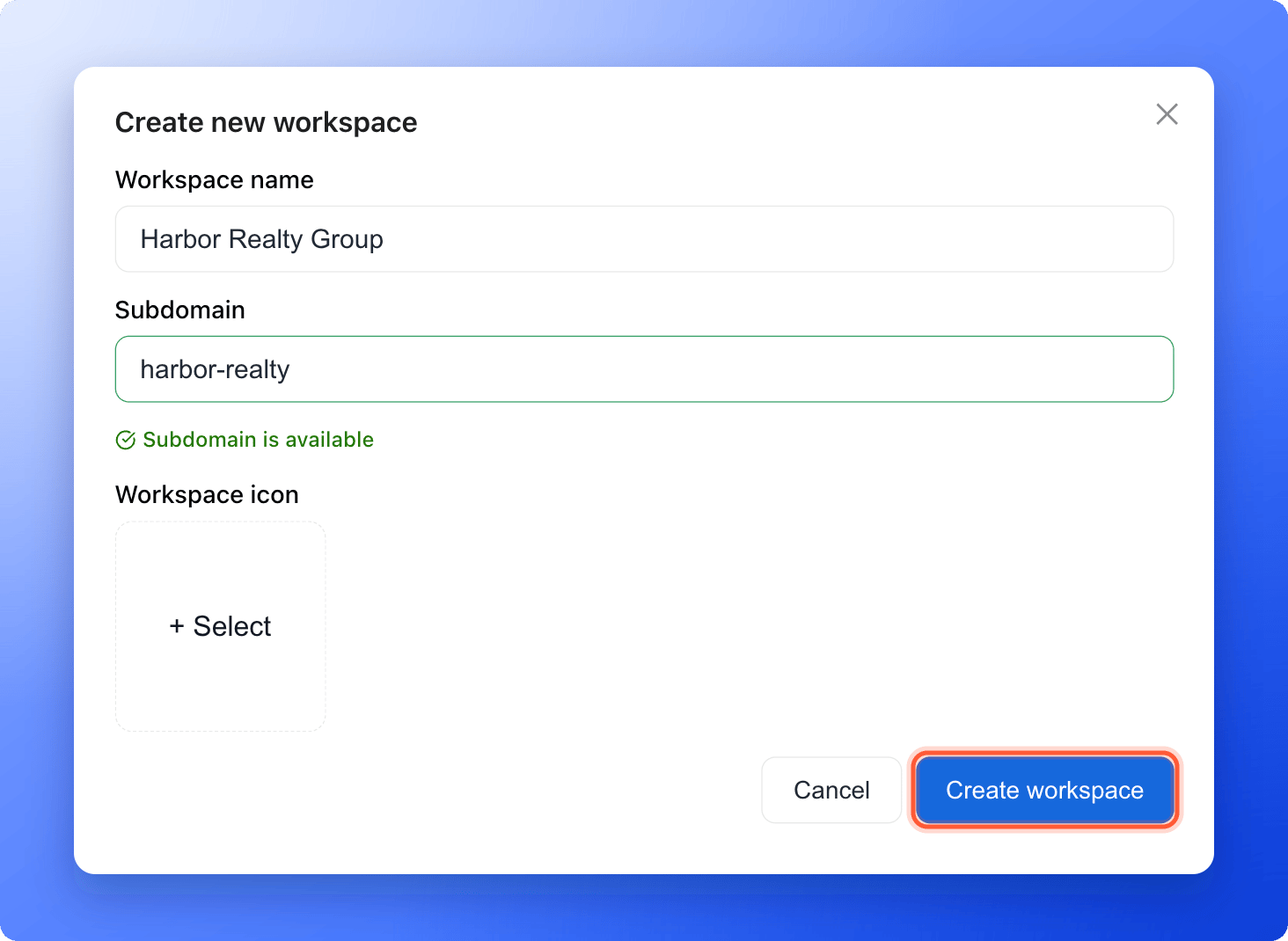
- Workspace name: Use a clear name, for example Summit Realty Group. It can be 2 to 60 characters.
- Subdomain: This is the address of your funnels, for example summit-realty.askfunnel.com. A subdomain is the first part of a web address. Use 3 to 20 lowercase letters, numbers or hyphens. You see Subdomain is available when the address is free.
- Workspace icon: Optional. Click + Select, choose or upload an image, and click “Select image”. The icon helps you tell clients apart.
3
Create the workspace
Click “Create workspace”. A card with Creating… appears, then you see the message “Workspace created successfully”.
Troubleshooting
My subdomain is not accepted
My subdomain is not accepted
A subdomain needs 3 to 20 characters: lowercase letters, numbers and hyphens. It cannot start or end with a hyphen, cannot have two hyphens in a row, and cannot be a reserved word. If you see “This subdomain is already taken”, choose a different one.
What to do next
Launch your first funnel
Click the new card to open the workspace and start building.
Invite a teammate or client
Add your team or your client to the workspace.
Switch between workspaces
Move between your clients’ workspaces.