

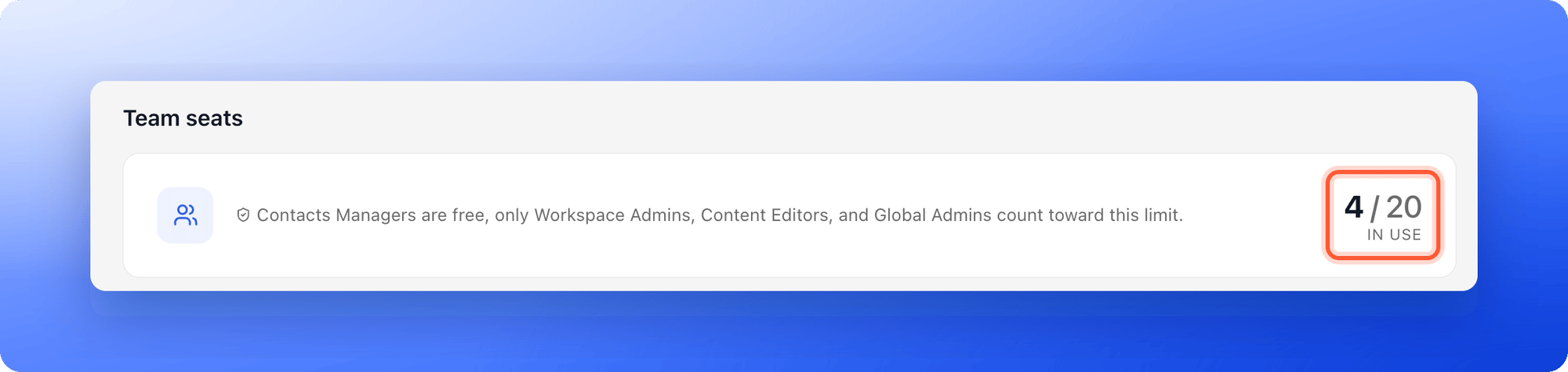
Your own account uses one seat. Seats are shared by your whole organization, not counted per workspace.
What counts as a seat
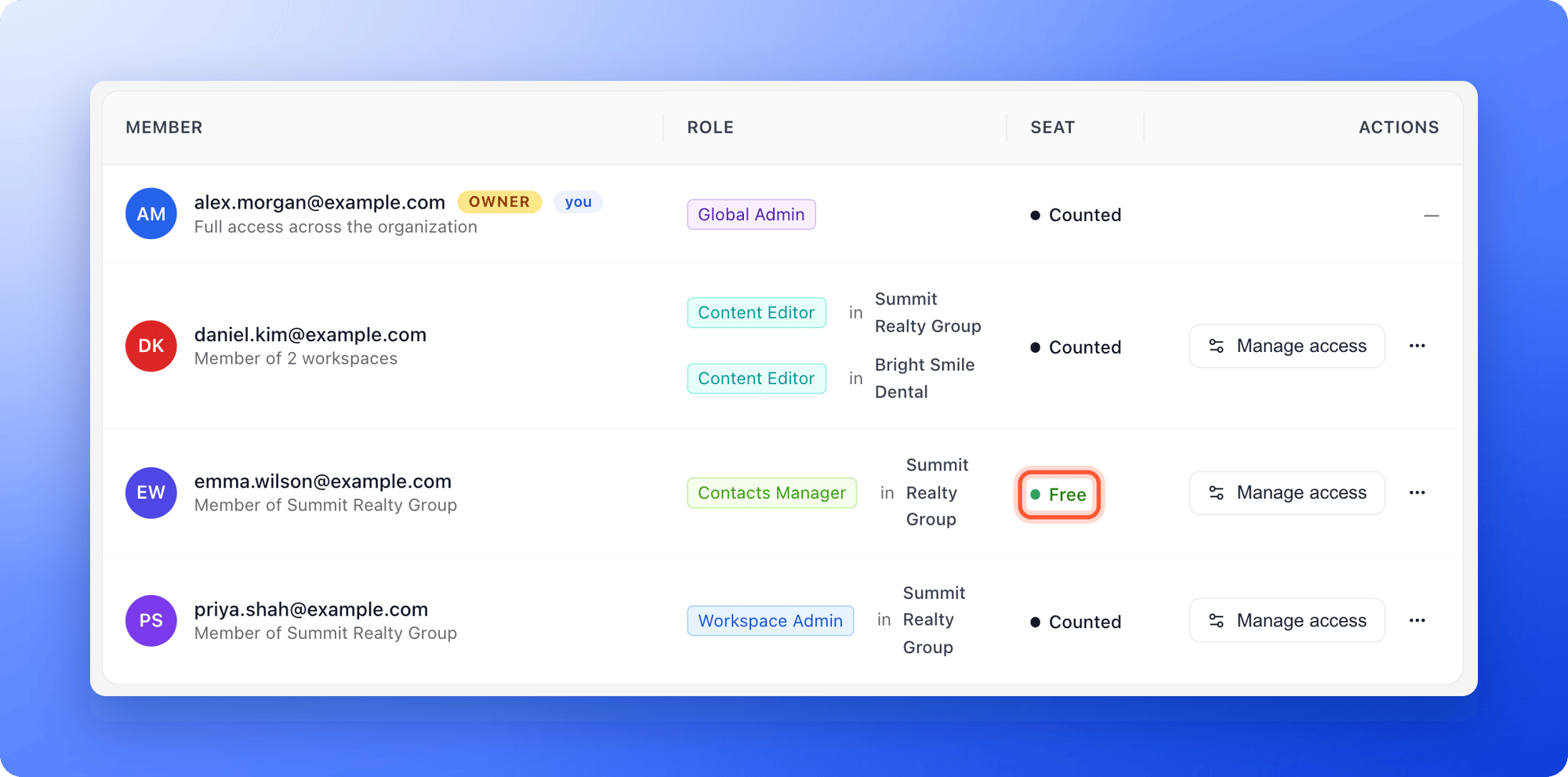
- Counted: Global Admins, Workspace Admins and Content Editors each use one seat.
- Free: Contacts Managers do not use a seat. They can only work with leads and analytics.
- One seat per person: Someone who belongs to several workspaces still uses one seat. They keep it while they have a counted role in any workspace.
- Pending invitations count: When you invite someone with a counted role, the seat is reserved right away. It is freed if you cancel the invitation.
Check how many seats you use
- Click your profile picture in the top right corner, then click “Members”.
- Look at the Team seats card. It shows your seats in use, for example 2 / 3.
- In the member list, the Seat column marks each person as Counted or Free.
Get more seats
- Upgrade your plan: Higher plans include more seats. See Upgrade your plan.
- Add seats: You can add extra team seats to Starter, Growth or Scale without changing plan. See Choose the right plan.
- Free a seat: Change someone who only needs to see leads to Contacts Manager. Click the … menu on the workspace card, then “Workspace settings”, then Members. Click the … menu on their row and click “Change to Contacts Manager”. You can also remove a member or cancel a pending invitation.
Troubleshooting
I ran out of seats
I ran out of seats
AskFunnel stops new invitations for counted roles and shows a window titled You’ve reached your [plan] plan limit, with “Upgrade plan” and “Not now” buttons. Free a seat, add seats or upgrade, then invite again. You can still invite Contacts Managers.
My seat count is higher than my number of members
My seat count is higher than my number of members
Pending invitations for counted roles are included in the count. Check the Pending invites tab.
What to do next
Upgrade your plan
Get more seats, leads and live funnels.
Invite a teammate or client
Invite a teammate or client and choose their role.
What a Contacts Manager can see and do
Give clients their leads without using a seat.