

- A funnel that collects phone numbers. See Set up your lead capture form.
- A role that can see leads: Global Admin, Workspace Admin or Contacts Manager. To save a default message you also need a role that can open “Funnel Settings”: Global Admin, Workspace Admin or Content Editor. Contacts Managers can message leads but cannot change the template.
Open a WhatsApp chat with a lead
1
Open the lead
In your funnel’s Leads tab, hover over the lead’s name and click the “Open lead” icon. See View and manage your leads.
2
Click the WhatsApp button
At the top of the lead’s panel, click the WhatsApp icon (a chat bubble) next to the email and call icons. It appears when the lead has a phone number.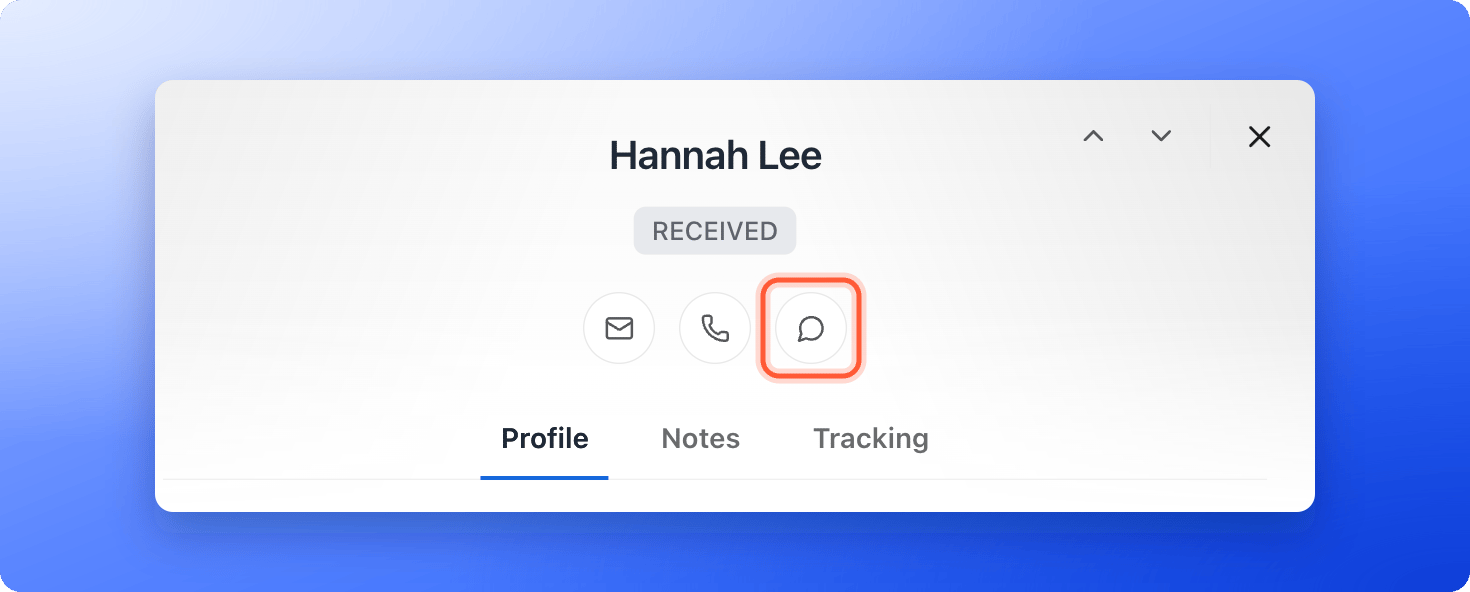
3
Send your message
WhatsApp Web or the WhatsApp app opens a chat with that number in a new tab. If your funnel has a default message, it is already typed in. Change it if you like, then send it.
Save a default message for the funnel
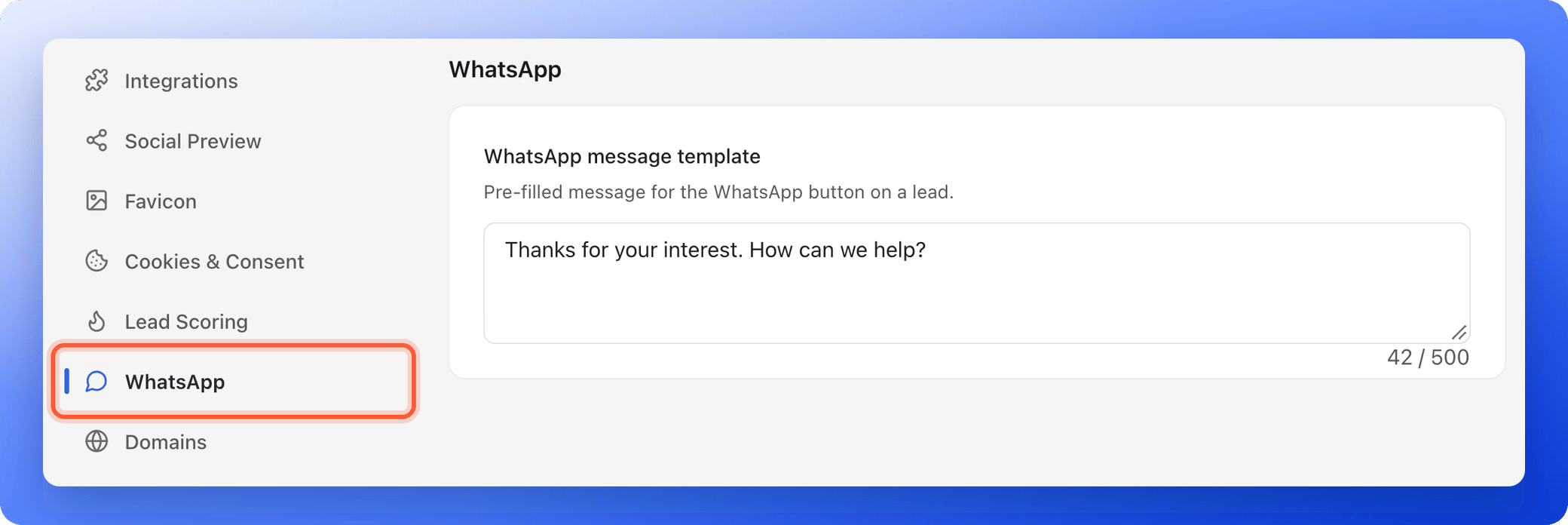
Each funnel has a WhatsApp message template. Whatever you save there is typed into every chat you open from that funnel’s leads.- From your main dashboard, click the three small dots (…) on the funnel’s row, then click “Funnel Settings”.
- In the left menu, click “WhatsApp”.
- Type your message in WhatsApp message template, for example: “Hi! Thanks for your interest. How can we help you?” You can use up to 500 characters.
- Click “Save changes” in the bar that appears at the top.
Troubleshooting
My default message does not appear in the chat
My default message does not appear in the chat
Check that you clicked “Save changes” after typing the message, then open the lead again from the funnel’s Leads tab. The message belongs to one funnel, so a lead from another funnel gets that funnel’s message, or an empty chat if it has none.
WhatsApp says the number is not on WhatsApp
WhatsApp says the number is not on WhatsApp
WhatsApp needs the full international number. Make sure the lead’s phone includes the country code, for example +1 for the United States, and that the person uses WhatsApp on that number.
What to do next
Let visitors book a call
Open a booking popup after the form.
Send automated emails to new leads
Follow up by email too.