

- An invitation that has not been accepted yet. See Invite a teammate or client.
- To be the person who sent the invitation, or a Global Admin. Only they can resend or cancel it.
Important to note
Manage a pending invite
1
Open Pending invites
- Click your profile picture in the top right corner, then click “Members”.
- Click the Pending invites tab. The number in brackets is how many invitations are waiting.

2
Resend or cancel
Use the buttons in the Actions column: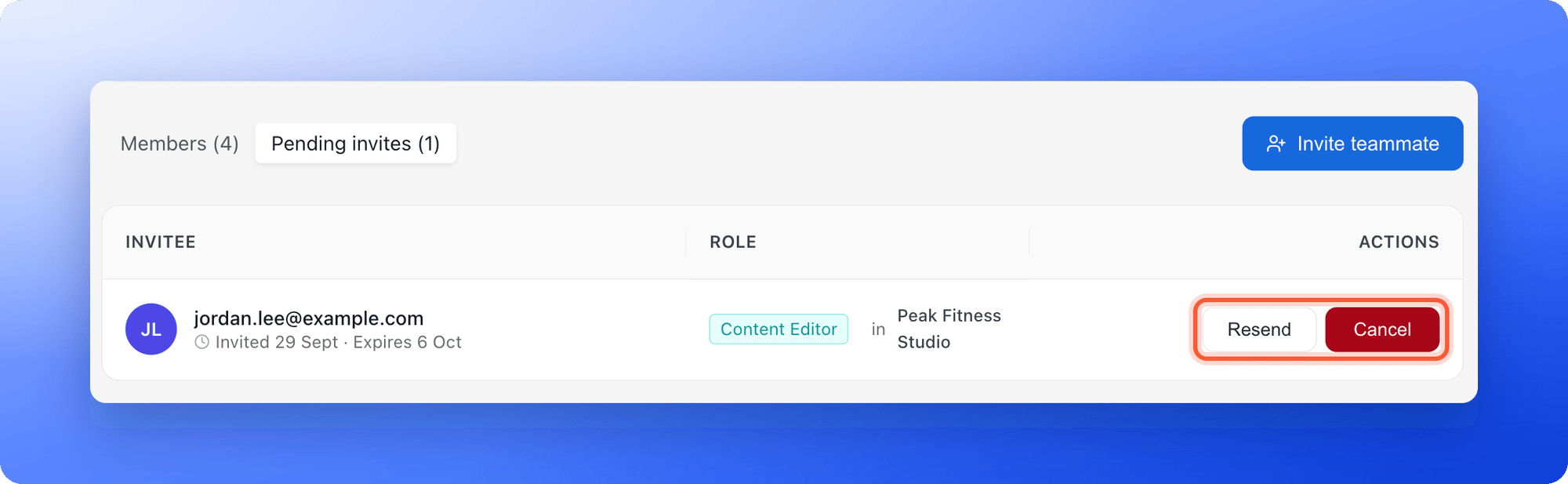
- Resend: Click “Resend” to email a new link. You see a message such as “Invitation resent to sofia.alvarez@example.com.”
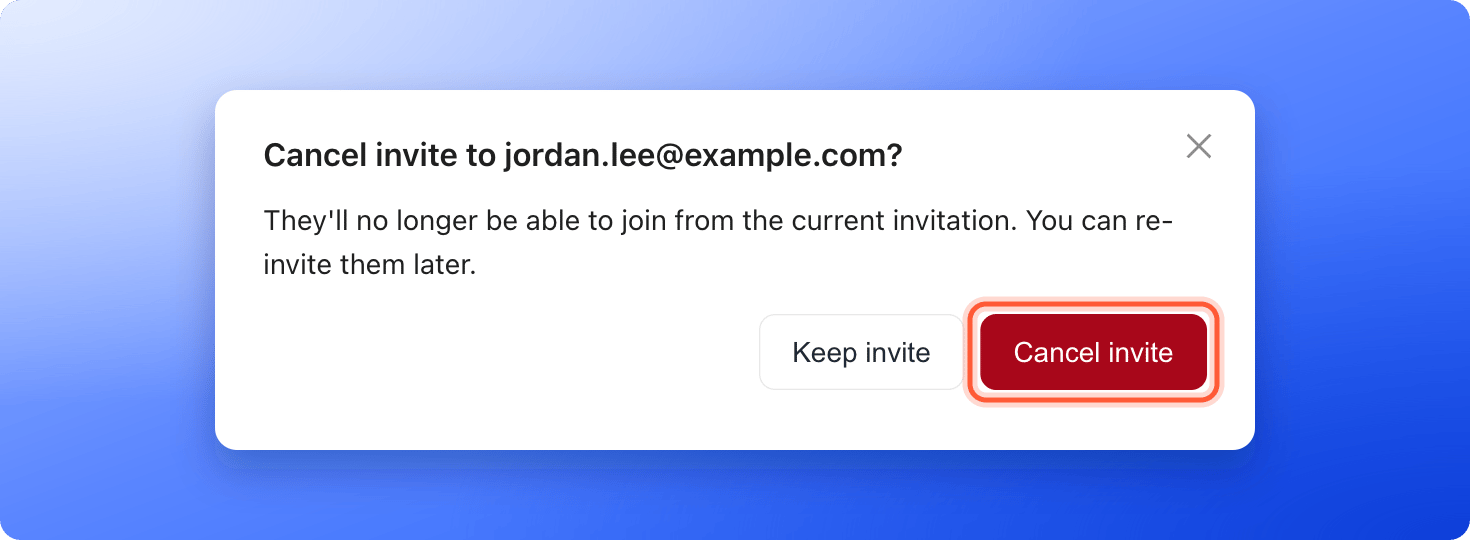
- Cancel: Click “Cancel”. A window asks Cancel invite to sofia.alvarez@example.com? Click “Cancel invite” to confirm, or “Keep invite” to go back. You then see “Invitation to sofia.alvarez@example.com cancelled.”
How do I know it is working?
- After a resend, the person receives a new email with a new link.
- After a cancel, the invitation leaves the list, its link stops working and the seat it reserved is free again. You can invite the person again later.
- When someone accepts, they move from Pending invites to the Members tab.
Troubleshooting
Resend or Cancel shows an error
Resend or Cancel shows an error
Only the person who sent the invitation or a Global Admin can resend or cancel it. Ask one of them to do it.
My teammate says the link is not valid
My teammate says the link is not valid
The invitation may have expired, been cancelled or already been accepted. Check the Members tab, and if they are not there, click “Resend” on the Pending invites tab.
I see that I sent too many invites in the last hour
I see that I sent too many invites in the last hour
AskFunnel limits how many invitations and resends you can send in an hour. Wait a little and try again.
What to do next
Invite a teammate or client
Send a new invitation and choose a role.
Team seats
See which roles use a seat.