

Available on: all plans (Starter, Growth, Scale and Enterprise).
funnel.yourbrand.com, instead of your free AskFunnel address, such as summit-realty.askfunnel.com. It looks more trustworthy in ads and messages and keeps your brand in the link. You connect a domain once for your workspace. After that, you choose which funnels use it.
With a custom domain, you can:
- Use your own brand in every link. People see your web address, not askfunnel.com.
- Keep your main website untouched. Use a subdomain (a prefix added to your domain, such as
funnel.yourbrand.com) for your funnels and leaveyourbrand.comfor your website. - Choose per funnel. Turn a domain on for some funnels and leave others on your AskFunnel address.
- Get a secure link. AskFunnel sets up the security certificate for you.
- A Workspace Admin or Global Admin role. Only they can add or remove a domain, because Workspace Settings is for admins only. Content Editors can turn a connected domain on or off for a funnel.
- A domain you own, and access to its DNS settings at the company where you bought it, for example Namecheap, GoDaddy or Cloudflare. DNS settings are where that company stores which address each web name opens.
- A subdomain to use, such as
funnel.yourbrand.comorsurvey.yourbrand.com.
Important to note
Setup
1
Add your domain in Workspace Settings
- From your funnel list, click the three dots (…) on any funnel’s row, then click “Funnel Settings”.
- On the left side menu, click “Domains”.
- Click “Manage domains”. This opens Workspace Settings on its Domains section.
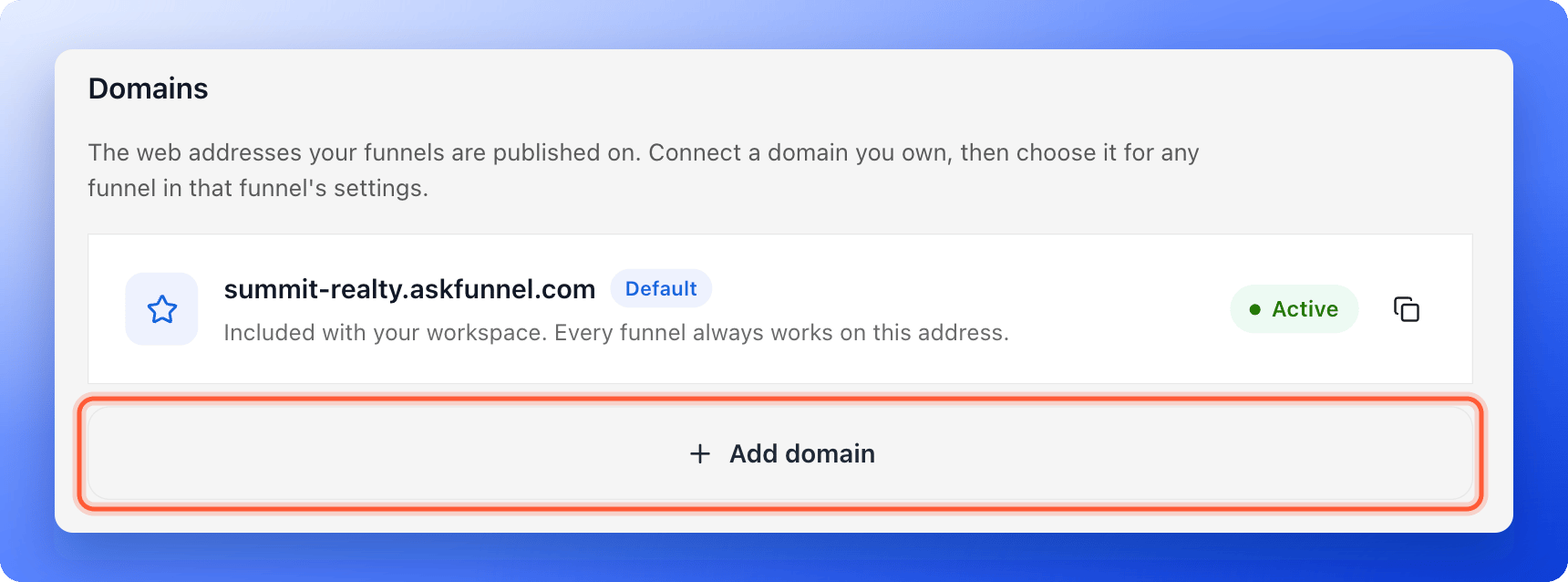
- Click “Add domain”.
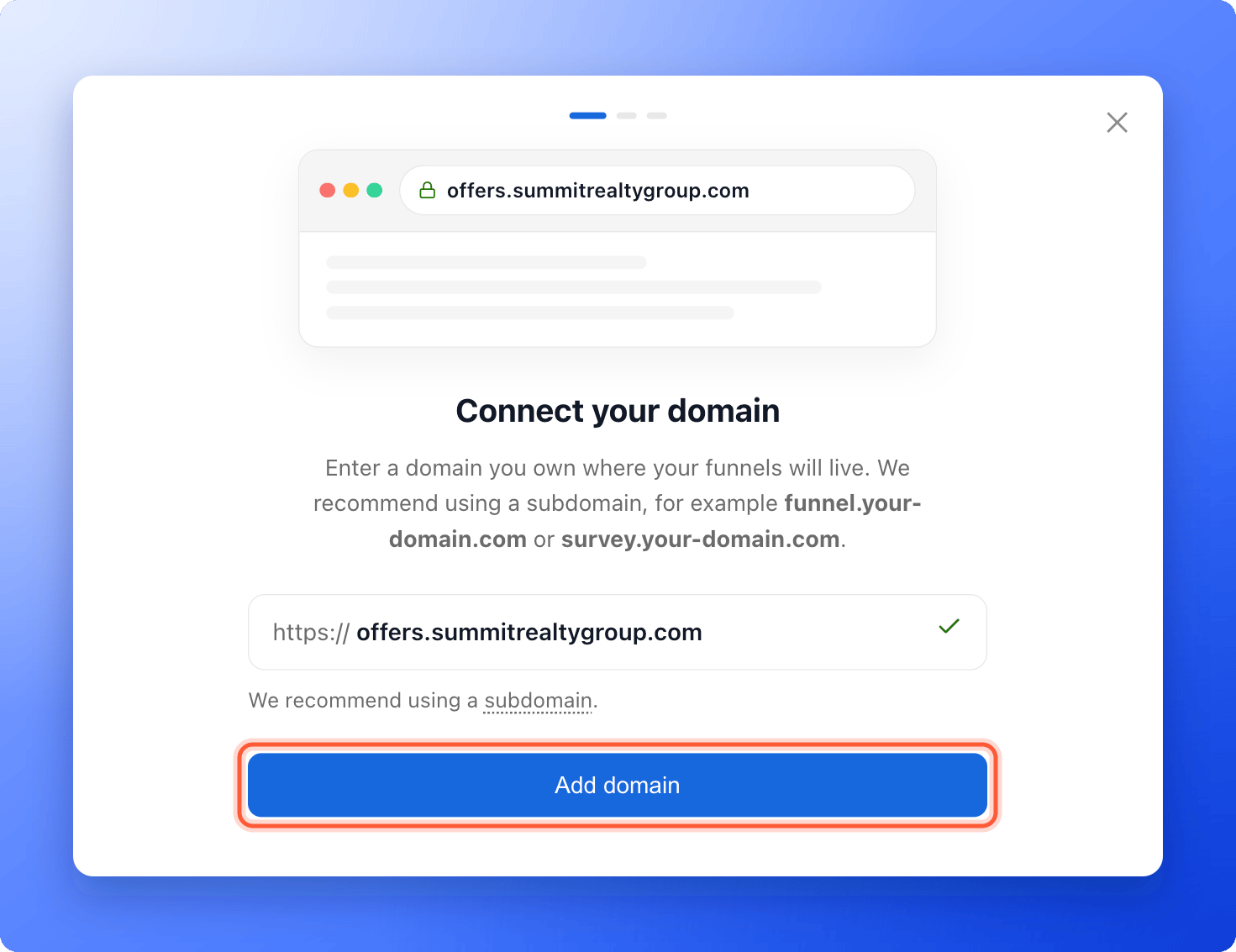
- Type your subdomain, for example
funnel.yourbrand.com, and click “Add domain”.
2
Add the DNS record at your domain provider
AskFunnel now shows Link your domain to AskFunnel with a record to add. A CNAME record is a DNS entry that points your subdomain to AskFunnel. It has four parts: Type, Host, Target and TTL.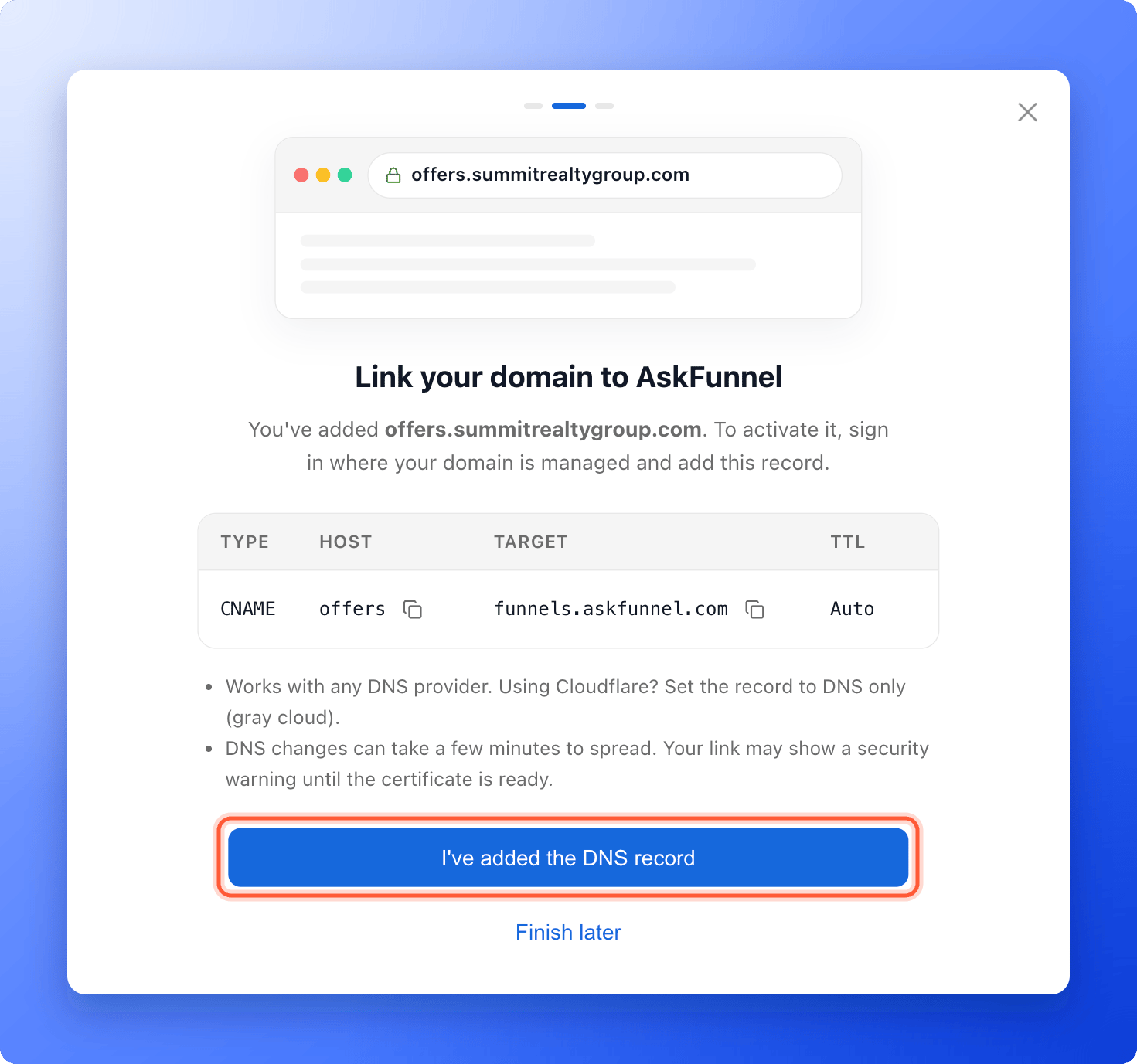
- Open a new browser tab and sign in to your domain provider.
- Find your DNS settings (some providers call it Advanced DNS) and add a new record:
- Type: CNAME
- Host: the first part of your subdomain. For
funnel.yourbrand.com, enter funnel. If your domain ends in two parts, such as.co.uk, still enter only the first part of your subdomain. - Target (or Value): copy it from AskFunnel. It is
funnels.askfunnel.com. - TTL: Auto, or leave the default.
- Save the record.
- Go back to AskFunnel and click “I’ve added the DNS record”.
Using Cloudflare? Set the record to DNS only (the gray cloud), not Proxied (the orange cloud).
3
Wait until the domain is active
AskFunnel checks your record and keeps checking about every 15 seconds while the window is open. You can also click “Check again now”, or close the window with “Finish later”.Changes to DNS can take a few minutes, and sometimes up to 24 hours, to reach the whole internet. Until the security certificate is ready, your link may show a security warning.When it works, you see Your domain is live and the domain shows a green Active label in the list.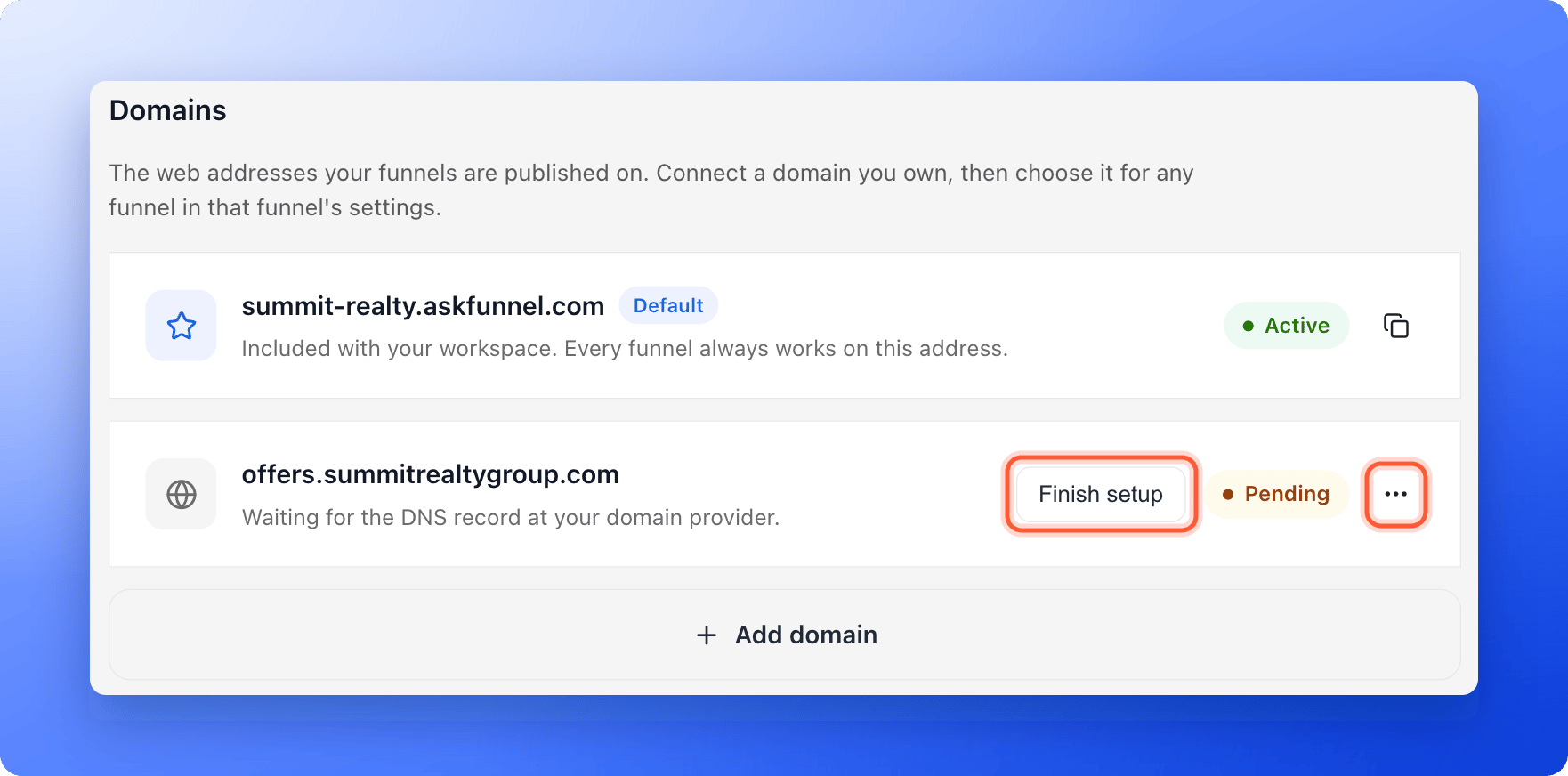
4
Choose the domain for your funnel
- Open “Funnel Settings” for the funnel you want, then click “Domains” on the left side menu.
- Find your domain in the list and turn on the switch next to it. You see Funnel domains updated.
- Click the copy icon next to the domain to copy the full link for that funnel.
How do I know it is working?
- In Workspace Settings, then Domains, your domain shows a green Active label.
- In Funnel Settings, then Domains, the switch next to your domain is on and says People can open this funnel on this address.
- Paste the copied link into a private browser window. Your funnel opens on your own domain.
Troubleshooting
My domain stays Pending
My domain stays Pending
Open the menu (…) next to the domain and click “Check status”. AskFunnel tells you what it sees:
- DNS record not found yet. Add the record at your domain provider, then check again. Also check that the Host is only the first part of your subdomain, for example funnel.
- The record points to another address. Change the Target to
funnels.askfunnel.com. - Your DNS record points at Cloudflare. Turn the orange cloud off so the record is DNS only.
- DNS record found. Issuing the certificate now. Wait a few minutes and check again.
My domain shows Issue
My domain shows Issue
Read the message under the domain name. If it mentions a CAA record, your domain settings block the security certificate. Ask your domain provider to remove the CAA record or to allow certificates for your domain, then click “Check status”. If it says the domain no longer points to AskFunnel, add the DNS record again, then remove the domain and add it again.
My browser shows a security warning
My browser shows a security warning
The security certificate is not ready yet. Wait a few minutes and reload. It usually clears on its own.
I see This domain is already connected
I see This domain is already connected
That domain is already connected to a workspace, maybe yours. Open Workspace Settings, then Domains to check. If it belongs to another workspace, remove it there first.
I do not see Manage domains or Workspace Settings
I do not see Manage domains or Workspace Settings
Only Workspace Admins and Global Admins can open Workspace Settings. Ask an admin to add the domain. After that, you can turn it on for your funnels in Funnel Settings.
My pending domain disappeared
My pending domain disappeared
A domain that does not get a working DNS record within about 14 days is removed. Add it again and finish the DNS step.
Manage your domains
- Turn a domain off for one funnel: in that funnel’s Funnel Settings, then Domains, turn off the switch. The funnel still works on your AskFunnel address.
- Remove a domain: in Workspace Settings, then Domains, open the menu (…) next to the domain and click “Remove domain”.
What to do next
Set your social preview and favicon
Choose the title and picture people see when they share your link.
Set up cookies and consent
Ask people for permission before your funnel tracks them.
Share your funnel
Use your new link in ads, messages and social posts.