

Available on: the Growth plan and above.
- Keep your pages clean. The footer shows only your own links, such as Terms of use, Privacy policy and Manage Cookies.
- Remove the badge from emails. Your follow up emails no longer show the AskFunnel badge.
- Choose per funnel and per flow. The switch is on each funnel’s footer and on each email flow’s footer.
- The Growth plan or above. See Upgrade your plan.
- A role that can edit funnels: Global Admin, Workspace Admin or Content Editor.
Important to note
Remove the branding from your funnel
1
Open the footer
- Open your funnel in the builder.
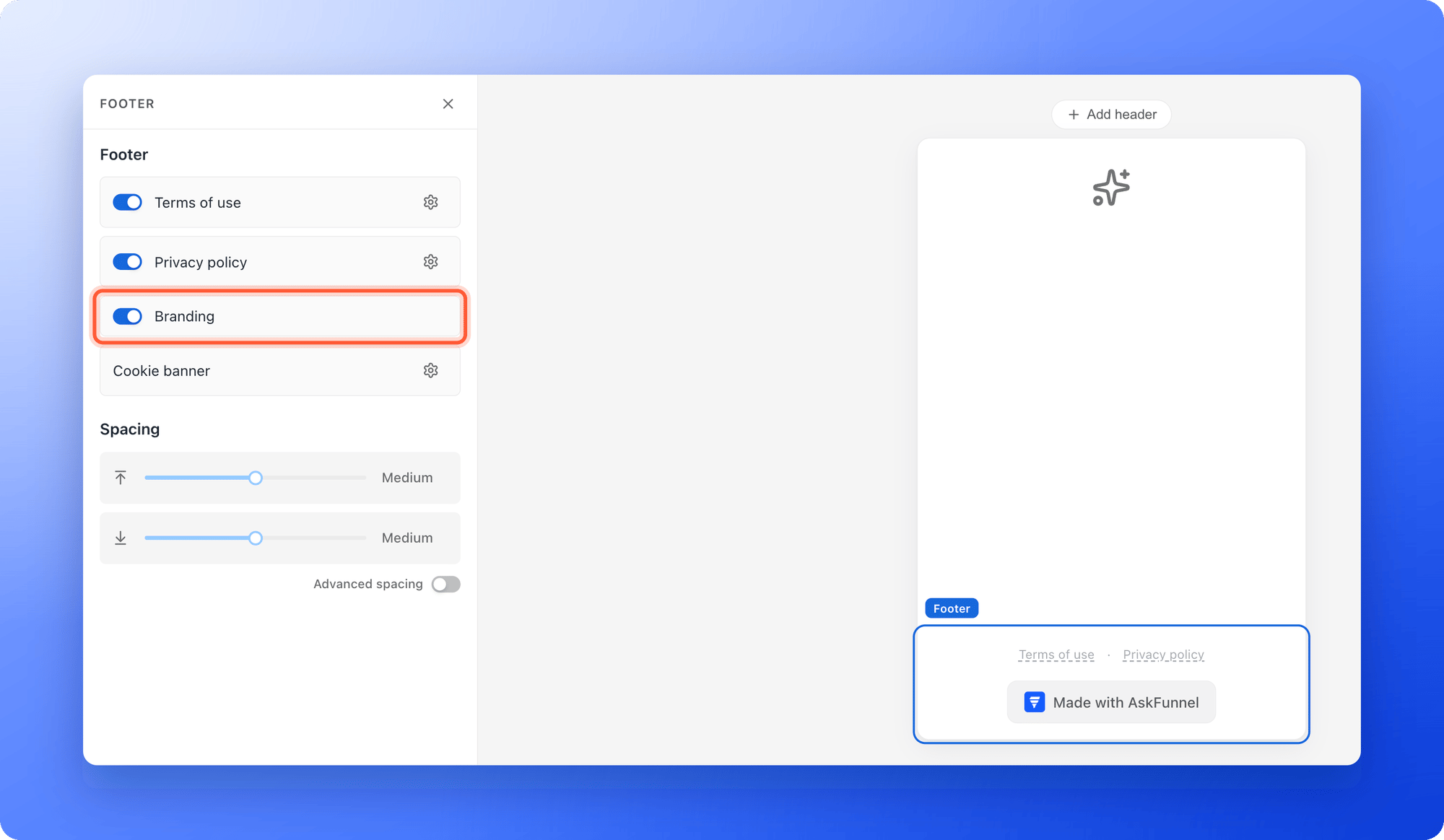
- Scroll to the bottom of a page and click the footer, the bar with the links. The left panel shows rows for Terms of use, Privacy policy, Branding and Cookie banner. A link that has no address yet shows faded with a dashed underline in the builder, and is hidden on your published funnel.
2
Turn off Branding
Turn off the switch on the Branding row. On the canvas, the Made with AskFunnel line disappears. The footer is shared by all pages of the funnel, so you only do this once.
3
Publish your funnel
Click “Publish Funnel” at the top right. Then open the arrow next to it and click “View live” and scroll to the bottom of a page to check. See Publish, unpublish and restore an earlier version.
Remove the badge from your emails
1
Open the footer of an email
- From your funnel list, click the three dots (…) on the funnel’s row, then click “Edit Funnel”.
- At the top, next to the funnel name, click the Funnel button and choose “Flows”, then open your flow.
- At the bottom of any email, click the footer, the part with the AskFunnel badge and the two lines of small print. The left panel switches to Footer.
2
Turn off Branding
Turn off the switch next to Branding. The badge disappears from the footer. The two lines of small print stay, because they are required.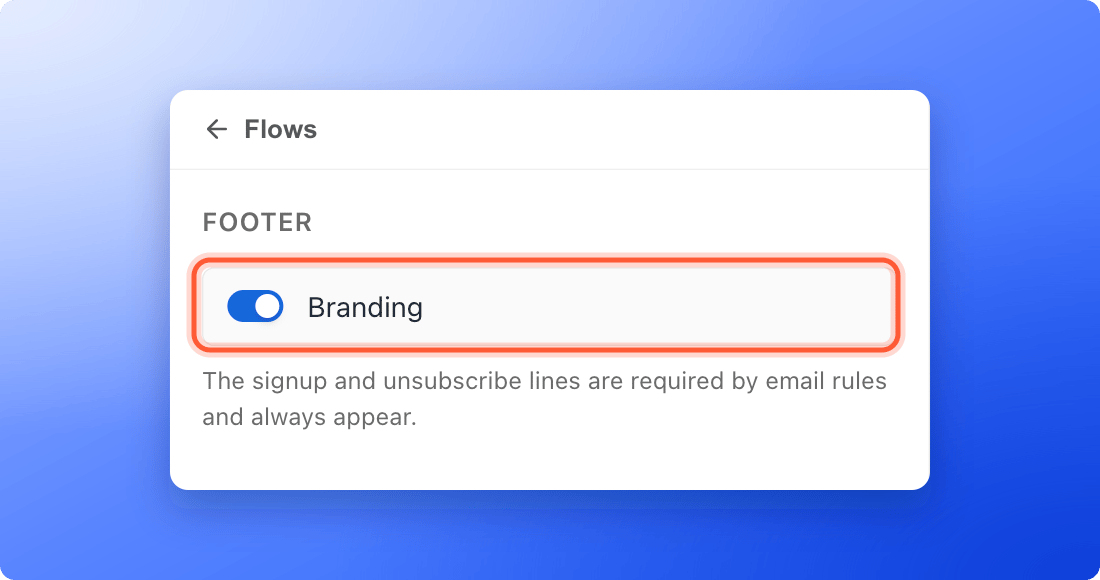
3
Publish the flow
Click “Publish Flow” at the top right so the change reaches the emails you send from now on. See Send automated emails to new leads.
How do I know it is working?
- In the builder, the Made with AskFunnel line is gone from the footer.
- On your live funnel, the bottom of each page shows only your links.
- In a test email from the flow, there is no AskFunnel badge above the small print. Use “Test” on the email to send yourself a copy.
Troubleshooting
The Branding switch is grayed out and on
The Branding switch is grayed out and on
Your plan does not include this feature. Hiding the branding is available on the Growth plan and above. Click your plan badge at the top right, or see Upgrade your plan.
I upgraded, but my live funnel still shows Made with AskFunnel
I upgraded, but my live funnel still shows Made with AskFunnel
A funnel keeps the branding it was published with. Open the funnel, turn off Branding in the footer and click “Publish Funnel” again.
I turned the switch off but the branding is still on my live funnel
I turned the switch off but the branding is still on my live funnel
Check that you clicked “Publish Funnel” after the change and give it a minute. Also check that your subscription is on the Growth plan or above. If your plan is lower, the branding is always shown.
The badge is still in my emails
The badge is still in my emails
Click “Publish Flow” after you turn off Branding, because a live flow only changes when you publish it again. Emails that were already sent do not change.
The branding came back after I changed my plan
The branding came back after I changed my plan
Your new plan does not include removing the branding, so AskFunnel puts it back on your live funnels and your emails. Upgrade to the Growth plan or above, turn Branding off again and publish.
Can I remove the small print in my emails?
Can I remove the small print in my emails?
No. The signup line and the unsubscribe line are required for email, so they always appear.
What to do next
Set up your privacy policy and terms links
Add your own links to the same footer.
Send automated emails to new leads
Build the emails that carry your footer.
Choose the right plan
See what each plan includes.