

- A published funnel. The details are added to the live page, so a draft has nothing to show yet. See Find and share your funnel link.
- A role that can open “Funnel Settings”: Global Admin, Workspace Admin or Content Editor.
What AskFunnel adds to your live page
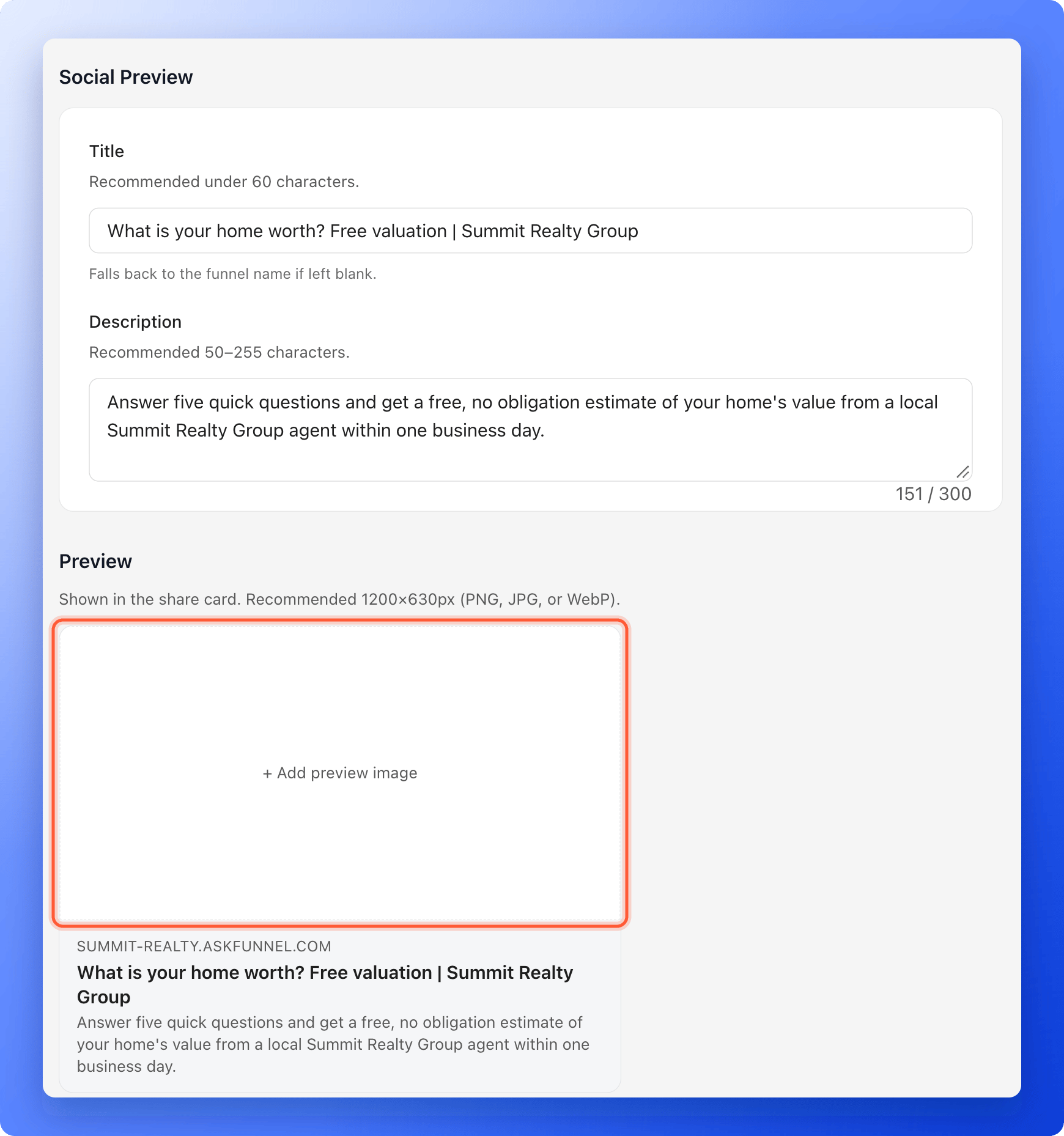
You set one title and one description for the whole funnel. They are the same on every page of it.
Important to note
Write a title and a description that work
- Say what the visitor gets. For example “Free home valuation in 2 minutes | Summit Realty Group”. Start with the part that matters most.
- Keep the title short. AskFunnel recommends under 60 characters. It accepts up to 120.
- Write the description for a person. AskFunnel recommends 50 to 255 characters and accepts up to 300. Say what happens when they open the link.
- Use your own words. Do not copy the same text into every funnel.
What you cannot control
- Indexing and sitemaps. There is no setting for either one.
- Extra code in the page head. There is no field for your own code or tags.
- The title and description of single pages. One title and one description cover the whole funnel.
- The ending of your link. AskFunnel creates it for you, and it does not change when you rename the funnel.
Keep your pages light
Visitors who wait for a slow page often leave. AskFunnel helps in one way: images you upload are turned into smaller versions for each screen, so you do not need to shrink them by hand. Right after an upload, you may see the original for a few seconds while the smaller versions are made. You can help too. Use only the pictures a page needs, and check the first page of your funnel on Mobile and on a real phone. See Test your funnel before you send traffic.How do I know it is working?
- Open your live funnel. The browser tab shows your title and your icon.
- Paste your link into a chat or a post draft. A card with your title, description and image appears.
Troubleshooting
My funnel does not show up in search results
My funnel does not show up in search results
A new page can take a while to appear, and AskFunnel cannot ask a search engine to list it sooner. Links from your website and your social profiles to the funnel help search engines find it. Search engines decide whether to list a page.
I want to hide my funnel from search engines
I want to hide my funnel from search engines
There is no setting for this. Unpublish the funnel and its page goes offline. You can publish it again later with no changes. See Publish, unpublish and restore an earlier version.
A search engine shows a different title than the one I wrote
A search engine shows a different title than the one I wrote
Search engines choose what to show and can rewrite it. A clear, short title and description make that less likely.
The preview card still shows my old text or image
The preview card still shows my old text or image
Social platforms keep a copy of each card. See Set up your social preview and favicon for ways to refresh it.
I want a different title for each page of my funnel
I want a different title for each page of my funnel
This is not possible. You set one title and one description for the whole funnel.
The same funnel shows under two addresses
The same funnel shows under two addresses
A funnel opens on its AskFunnel address and on every custom domain you switch on for it. Use one address in your ads and links. To change which domains a funnel uses, see Connect your custom domain.
What to do next
Set your social preview and favicon
Choose the title, description and picture step by step.
Connect your custom domain
Put your funnels on your own web address.
Find and share your funnel link
Copy your link and use it in ads, messages and posts.