

Available on: all plans (Starter, Growth, Scale and Enterprise). Building with AI uses AI credits.
- Match the funnel to your visitors. Some people need to be warmed up. Others are ready to act.
- Ask the right questions. The goal decides what the quiz tries to find out.
- Get a form that fits. The goal decides what the form’s button and your thank you screen say.
- A rough idea of who your visitors are and where they come from, such as a cold ad, a message from a client or your email list.
- One sentence about what you want a visitor to do.
The three formats
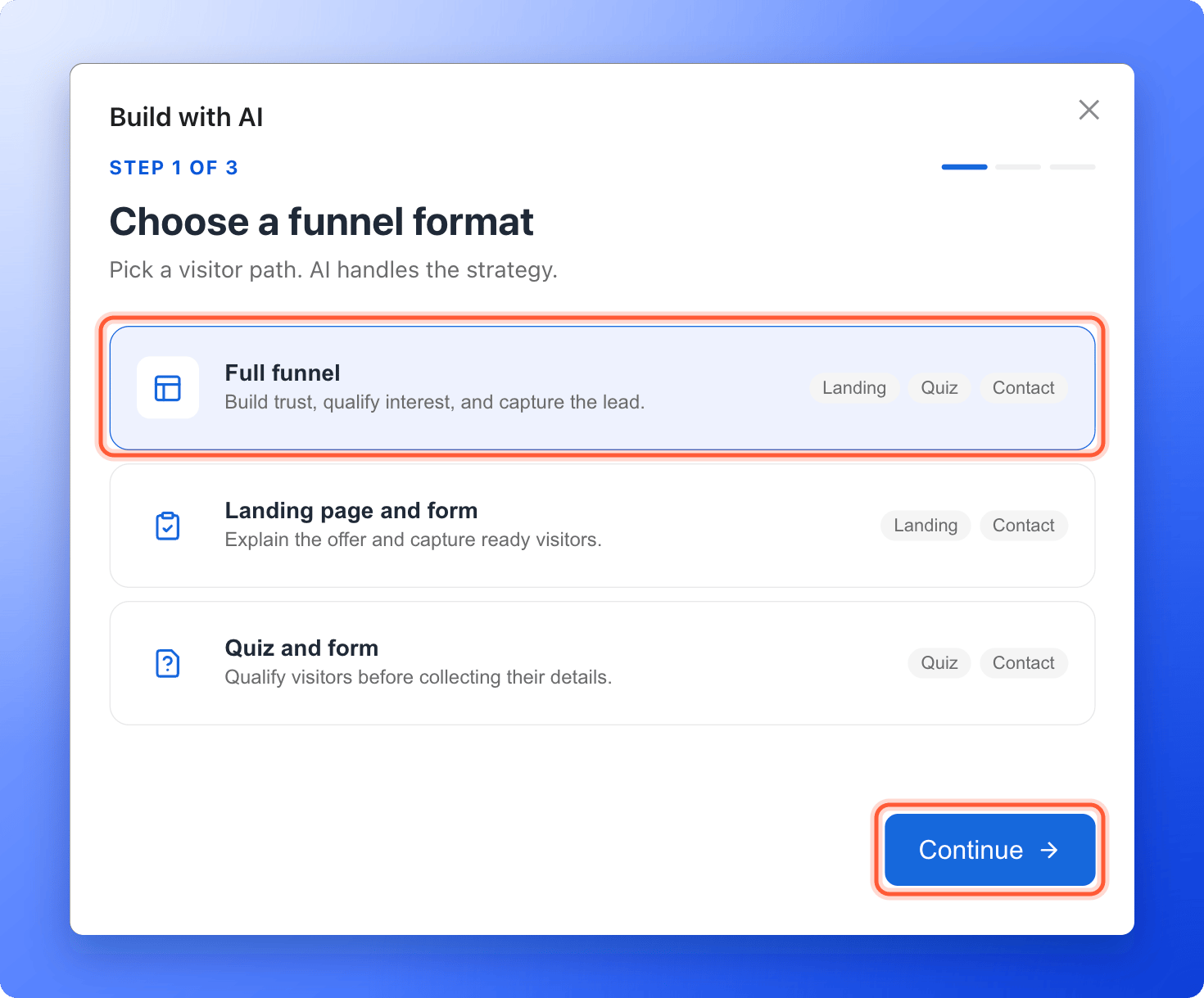
Each choice has a cost:
- Full funnel is the longest path, so some visitors leave before the form.
- Landing page and form tells you the least about each lead.
- Quiz and form starts with a question, so there is no room to explain your offer first.
Which format should I pick?
- Do visitors know you? If not, start with Full funnel.
- Do you need to sort leads by their answers, such as budget or timing? If yes, use Full funnel or Quiz and form. If not, Landing page and form is enough.
- Is your offer simple, and are visitors ready? Choose Landing page and form, and keep the path short.
The template library only has full funnels. The other two formats come from the AI builder, or you build them yourself. See Build a funnel from a blank page.
The six goals
Choose the goal that is closest to what you want. AI works out the rest.
AI writes the button of your contact form and your thank you screen to fit the goal. It is told not to promise anything it cannot know, such as how fast you reply, a price, a discount or a guaranteed result, and AskFunnel checks the draft for response times and guarantees.
Important to note
Starting points
These are examples, not rules. Your visitors and your offer come first.Put your choice to work
Click “Create Funnel” on your funnels page, then “Generate with AI”, and choose your format and goal. The full steps are in Create a funnel with AI.How do I know it is working?
- Your draft has the pages of the format you chose. A Full funnel and a Landing page and form start with a page called Welcome. A Landing page and form has no question pages. A Quiz and form has no Welcome page.
- The button of your contact form and the text of your thank you screen match your goal.
Troubleshooting
I picked the wrong format
I picked the wrong format
Build again with another format, which uses AI credits again. Or edit the draft: delete the pages you do not need, or add new ones. See Manage your funnel pages and Build quiz questions.
I want fewer questions
I want fewer questions
AI writes between 4 and 6 questions for a Full funnel and a Quiz and form. Delete the ones you do not want in the builder. For no questions at all, choose Landing page and form.
The form asks for a phone number
The form asks for a phone number
Every form has a Phone field. For Recommend an option, Attract candidates and Grow an email list, AI keeps it optional. You can make any field optional or delete it. See Set up your lead capture form.
My thank you screen says something that is not true for me
My thank you screen says something that is not true for me
Edit it in the builder. See Customize your thank you screen.
I want to start from a template
I want to start from a template
The template library has full funnels. See Launch your first funnel.
Which format brings the most leads?
Which format brings the most leads?
It depends on your visitors and your offer, so neither format always wins. Publish one, watch its CVR for a week, then try the other. See Read your funnels list and Read your funnel analytics.
What to do next
Create a funnel with AI
Answer three questions and let AI build a first draft.
Build quiz questions
Edit the questions AI wrote, or add your own.
Set up your lead capture form
Check what your form asks for.
Test your funnel before you send traffic
Check every screen before your ads go live.