

- A role that can see leads and analytics: Global Admin, Workspace Admin or Contacts Manager.
- A funnel with some leads and visitors. See Read your funnel analytics.
What each number counts
Important to note
Compare your numbers step by step
1
Start with the same funnel and clean filters
In your funnel’s Leads tab, clear the search and every filter, then note Total Leads. If a banner above the table says leads are locked, note that number too.
2
Open Analytics for the same dates
Open the Analytics tab of the same funnel and pick the dates you want to compare. Click Refresh and wait for the numbers to settle. Under the date buttons, the note Dates and hourly buckets use UTC. reminds you that analytics days follow UTC.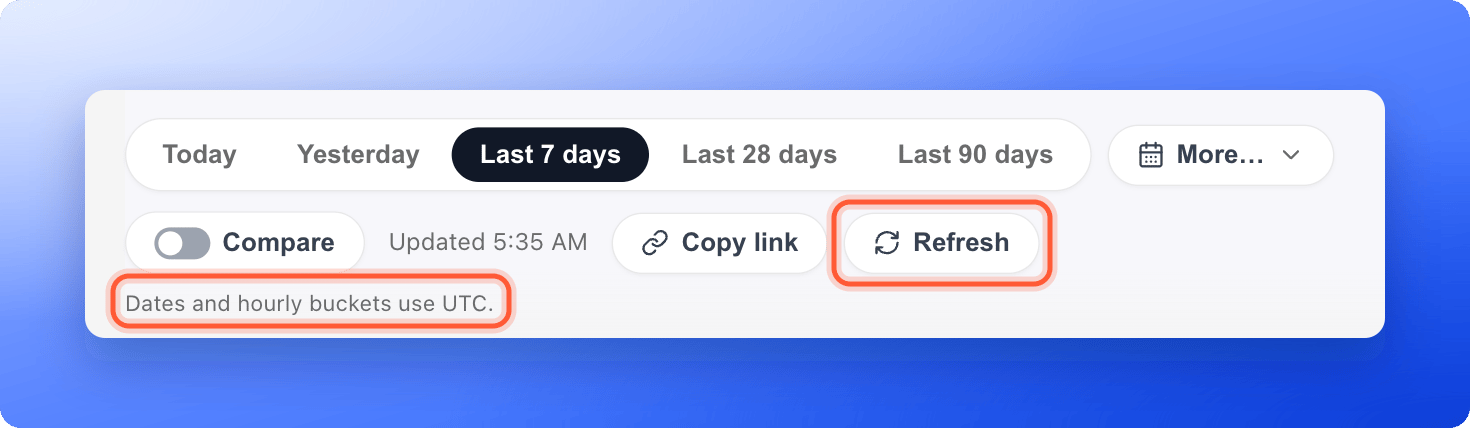
3
Read what Visitors and Conversions mean
Point at the information icon on each card. Visitors adds up daily unique visitors. Conversions is the total number of form submissions in the dates.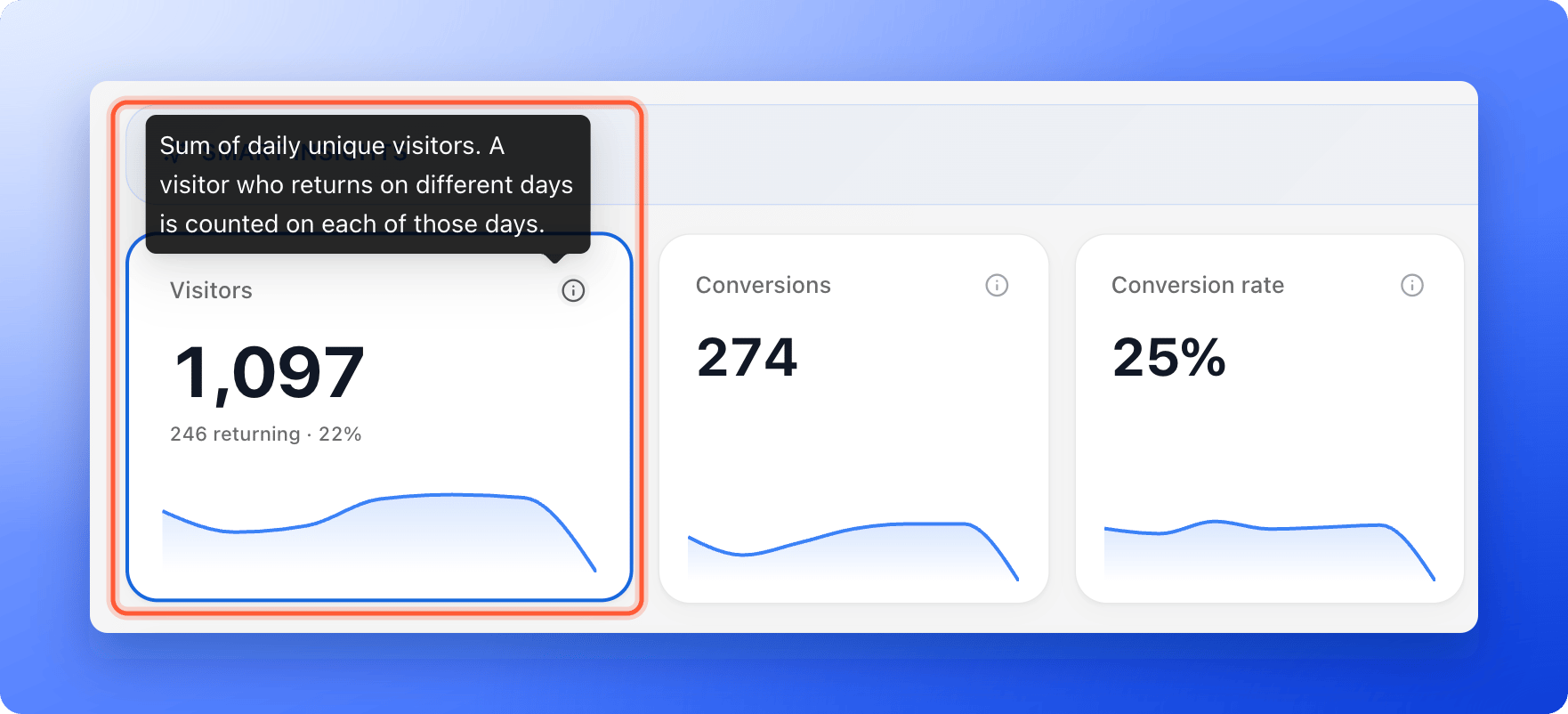
4
Check the rates
Conversion rate is tracked submissions divided by the sum of daily unique visitors. Completion rate is completed sessions divided by visits. They use different bottoms, so they are never equal.
5
Compare with Lead pipeline
Scroll to Lead pipeline. Its Total leads can differ from Conversions after leads are deleted or imported, or while reporting catches up. Check your dates and filters before you treat a gap as a problem.
The most common reasons
- Different days. Someone in New York who submits your form at 9 pm on 30 September has already reached 1 October in UTC. Analytics counts that submission on 1 October. A Created filter in your Leads table, which follows your browser’s time zone, counts it on 30 September. See Filter leads by date.
- Locked leads. Conversions includes them. The Leads table does not. Add capacity to unlock them.
- Deleted leads. A deleted lead leaves the Leads table, but its submission can still be part of your Conversions for that period.
- Imported leads. Imported leads appear in your Leads table, but no visit happened behind them, so they can make Leads higher than Conversions. A funnel with only imported leads has no conversion rate.
- Returning visitors. Visitors counts a returning visitor once for each day they come, so it can be higher than the number of different people.
- The Converted status. Conversions is not linked to the Converted status on a lead.
- Very large funnels. The Leads table loads up to 3,000 leads, newest first. A notice above the table says so when it applies.
- Reporting catching up. New numbers can take a moment to appear. Click Refresh in Analytics.
Meta Ads Manager
Meta Ads Manager and AskFunnel rarely match, and they should not. AskFunnel counts every form submission from every source: ads, emails, your bio link and direct visits. Meta counts only the leads it can connect to your ads. On the AskFunnel side, Meta can miss leads for these reasons:- Cookie choices. With a cookie banner, the Meta Pixel only tracks visitors who accept marketing cookies. See Cookies and consent.
- Blockers. Ad blockers and some privacy browsers block the pixel.
- Global Privacy Control. If a visitor’s browser sends this signal, AskFunnel keeps marketing scripts off for them.
- The Conversions API. On the Growth plan and above, AskFunnel also sends each new lead from its servers, but only for visitors who accepted marketing cookies, and not for locked leads.
- Test mode. Events sent with a test events code never reach your ads. Turn Test mode off once your setup works. See Track your Facebook and Instagram ads with Meta Pixel.
- Pick the same dates in both tools, and remember the time zone difference.
- In AskFunnel, open Analytics and use Group traffic sources by to look at leads from your Facebook or Instagram campaign only. This needs tagged links. See Track campaigns with UTM links.
- In Meta Events Manager, open Test events and submit a test lead to check that the Lead event arrives.
Which number should I use?
- To follow up with people: the Leads tab. It holds the leads you can work with.
- To see how your funnel performs over time: Analytics.
- To judge your ad spend: Meta Ads Manager, read together with your AskFunnel leads for the same campaign.
Troubleshooting
Analytics shows more conversions than I have leads
Analytics shows more conversions than I have leads
Some submissions are locked, deleted or from outside the dates of your filter. Look for a locked leads banner in the Leads tab, and clear your filters.
My Leads table has more leads than Analytics shows
My Leads table has more leads than Analytics shows
You may have imported leads, or some leads arrived before tracking started. Both appear in your table but have no visit to count.
A lead appears on a different day in Analytics than in my Leads table
A lead appears on a different day in Analytics than in my Leads table
Analytics uses UTC days, and the Leads table uses your browser’s local day. Both are correct for their own clock.
The Leads column on my Funnels page is different from the Leads tab
The Leads column on my Funnels page is different from the Leads tab
The Funnels list shows the total number of submissions recorded for the funnel. The Leads tab shows only the saved leads you can see, after your filters.
What to do next
Read your funnel analytics
Visitors, conversions and where people drop off.
Track campaigns with UTM links
See which campaign brought each lead.
Filter leads by date
Find the leads from a day, week or month.
Track your Facebook and Instagram ads
Connect Meta Pixel and the Conversions API.