

Available on: all plans (Starter, Growth, Scale and Enterprise).
funnel.summitrealtygroup.com can serve your home valuation funnel, your buyer guide and your open house funnel at the same time. This page shows how to put several funnels on one domain, how to pick which address a funnel uses, and what happens when you remove a domain.
If you have not connected a domain yet, start with Connect your custom domain.
With one domain for many funnels, you can:
- Keep one brand in every link. All your funnels share your domain, and only the end of the link differs.
- Choose per funnel. Turn a domain on for some funnels and leave the others on your AskFunnel address.
- Use several domains for one funnel. For example one for ads and one for emails.
- Remove a domain when you no longer need it. Your funnels stay available on your AskFunnel address.
- A domain that shows Active in Workspace Settings, under Domains. See Connect your custom domain.
- To switch a domain on for a funnel, a role that can open Funnel Settings: Global Admin, Workspace Admin or Content Editor.
- To add or remove a domain, a Workspace Admin or Global Admin role.
Important to note
Put several funnels on one domain
1
Check that the domain is Active
In Workspace Settings, under Domains, your domain must show a green Active label. If it shows Pending or Issue, fix it first. See Fix a custom domain that stays Pending or shows an Issue.
2
Turn the domain on for your first funnel
- From your funnel list, click the three dots (…) on the funnel’s row, then click “Funnel Settings”.
- On the left side menu, click “Domains”.
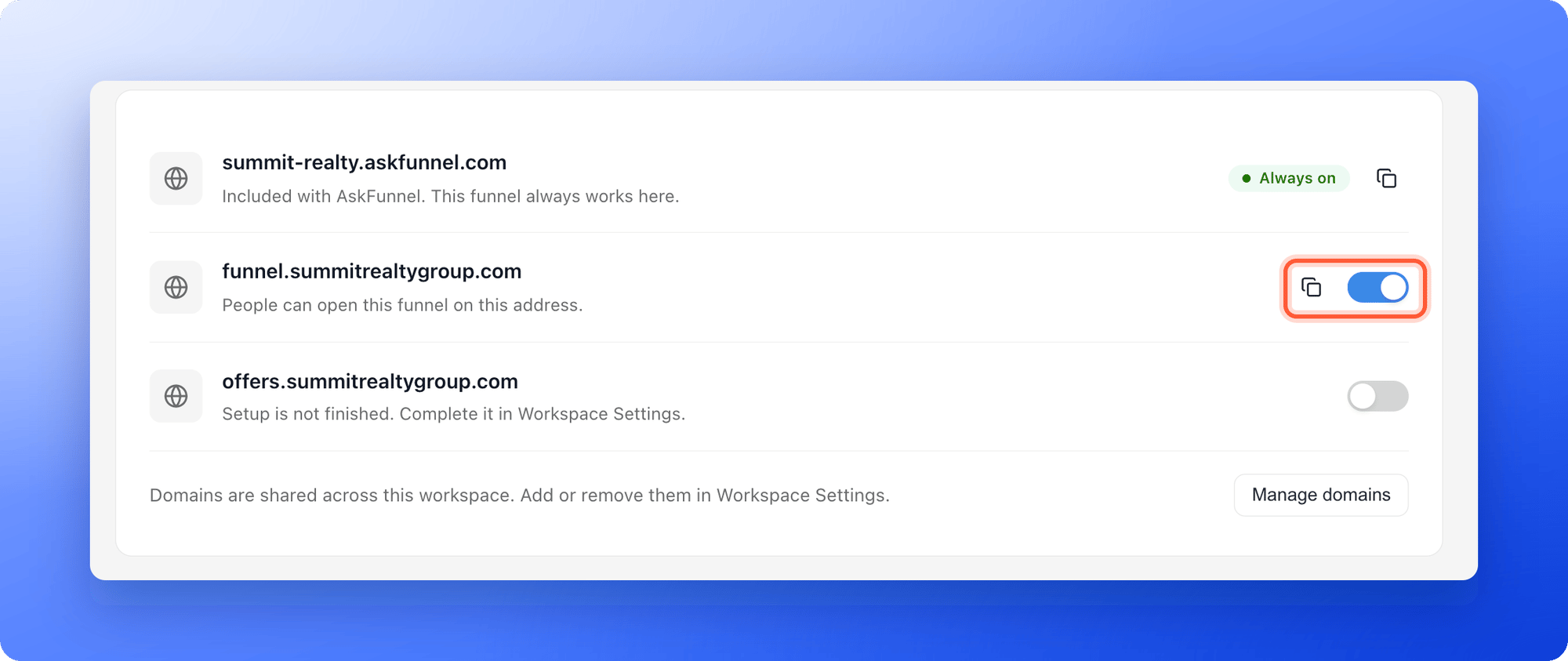
- Find your domain in the list and turn on the switch next to it. You see Funnel domains updated, and the row says People can open this funnel on this address.
3
Repeat for your other funnels
Open Funnel Settings, then Domains, for each funnel that should use the domain, and turn on the same switch. Every funnel now has its own link on your domain, as in the table below these steps.
4
Copy each funnel's link and test it
Click the copy icon next to the domain to copy the full link of that funnel. You see Copied. Paste it into a private browser window to check that the funnel opens on your domain.
Choose which address a funnel uses
A funnel can be on your AskFunnel address and on several of your domains at the same time. Each domain has its own switch in Funnel Settings, under Domains. Turn a switch off to stop using that domain for this funnel. The funnel still works on the other addresses. The View live button in the builder, the eye icon and View Funnel in your funnel list open the first custom domain you switched on. If none is on, they open your AskFunnel address. To share a different address, copy it with the copy icon.Remove a domain
Remove a domain when you stop using it, or to connect it to a different workspace.1
Plan the move
Removing a domain stops every funnel from being served on it, and links you already shared on it stop working. If your funnels should keep a custom address, first connect another domain, switch your funnels to it and update the links in your ads, emails and bio.
2
Remove the domain
- Click the three dots (…) on any funnel’s row, then “Funnel Settings”, then “Domains”, then “Manage domains”. This opens Workspace Settings on its Domains section.
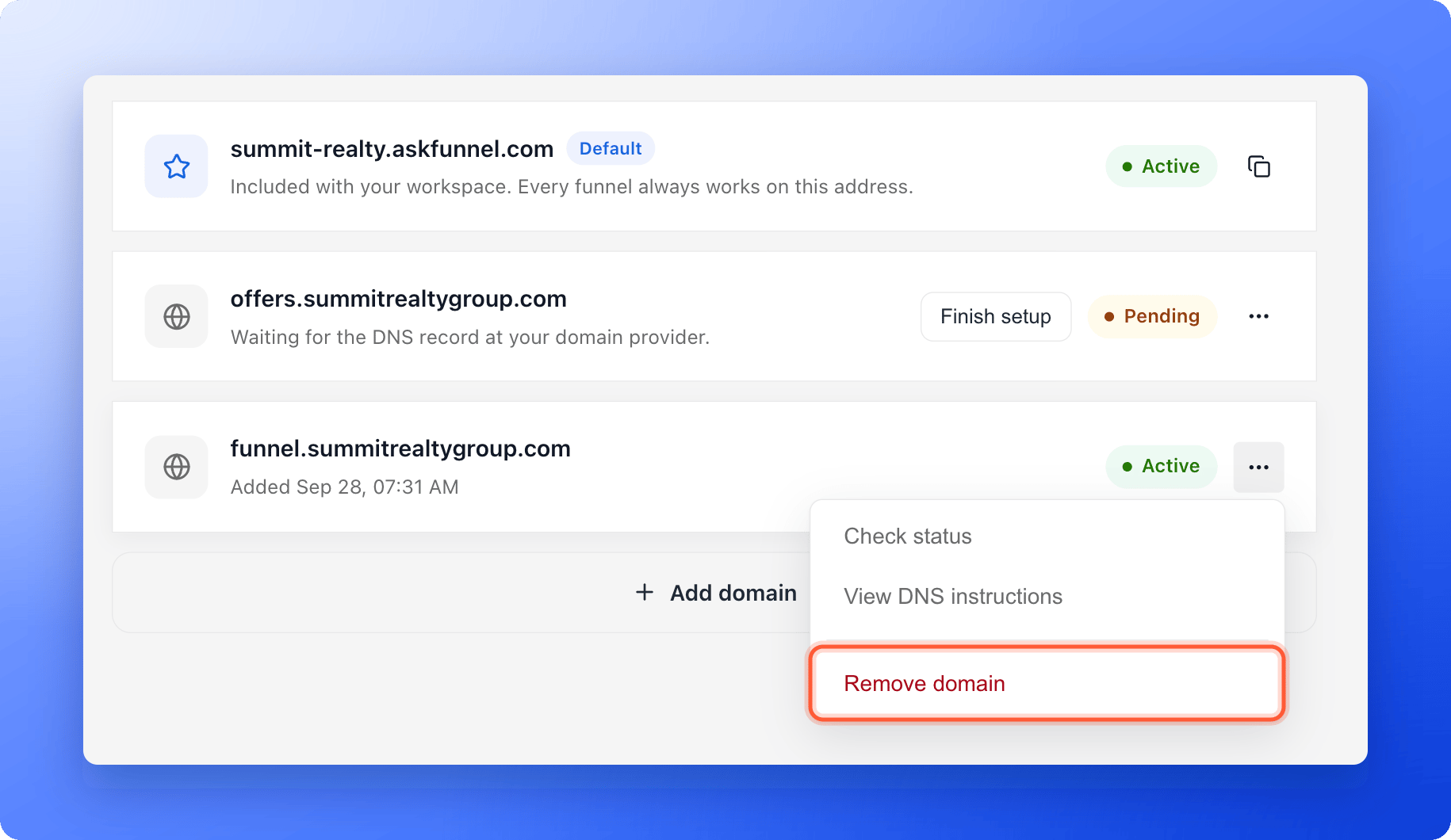
- Open the menu (…) next to the domain and click “Remove domain”.
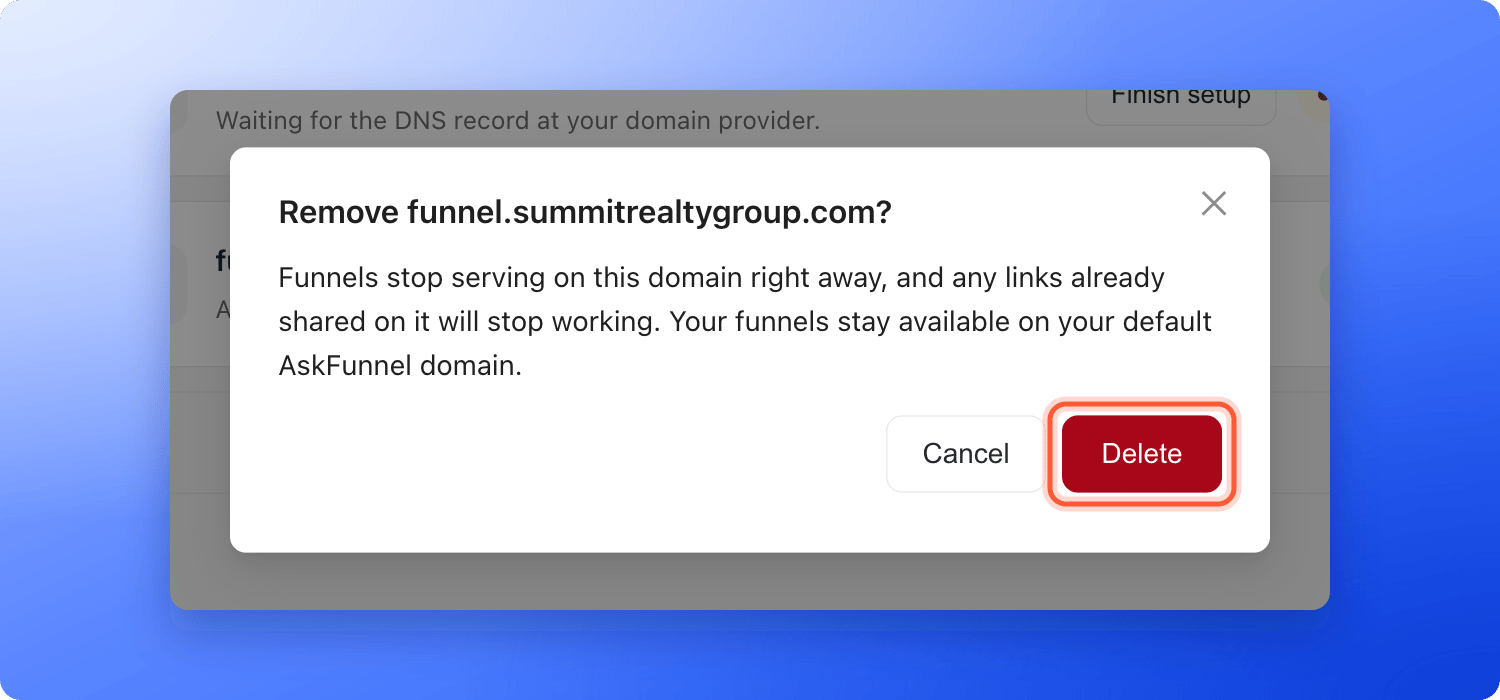
- A window asks Remove followed by your domain and a question mark. It explains that funnels stop serving on the domain right away. Click “Delete” to confirm. You see Domain removed.
3
Clean up at your domain provider
AskFunnel does not change your DNS settings. At the company that manages your domain, delete the record that points to
funnels.askfunnel.com if you no longer need it.How do I know it is working?
- In Funnel Settings, under Domains, the switch next to your domain is on for each funnel that should use it.
- Each funnel’s own link opens that funnel in a private browser window.
- After a removal, the domain is gone from Workspace Settings, and its link no longer opens your funnel.
Troubleshooting
My visitors land on my main website instead of my funnel
My visitors land on my main website instead of my funnel
They opened the domain without the funnel’s ending. A domain has no page of its own, so AskFunnel sends them to the main part of your domain, or to askfunnel.com when the domain has no subdomain in front of it. Share the full link of the funnel, which you can copy with the copy icon under Domains in Funnel Settings.
The switch next to my domain is grayed out
The switch next to my domain is grayed out
If the row says Setup is not finished. Complete it in Workspace Settings., the domain is not Active yet. Click “Manage domains” and finish the setup. See Fix a custom domain that stays Pending or shows an Issue.
The funnel does not open on my domain
The funnel does not open on my domain
Check that the switch is on, that the funnel is published and shows Live, and wait about a minute. Test the full link in a private browser window.
I do not see Manage domains or Remove domain
I do not see Manage domains or Remove domain
Only Workspace Admins and Global Admins can open Workspace Settings and add or remove domains. Ask an admin. You can still switch a domain on or off for a funnel in Funnel Settings.
I see This domain is already connected when I add it
I see This domain is already connected when I add it
The domain is connected to a workspace already, maybe another one of yours. Open Workspace Settings, then Domains in that workspace and remove it there first. A domain can only be connected to one workspace.
I removed the wrong domain
I removed the wrong domain
Add it again in Workspace Settings, finish the DNS step if AskFunnel asks for it, and switch it back on for each funnel in Funnel Settings, under Domains.
Can I change the ending of a funnel's link?
Can I change the ending of a funnel's link?
No. The ending is set when the funnel is created, and renaming the funnel does not change it. A funnel’s link stays the same for as long as the funnel exists.
Can I remove my AskFunnel address?
Can I remove my AskFunnel address?
No. It is marked Default, and every funnel always works on it.
What to do next
Connect your custom domain
Add and verify a new domain.
Share your funnel
Use your links in ads, messages and social posts.
Track campaigns with UTM links
Add tags to your funnel links.