

- For reading your balance, nothing. Anyone on your team can open the plan badge.
- To add credits, a Global Admin role (the organization owner, or anyone they gave that role to).
- A verified email address to use AI features. If yours is not verified, AskFunnel asks you to verify it first.
What uses AI credits
Some AI features do not use credits. The AI button on the text toolbar, with Rewrite, Spell check, Simplify and Edit with AI, is free to use. It needs an active plan or free trial, but it does not take credits.
Important to note
How many credits you get
During a free trial you get 100 credits a month, whichever plan you try. That is enough for four funnel builds. The plan’s full amount applies as soon as you subscribe. See How the 14-day free trial works.
Check how many credits you have left
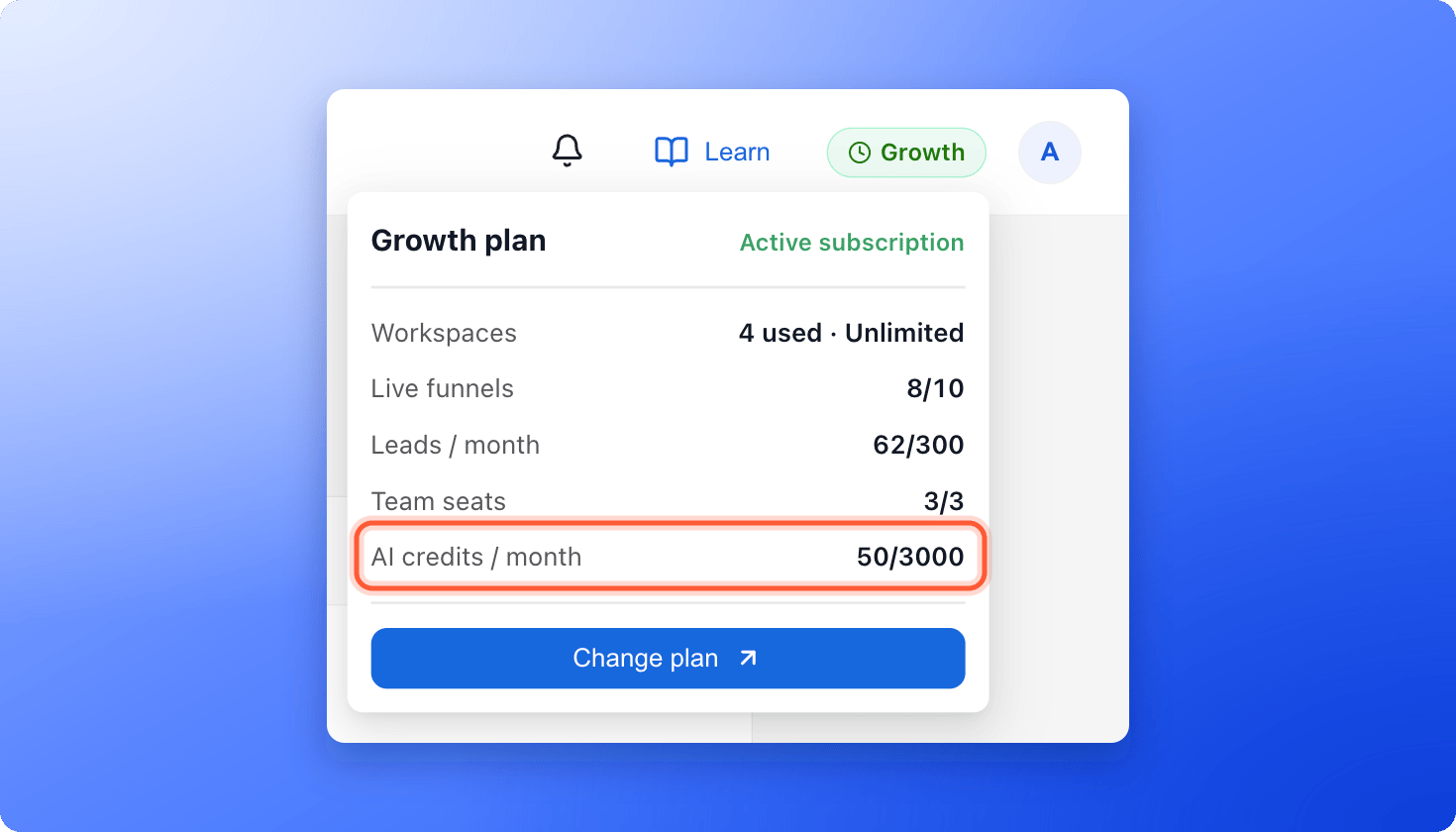
- Plan badge. Click the plan badge in the top right corner. The AI credits / month row shows how many you have used out of your monthly amount.
- Plan page. Click your profile picture, then “Plan” under Subscription. Usage this period has a bar for AI credits. See Check your plan and usage.
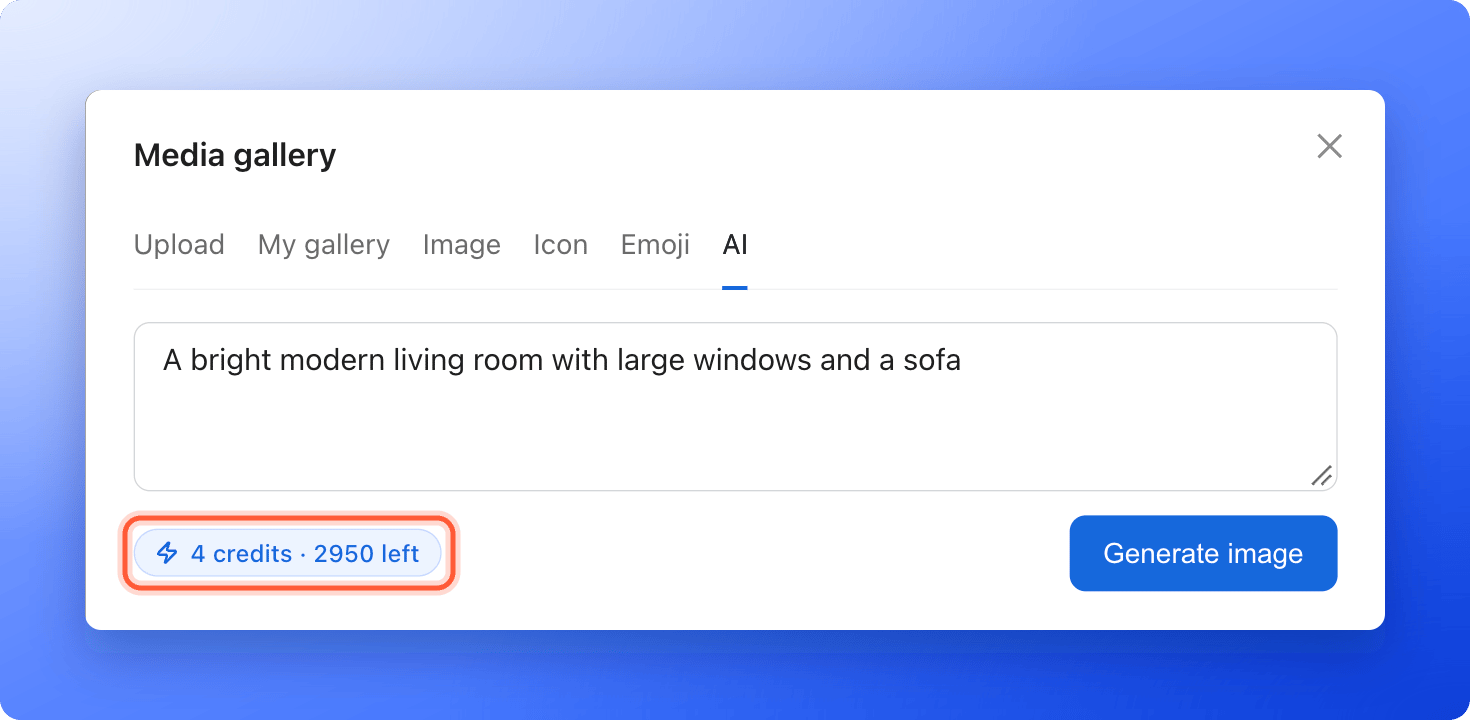
- Before you use a feature. The Build funnel button shows its cost (25). In the image window, the AI tab shows a chip such as 4 credits · 2950 left.
- A heads-up. When you have used 80% of your credits, a banner on the Leads page says AI features pause once your credits run out.
When you run out of credits
- The Build funnel button is grayed out, and the last step says Not enough AI credits and This build needs 25 credits.
- Generate image is grayed out.
- If an AI action reaches the limit, a window says You’ve reached your plan limit with “Upgrade plan” and “Not now”.
Add more credits
1
Open the plan page
- Click your profile picture in the top right corner.
- Under Subscription, click “Plan”.
- Click “Change plan”.
2
Pick a larger amount of AI credits
Open the AI credits drop-down list on the right. Each option shows Included or its extra monthly price. Pick a larger amount.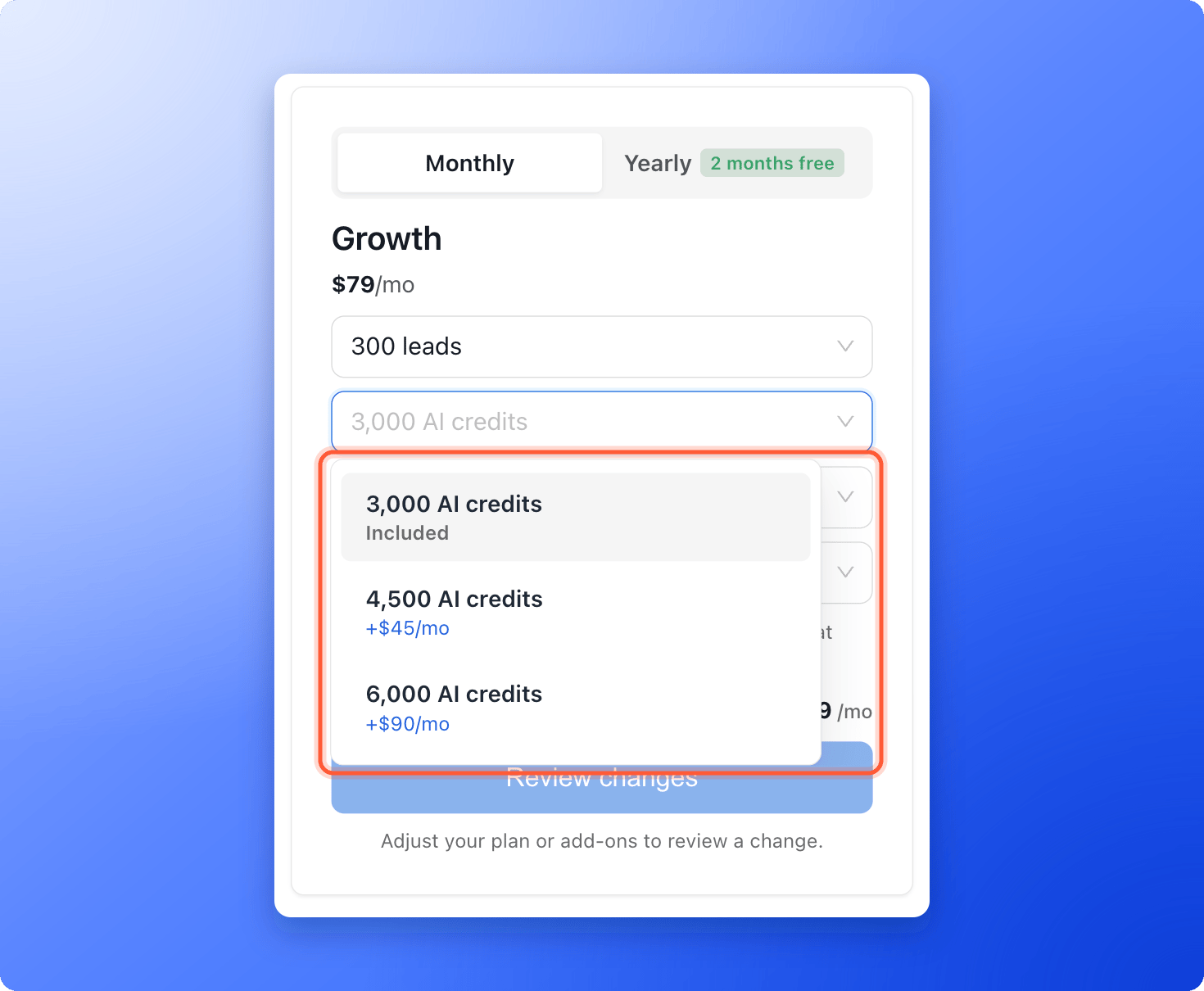
3
Review and pay
Click “Review changes”, then “Confirm & pay”. The new amount is available right away. The full steps are in Upgrade your plan.
How do I know it is working?
- The AI credits / month row shows your new total.
- Build funnel is no longer grayed out.
- The Plan page lists the extra credits under Add-ons.
Troubleshooting
My credits show 100 but my plan includes more
My credits show 100 but my plan includes more
During a free trial, credits are limited to 100 a month, whichever plan you picked. The plan badge shows this limit. Your plan’s full amount applies once you subscribe. The same limit applies while a subscription is not active.
I see Please verify your email address to use AI features
I see Please verify your email address to use AI features
AI features need a verified email address. Open the verification email we sent you and click its link, then try again.
I see Choose a plan to continue
I see Choose a plan to continue
Building with AI needs an active plan or free trial. A Global Admin can subscribe. See Upgrade your plan.
My credits went down but my funnel build failed
My credits went down but my funnel build failed
For a funnel build, the credits are only held while it runs, and they are released when it fails or you cancel it. The number in the plan badge goes back up. AI images and dictated notes are charged when they start, even if they fail.
Do the text tools on the toolbar use credits?
Do the text tools on the toolbar use credits?
No. Rewrite, Spell check, Simplify and Edit with AI do not use credits.
What to do next
Create a funnel with AI
Answer three questions and let AI build a first draft.
Check your plan and usage
See every limit in one place.
Upgrade your plan
Add credits or move to a bigger plan.