

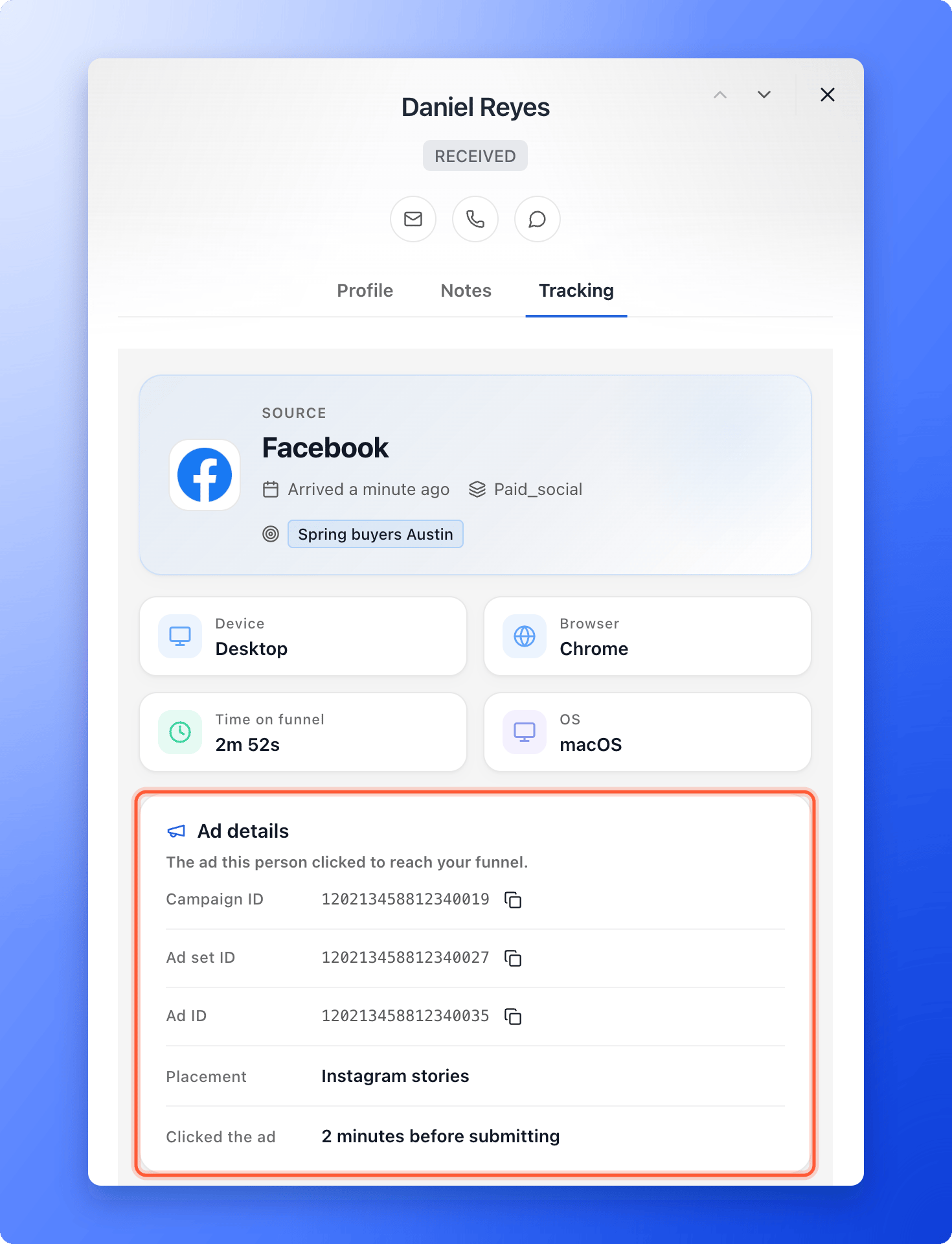
- See the ad behind every lead: the campaign ID, ad set ID and ad ID, where the ad was shown (for example Instagram stories) and how long before submitting the person clicked.
- Copy an ID in one click and find that ad in your ads manager.
- See the ad that first brought someone in, when they come back later from another ad or by typing your link.
- Check a link before you spend money, with “Test a link”.
- A published funnel. See Publish, unpublish and restore your funnel.
- Access to your ads in Meta Ads Manager, Google Ads or TikTok Ads Manager.
- To read the results, a role that can see leads: Global Admin, Workspace Admin or Contacts Manager.
Important to note
Add tracking links to your ads
1
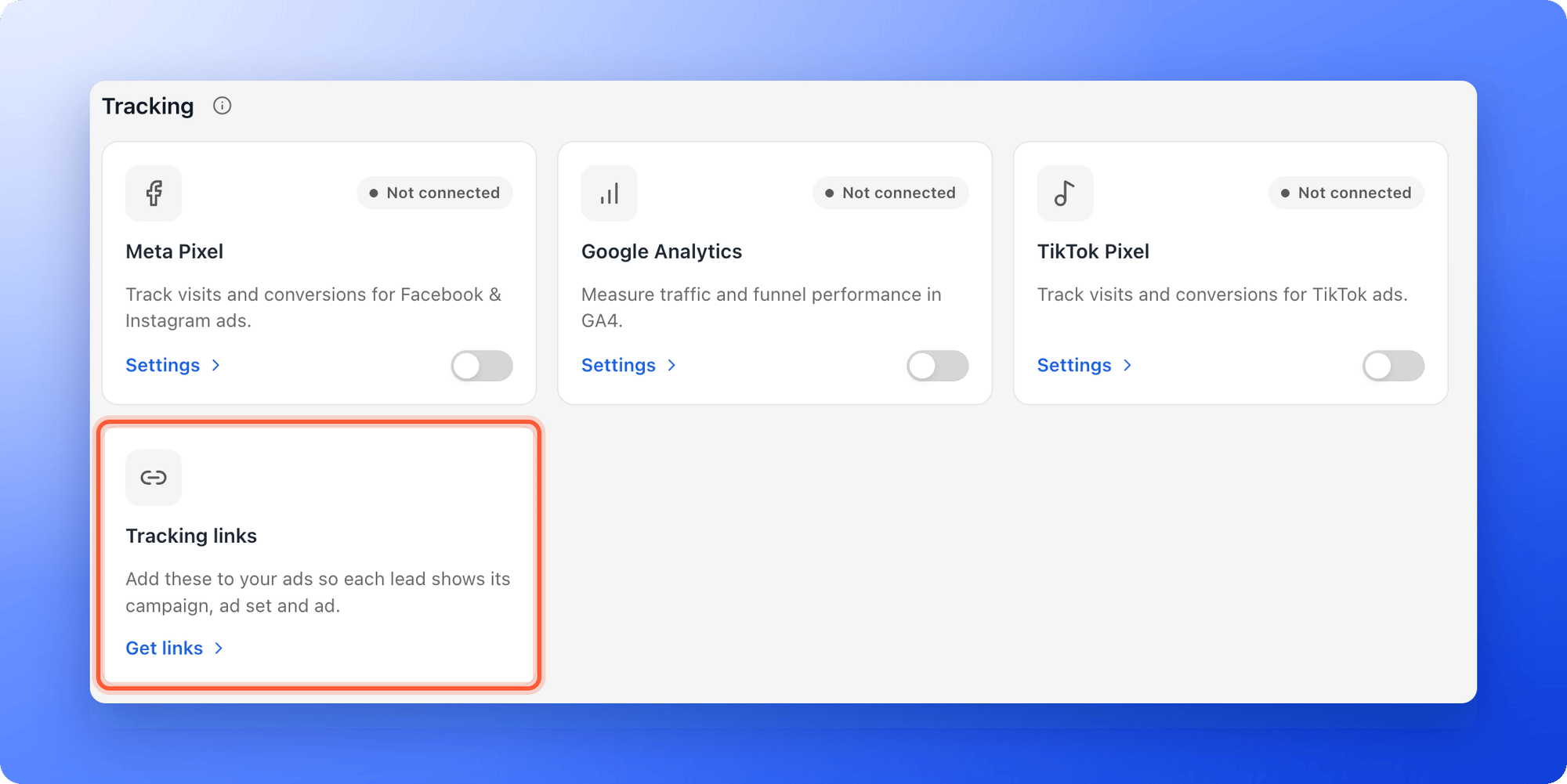
Open Tracking links
- In the dashboard, open your funnel and click “Funnel Settings”.
- In Integrations, find the Tracking links card under Tracking and click “Get links”.
2
Facebook and Instagram (Meta)
- On the Meta tab, click “Copy”.
- In Meta Ads Manager, open your ad and scroll to Tracking.
- Paste the text into URL parameters. Do not add it to the website URL.
- Publish the ad.
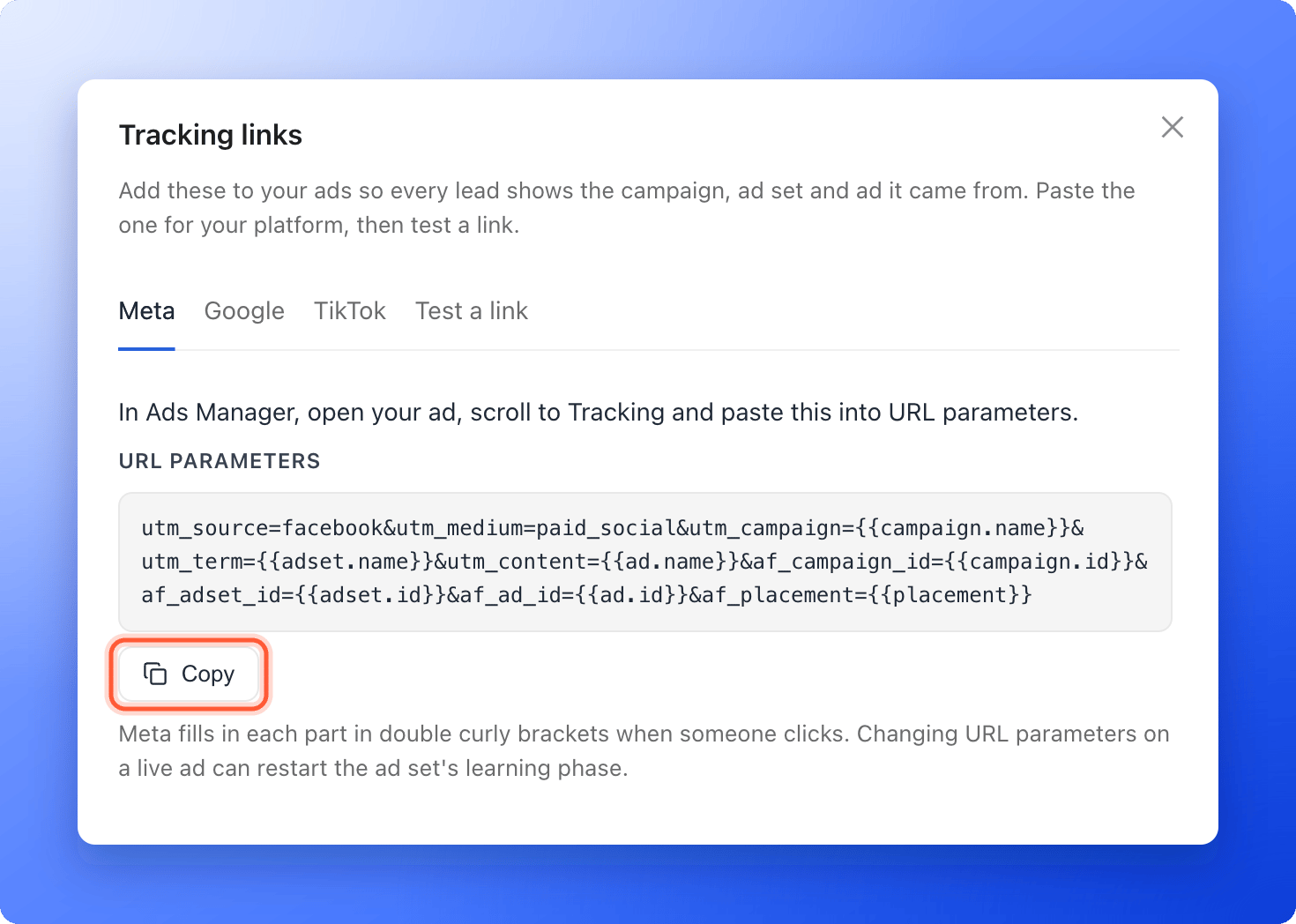
fbclid) to every click, so it is not part of the text.3
Google Ads
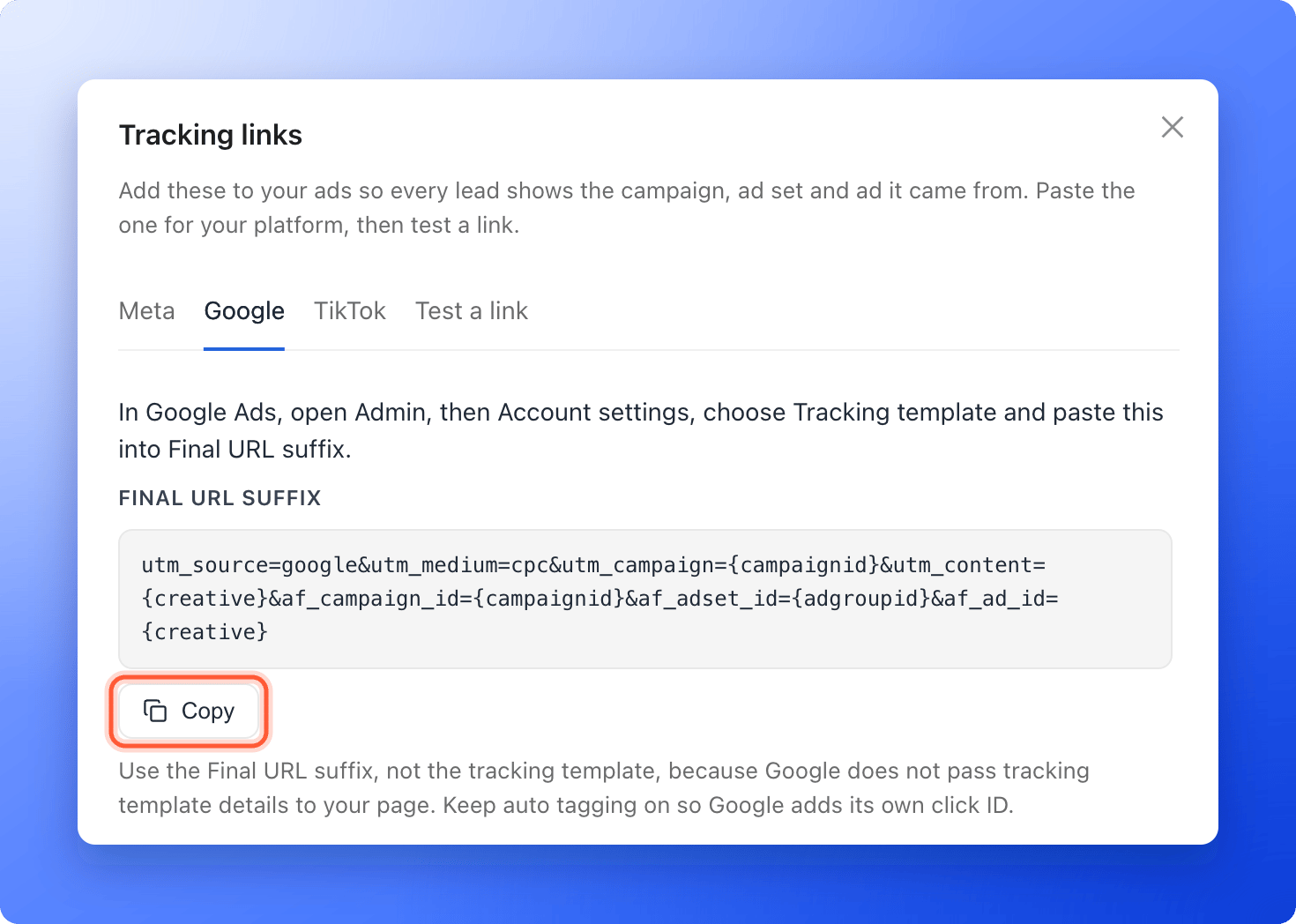
- On the Google tab, click “Copy”.
- In Google Ads, open Admin, then Account settings, and open Tracking template.
- Paste the text into Final URL suffix and save. You can also set it on one campaign, ad group or ad instead of the whole account.
4
TikTok
- On the TikTok tab, click “Copy”.
- In TikTok Ads Manager, open your ad and go to Ad details.
- Add the text to the end of your Destination URL, after a question mark (?). If your URL already has a question mark, add the text after an ampersand (&) instead.
__CID__ with __ADID_V2__ and __CID_NAME__ with __ADID_V2_NAME__, so AskFunnel gets the ad and not one creative. TikTok adds its own click ID (ttclid).5
Test a link
- Open your ad’s preview in the ads manager and copy the link it opens.
- In Tracking links, click “Test a link”, paste the link and click “Check link”.
- Check that Campaign ID, Ad set ID (or Ad group ID) and Ad ID show numbers.
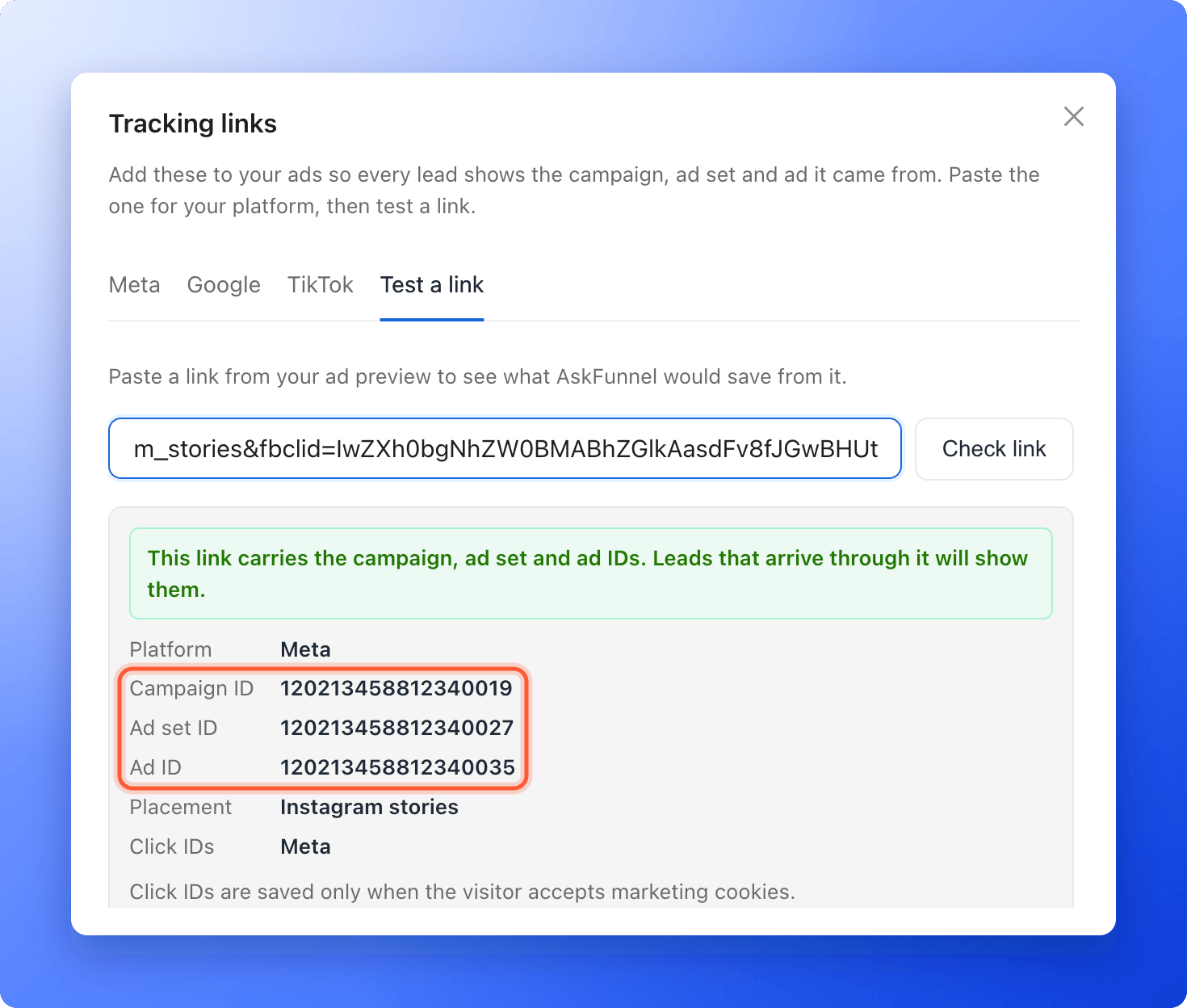
{{ad.id}}, the platform did not fill it in. Test again with the link from the ad preview. A preview link may not have a click ID, because the platform only adds it to real clicks.See the ad on each lead
- Open your funnel’s Leads tab and click a lead.
- Click the Tracking tab.
- Campaign ID, Ad set ID (Ad group ID for Google and TikTok) and Ad ID, each with a copy button.
- Placement: where the ad was shown, when the platform sends it.
- Clicked the ad: how long before submitting the person clicked.
- First visit: the ad or source that first brought the person in, when it is different from the last one.
How do I know it is working?
Run your ad, or open its preview, and submit your funnel with details you will recognize. Open that lead’s Tracking tab. The Ad details card shows the campaign, ad set and ad IDs of the ad you clicked.Troubleshooting
Test a link says a value still shows a placeholder
Test a link says a value still shows a placeholder
The ad platform did not replace that placeholder. Make sure you pasted the text exactly as copied, in the right field (URL parameters for Meta, Final URL suffix for Google, the end of the Destination URL for TikTok), and test with the link from the ad preview, not with the text itself.
A lead says the ad is unknown
A lead says the ad is unknown
The lead clicked an ad that does not carry the tracking text, or the text was added after the click. Add it to that ad. Leads that arrive after that show their ad IDs.
Click IDs say Not saved
Click IDs say Not saved
The visitor did not accept marketing cookies, so AskFunnel kept the campaign, ad set and ad IDs but not the platform’s click ID. This is expected. See Set up cookies and visitor consent.
Google leads show IDs where I expected names
Google leads show IDs where I expected names
Google has no placeholder for campaign or ad names, so the text sends the campaign ID and the ad ID in the UTM tags too. Use the IDs to find the campaign and the ad in Google Ads.