

- A Global Admin role. Only Global Admins can manage payment methods. That is the organization owner, or anyone they gave that role to.
Choose how you pay when you subscribe
1
Go to checkout
Open your Plan page, click “Change plan”, pick your plan and click “Continue to payment”. See Upgrade your plan.
2
Pay by card
On the Checkout page, keep the Card tab selected and fill in: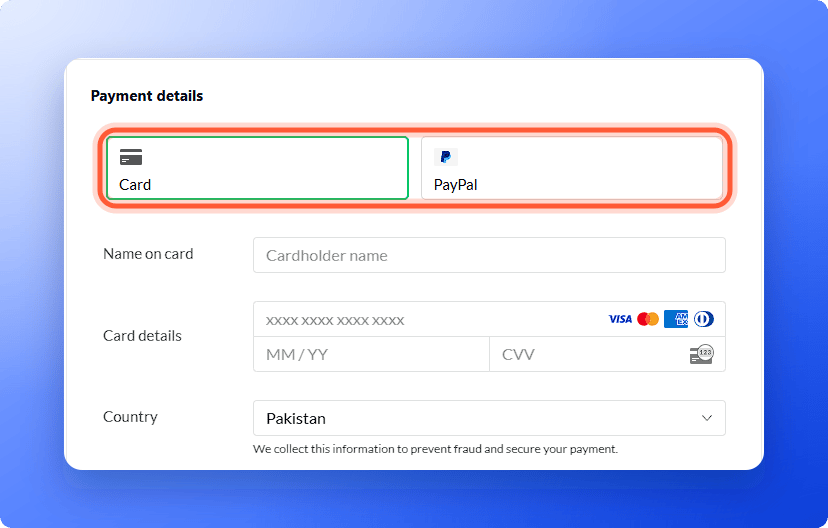
- Name on card
- Card details: the card number, the expiry date (MM / YY) and the security code (CVV)
- Country, and Postcode if the form asks for it
3
Or pay with PayPal
Click the PayPal tab instead. The card fields disappear. Check your Country, then click the PayPal button and sign in to PayPal to approve the payment.
Update the payment method on your subscription
1
Open the Billing page
- Click your profile picture in the top right corner.
- Under Subscription, click “Billing”.
2
Click Update
Next to Payment method, click “Update”. It shows your current card, for example Visa ending 4242.
- If it says No payment method on file with an “Add” button, click “Add”.
- If it shows “Subscribe”, you do not have an active subscription yet. Click it to choose a plan and pay.
3
Enter the new method
A window titled Update payment method opens, and names the card it replaces. Use the PayPal button, or enter your card details under Or enter card details, then click “Update payment method”.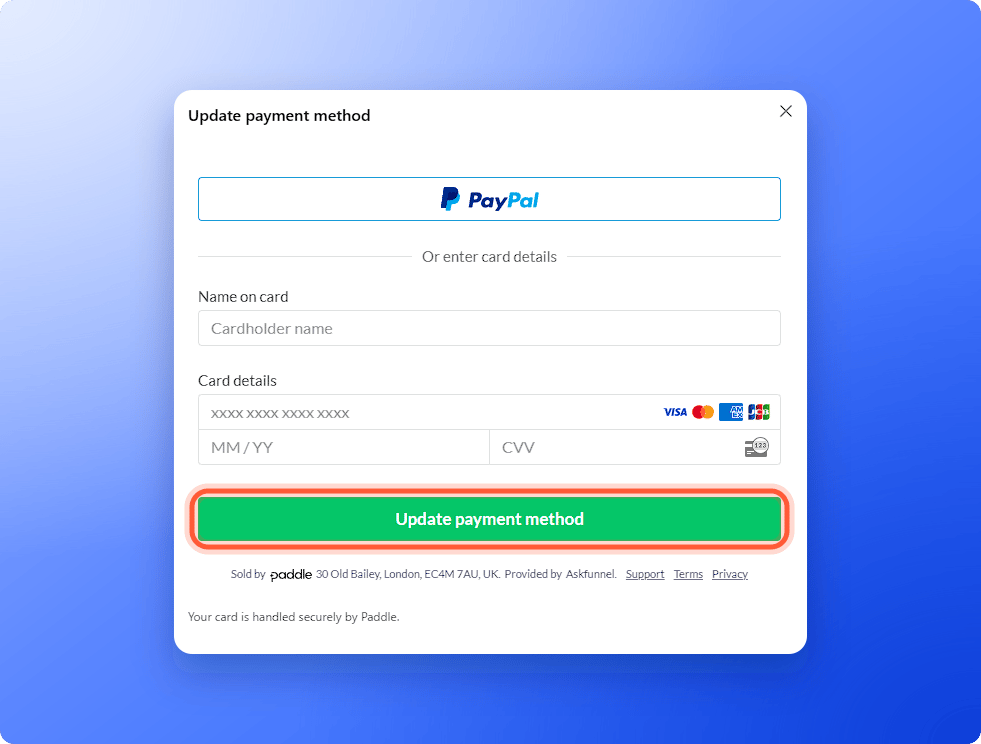
Ways to pay
- Card: major credit and debit cards, such as Visa, Mastercard and American Express.
- PayPal: pay from your PayPal account.
- Bank transfer: only for customers based in Pakistan, Saudi Arabia, the United Arab Emirates and India, by arrangement with us. Email support to set it up. Bank transfers do not renew automatically, so we activate or extend your plan after we confirm your payment. See our Terms of Use.
Troubleshooting
The payment form does not load
The payment form does not load
You see Couldn’t open the payment form. Please try again. Click “Try again”. If it keeps failing, close the window, refresh the page and try once more, or email support.
My card was declined
My card was declined
Check the card number, expiry date, security code and country. Then try another card or PayPal, or ask your bank whether it blocked the payment.
A renewal payment failed
A renewal payment failed
We try the payment again, and you keep access for 7 days from the first failed payment. Update your payment method on the Billing page right away to avoid losing access.
I pay with PayPal but Billing says No payment method on file
I pay with PayPal but Billing says No payment method on file
The Billing page shows cards only, so PayPal does not appear there. To switch to a card, click “Add” and enter your card details. If you are unsure which method is on your subscription, email support.
What to do next
Billing, renewals and invoices
See when you are charged and download invoices.
Add a discount code or VAT number
Enter them at checkout.
Upgrade your plan
Move to a bigger plan or add capacity.