> ## Documentation Index
> Fetch the complete documentation index at: https://help.askfunnel.com/llms.txt
> Use this file to discover all available pages before exploring further.
# How team seats work
> Learn which roles use a team seat, how to check your usage and what to do when you run out.
Every plan includes a number of team seats. A seat is used by each person who can build funnels or manage a workspace. Contacts Managers are free, so you can give clients access to their leads without using a seat.
| Plan | Team seats included |
| - | - |
| **Starter** | 1 |
| **Growth** | 3 |
| **Scale** | 5 |
| **Enterprise** | 20 (custom limits on request) |
Your own account uses one seat. Seats are shared by your whole organization, not counted per workspace.
## What counts as a seat
* **Counted:** Global Admins, Workspace Admins and Content Editors each use one seat.
* **Free:** Contacts Managers do not use a seat. They can only work with leads and analytics.
* **One seat per person:** Someone who belongs to several workspaces still uses one seat. They keep it while they have a counted role in any workspace.
* **Pending invitations count:** When you invite someone with a counted role, the seat is reserved right away. It is freed if you cancel the invitation.
## Check how many seats you use
1. Click your profile picture in the top right corner, then click **"Members"**.
2. Look at the **Team seats** card. It shows your seats in use, for example **2 / 3**.
3. In the member list, the **Seat** column marks each person as **Counted** or **Free**.
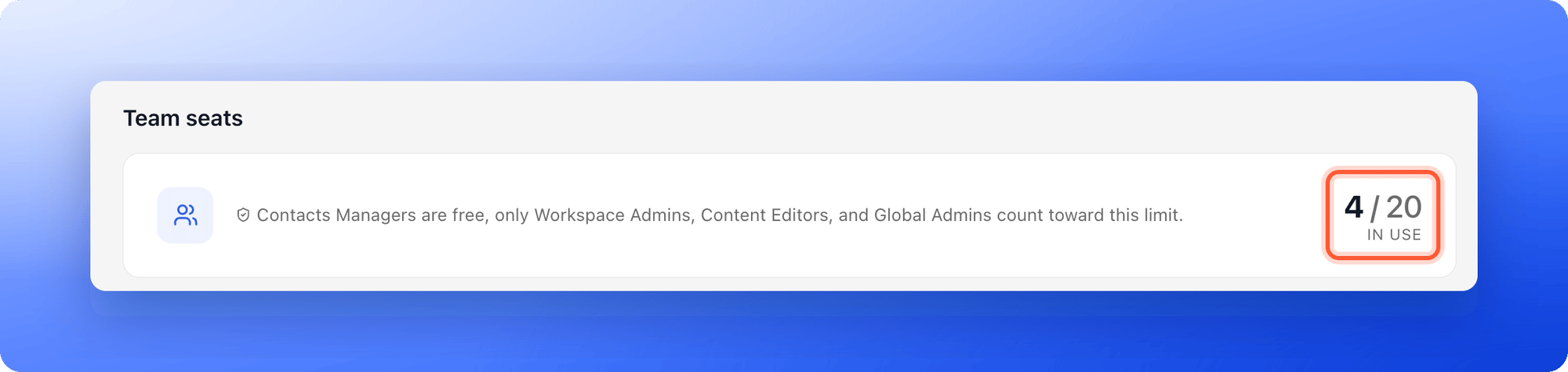
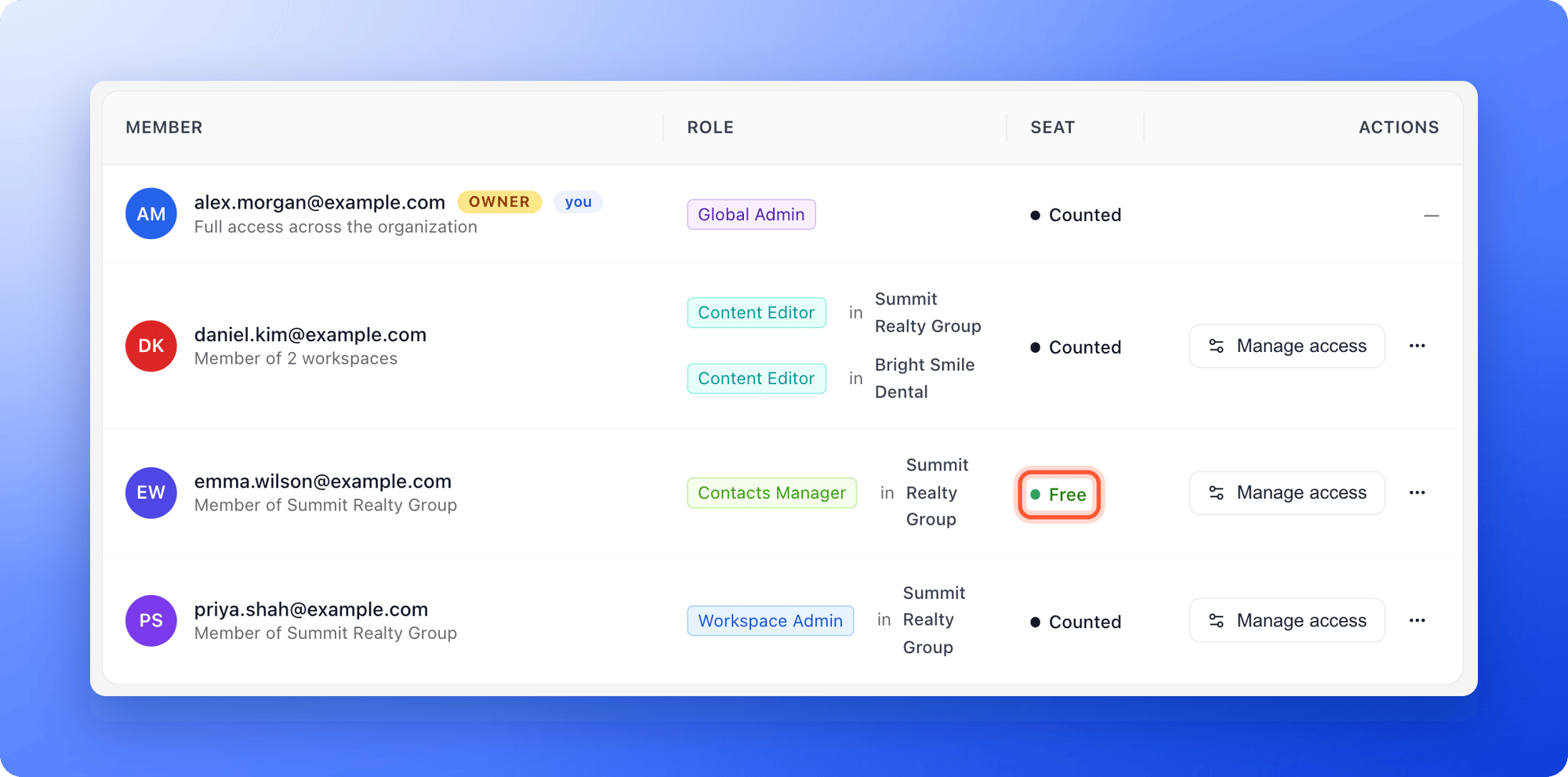 You can also click the plan badge in the top right corner. Its menu shows **Team seats** with your usage.
## Get more seats
* **Upgrade your plan:** Higher plans include more seats. See [Upgrade your plan](/billing/upgrade).
* **Add seats:** You can add extra team seats to Starter, Growth or Scale without changing plan. See [Choose the right plan](/billing/choose-a-plan).
* **Free a seat:** Change someone who only needs to see leads to Contacts Manager. Click the **...** menu on the workspace card, then **"Workspace settings"**, then **Members**. Click the **...** menu on their row and click **"Change to Contacts Manager"**. You can also remove a member or [cancel a pending invitation](/workspaces/pending-invites).
Invite every client as a Contacts Manager. They get a professional login to follow their leads, and your seats stay available for your own team.
## Troubleshooting
AskFunnel stops new invitations for counted roles and shows a window titled **You've reached your \[plan] plan limit**, with **"Upgrade plan"** and **"Not now"** buttons. Free a seat, add seats or upgrade, then invite again. You can still invite Contacts Managers.
Pending invitations for counted roles are included in the count. Check the **Pending invites** tab.
## What to do next
Get more seats, leads and live funnels.
Invite a teammate or client and choose their role.
Give clients their leads without using a seat.
Need help? Email [support@askfunnel.com](mailto:support@askfunnel.com).
You can also click the plan badge in the top right corner. Its menu shows **Team seats** with your usage.
## Get more seats
* **Upgrade your plan:** Higher plans include more seats. See [Upgrade your plan](/billing/upgrade).
* **Add seats:** You can add extra team seats to Starter, Growth or Scale without changing plan. See [Choose the right plan](/billing/choose-a-plan).
* **Free a seat:** Change someone who only needs to see leads to Contacts Manager. Click the **...** menu on the workspace card, then **"Workspace settings"**, then **Members**. Click the **...** menu on their row and click **"Change to Contacts Manager"**. You can also remove a member or [cancel a pending invitation](/workspaces/pending-invites).
Invite every client as a Contacts Manager. They get a professional login to follow their leads, and your seats stay available for your own team.
## Troubleshooting
AskFunnel stops new invitations for counted roles and shows a window titled **You've reached your \[plan] plan limit**, with **"Upgrade plan"** and **"Not now"** buttons. Free a seat, add seats or upgrade, then invite again. You can still invite Contacts Managers.
Pending invitations for counted roles are included in the count. Check the **Pending invites** tab.
## What to do next
Get more seats, leads and live funnels.
Invite a teammate or client and choose their role.
Give clients their leads without using a seat.
Need help? Email [support@askfunnel.com](mailto:support@askfunnel.com).