> ## Documentation Index
> Fetch the complete documentation index at: https://help.askfunnel.com/llms.txt
> Use this file to discover all available pages before exploring further.
# See whether your automated emails are delivered, opened and clicked
> Read the Sent, Delivered, Clicked, Opened and Bounced counts of each email, check a single lead, and see what your recipients see.
Available on: **all plans** (Starter, Growth, Scale and Enterprise).
Once your flow is live, every email in it shows how it is doing: how many were sent, how many arrived, how many got clicked and opened, and how many bounced. A bounce is an email that could not be delivered. You can also open one lead and see exactly what happened to the emails sent to them. This page explains each number, how to turn on clicks and opens, and what your recipients see at the bottom of every email.
With the results, you can:
* **Check that your emails arrive.** Compare **Sent** with **Delivered**.
* **See what gets attention.** **Clicked** and **Opened** show which emails your leads act on.
* **Spot problems early.** A growing **Bounced** count points to wrong addresses.
* **Follow one lead.** See each email, whether it arrived and what the lead did with it.
**Before you start**, you need:
* A flow that is published and has sent at least one email. See [Send automated emails to new leads](/messages/automated-emails).
* A role that can edit funnels to see the counts in the flow: Global Admin, Workspace Admin or Content Editor.
* A role that can see leads to see one lead's history: Global Admin, Workspace Admin or Contacts Manager.
## Important to note
* **Clicked** and **Opened** only count when tracking is on for your sender's domain. Without it they stay at zero or do not show. See [Turn on click and open tracking](/messages/custom-sender-email#turn-on-click-and-open-tracking).
* **Clicked** and **Opened** count emails, not clicks. An email that was opened five times counts once.
* Open counts are not exact. They use an invisible image, and some mail apps, such as Apple Mail, load it even when nobody opens the email.
* Numbers update as delivery reports come in, so a new email can show **Sent** first and **Delivered** a little later.
## Read the results in your flow
1. From your main dashboard, find the funnel. Click the three small dots (**...**) on its row, then click **"Edit Funnel"**.
2. At the top, next to the funnel name, click the **Funnel** button and choose **"Flows"**.
3. Choose your flow in the list on the left.
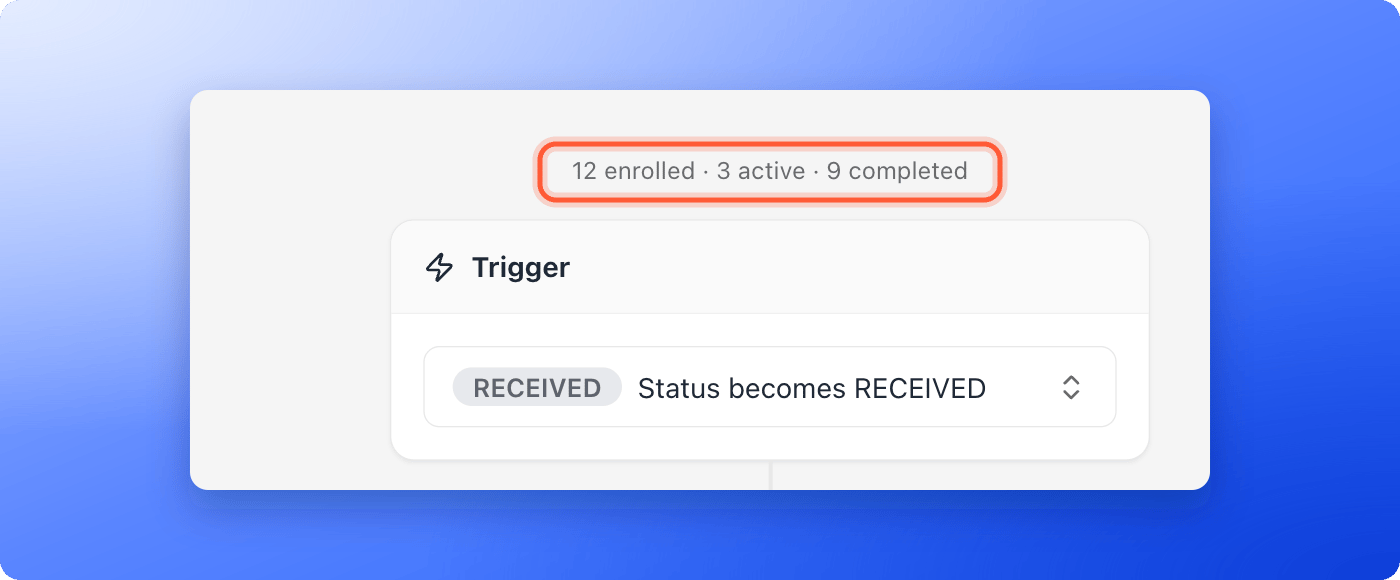
At the top of the flow, a line shows how many leads went through it, for example **12 enrolled · 3 active · 9 completed**.
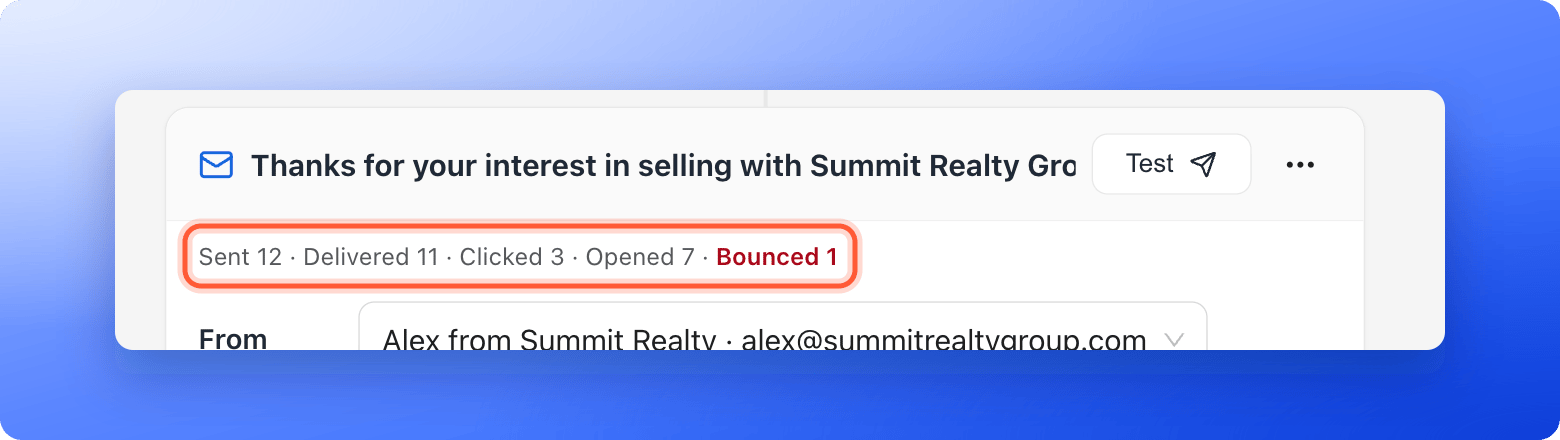
Under the subject of each email you see its counts, for example **Sent 12 · Delivered 11 · Clicked 3 · Opened 7 · Bounced 1**. Before the first send, the line says **No sends yet**. If **Bounced** is above zero, it turns red.
 If **Clicked** stays at zero, or **Opened** is missing, click tracking or open tracking is off. In **Workspace Settings**, open **Senders**, find your domain and turn on **Click tracking**. After that, an **Open tracking** switch appears. The full steps are in [Add and verify a sender email](/messages/custom-sender-email#turn-on-click-and-open-tracking). **Opened** shows once open tracking is on for any domain of your workspace.
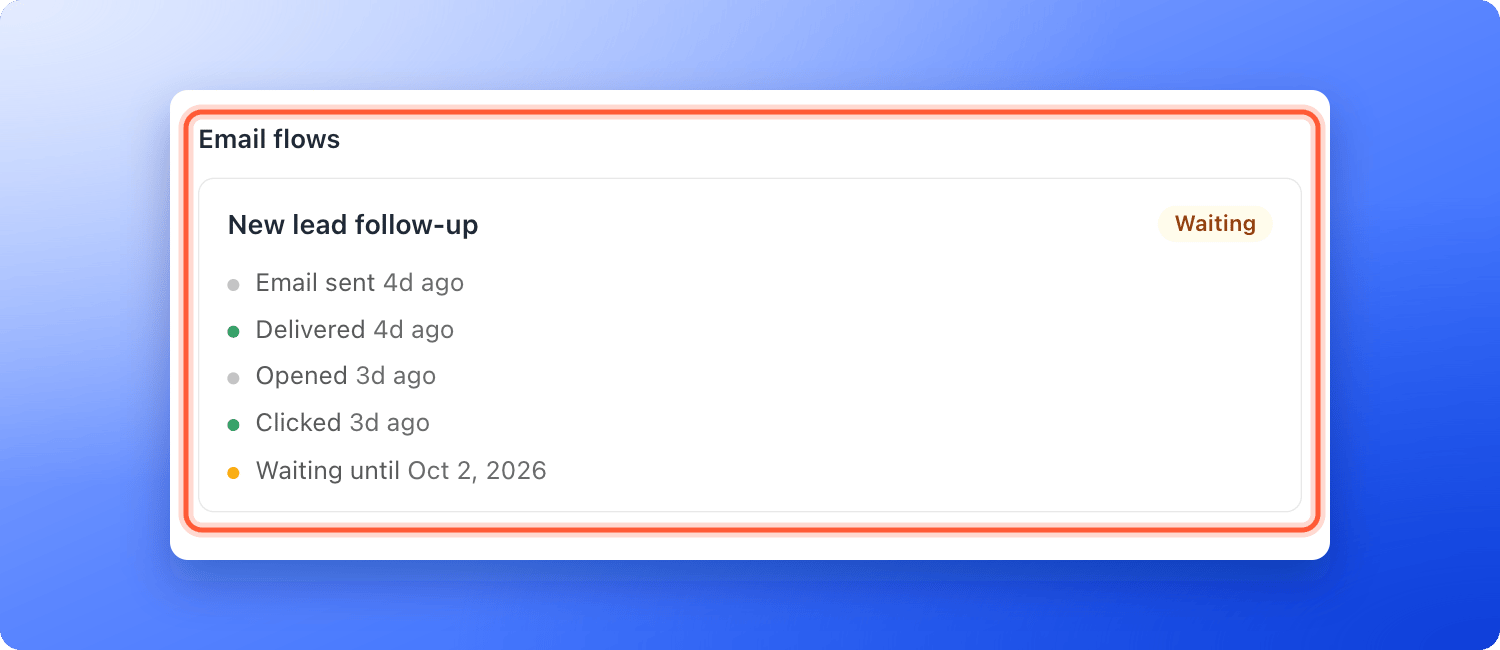
Open the lead from your funnel's **Leads** tab and look at **Email flows** in the **Profile** tab. Each flow shows its state, **Active**, **Waiting**, **Paused**, **Completed**, **Failed** or **Cancelled**, and these lines for every email:
* **Email sent**
* **Delivered**
* **Opened** and **Clicked**, when tracking is on
* **Bounced**, or **Bounced (temporary)** when the problem may pass
* **Marked as spam**, when the person reported your email
* **Waiting until**, with the time the next email goes out
* **Sending paused to protect deliverability**
If **Clicked** stays at zero, or **Opened** is missing, click tracking or open tracking is off. In **Workspace Settings**, open **Senders**, find your domain and turn on **Click tracking**. After that, an **Open tracking** switch appears. The full steps are in [Add and verify a sender email](/messages/custom-sender-email#turn-on-click-and-open-tracking). **Opened** shows once open tracking is on for any domain of your workspace.
Open the lead from your funnel's **Leads** tab and look at **Email flows** in the **Profile** tab. Each flow shows its state, **Active**, **Waiting**, **Paused**, **Completed**, **Failed** or **Cancelled**, and these lines for every email:
* **Email sent**
* **Delivered**
* **Opened** and **Clicked**, when tracking is on
* **Bounced**, or **Bounced (temporary)** when the problem may pass
* **Marked as spam**, when the person reported your email
* **Waiting until**, with the time the next email goes out
* **Sending paused to protect deliverability**
 ## What each count means
| Count | What it means |
| - | - |
| **Sent** | Every email AskFunnel handed to the mail system for this message. It includes the emails counted in the next lines. |
| **Delivered** | The recipient's mail server accepted the email. |
| **Clicked** | Emails where the lead clicked a link at least once. |
| **Opened** | Emails that were opened at least once. Only shows when open tracking is on. |
| **Bounced** | Emails that could not be delivered, for example because the address does not exist. |
An email the recipient marked as spam counts in **Sent**, and the lead's history shows **Marked as spam**.
## What your recipients see
At the bottom of every email, your leads see:
* A small **AskFunnel** badge, unless you turned **Branding** off on the Growth plan or above. See [Remove the Made with AskFunnel branding](/funnel-settings/remove-branding).
* The line **You signed up to receive emails via this funnel**, where **this funnel** links to your funnel.
* The line **If you no longer want to receive emails, unsubscribe here**.
These two lines cannot be removed, because email rules require them.
When a lead clicks **unsubscribe here**, a page asks **Unsubscribe from these emails?** with an **Unsubscribe** button, and then confirms **You are unsubscribed**. Some mail apps also show their own unsubscribe button, which works in one click. From then on, AskFunnel sends no more emails from your workspace to that address, from any flow. Addresses that bounced or reported your email as spam are also skipped.
## How do I know it is working?
* After the first send, the line under the subject shows numbers instead of **No sends yet**.
* **Delivered** is close to **Sent**.
* A lead's **Email flows** section shows **Email sent** and **Delivered**.
## Troubleshooting
Your flow is published but no lead has reached its trigger status since then. Leads that already had that status when you published are not added. See [Send automated emails to new leads](/messages/automated-emails).
The numbers only show for a flow that has been published at least once. Click **"Publish Flow"**, and check that your role can edit funnels.
Click tracking is off for your sender's domain, the email has no links, or nobody clicked yet. Turn on **Click tracking** in **Workspace Settings**, under **Senders**.
**Opened** only appears when **Open tracking** is on for one of your sender domains. It can also be switched on only after click tracking is active. See [Add and verify a sender email](/messages/custom-sender-email#turn-on-click-and-open-tracking).
Some emails have not been confirmed yet, or they bounced. Check again after a few minutes. If **Bounced** is above zero, open the leads whose **Email flows** show **Bounced** and fix or delete those addresses.
Some mail apps, such as Apple Mail, load the tracking image without anyone reading the email. Use **Clicked** as the more reliable number.
AskFunnel paused sending to protect your sender reputation. See [Keep your emails out of spam](/messages/email-deliverability).
No. The signup line and the unsubscribe line are required for email, so they always appear.
## What to do next
Help every email reach the inbox.
Set up your sender and turn on tracking.
Add delays and more emails to your flow.
Need help? Email [support@askfunnel.com](mailto:support@askfunnel.com).
## What each count means
| Count | What it means |
| - | - |
| **Sent** | Every email AskFunnel handed to the mail system for this message. It includes the emails counted in the next lines. |
| **Delivered** | The recipient's mail server accepted the email. |
| **Clicked** | Emails where the lead clicked a link at least once. |
| **Opened** | Emails that were opened at least once. Only shows when open tracking is on. |
| **Bounced** | Emails that could not be delivered, for example because the address does not exist. |
An email the recipient marked as spam counts in **Sent**, and the lead's history shows **Marked as spam**.
## What your recipients see
At the bottom of every email, your leads see:
* A small **AskFunnel** badge, unless you turned **Branding** off on the Growth plan or above. See [Remove the Made with AskFunnel branding](/funnel-settings/remove-branding).
* The line **You signed up to receive emails via this funnel**, where **this funnel** links to your funnel.
* The line **If you no longer want to receive emails, unsubscribe here**.
These two lines cannot be removed, because email rules require them.
When a lead clicks **unsubscribe here**, a page asks **Unsubscribe from these emails?** with an **Unsubscribe** button, and then confirms **You are unsubscribed**. Some mail apps also show their own unsubscribe button, which works in one click. From then on, AskFunnel sends no more emails from your workspace to that address, from any flow. Addresses that bounced or reported your email as spam are also skipped.
## How do I know it is working?
* After the first send, the line under the subject shows numbers instead of **No sends yet**.
* **Delivered** is close to **Sent**.
* A lead's **Email flows** section shows **Email sent** and **Delivered**.
## Troubleshooting
Your flow is published but no lead has reached its trigger status since then. Leads that already had that status when you published are not added. See [Send automated emails to new leads](/messages/automated-emails).
The numbers only show for a flow that has been published at least once. Click **"Publish Flow"**, and check that your role can edit funnels.
Click tracking is off for your sender's domain, the email has no links, or nobody clicked yet. Turn on **Click tracking** in **Workspace Settings**, under **Senders**.
**Opened** only appears when **Open tracking** is on for one of your sender domains. It can also be switched on only after click tracking is active. See [Add and verify a sender email](/messages/custom-sender-email#turn-on-click-and-open-tracking).
Some emails have not been confirmed yet, or they bounced. Check again after a few minutes. If **Bounced** is above zero, open the leads whose **Email flows** show **Bounced** and fix or delete those addresses.
Some mail apps, such as Apple Mail, load the tracking image without anyone reading the email. Use **Clicked** as the more reliable number.
AskFunnel paused sending to protect your sender reputation. See [Keep your emails out of spam](/messages/email-deliverability).
No. The signup line and the unsubscribe line are required for email, so they always appear.
## What to do next
Help every email reach the inbox.
Set up your sender and turn on tracking.
Add delays and more emails to your flow.
Need help? Email [support@askfunnel.com](mailto:support@askfunnel.com).