> ## Documentation Index
> Fetch the complete documentation index at: https://help.askfunnel.com/llms.txt
> Use this file to discover all available pages before exploring further.
# Delete leads
> Permanently remove one lead or many at once, and what happens to their notes and emails.
Permanently delete leads you do not need, such as spam, tests or leads you marked **REJECTED**. Deleting works on one lead or on many at once.
**Before you start**, you need:
* A role that can delete leads: Global Admin, Workspace Admin or Contacts Manager.
* A backup, if you might need the contact details later. [Export your leads](/leads/export-contacts) first.
## Important to note
Deleting a lead cannot be undone.
* The lead, its notes and its activity history are removed for good. The [activity log](/analytics/activity-log) keeps a line that a lead was deleted, without the lead's name.
* Email flows stop for that lead. Emails the lead was still waiting to receive are cancelled. If the lead was in a flow, AskFunnel also stops sending that email address flow emails from this workspace.
* Other tools keep their copy. A lead you already sent to HighLevel, Google Sheets or a webhook is not removed there.
## Delete leads
Open your funnel's **Leads** tab. To delete a group, narrow the table first, for example with **Filter**, **Status**, **is any of**, **REJECTED**. See [View and manage your leads](/leads/view-and-manage-leads).
Hover over a lead's avatar in the **Name** column to show its checkbox, then tick each lead to delete. To tick every lead in the table, use the checkbox in the header row.
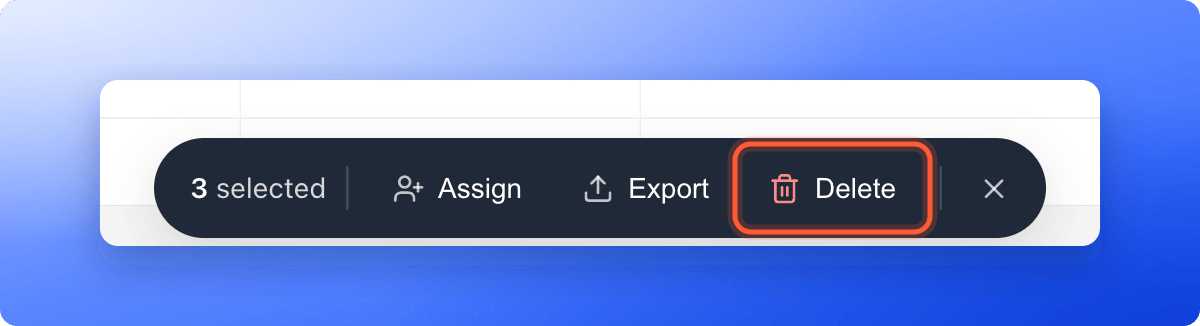
A bar appears at the bottom of the screen with the number of leads selected. Check the number. Click the close icon on the bar to clear the selection. Then click **"Delete"**.
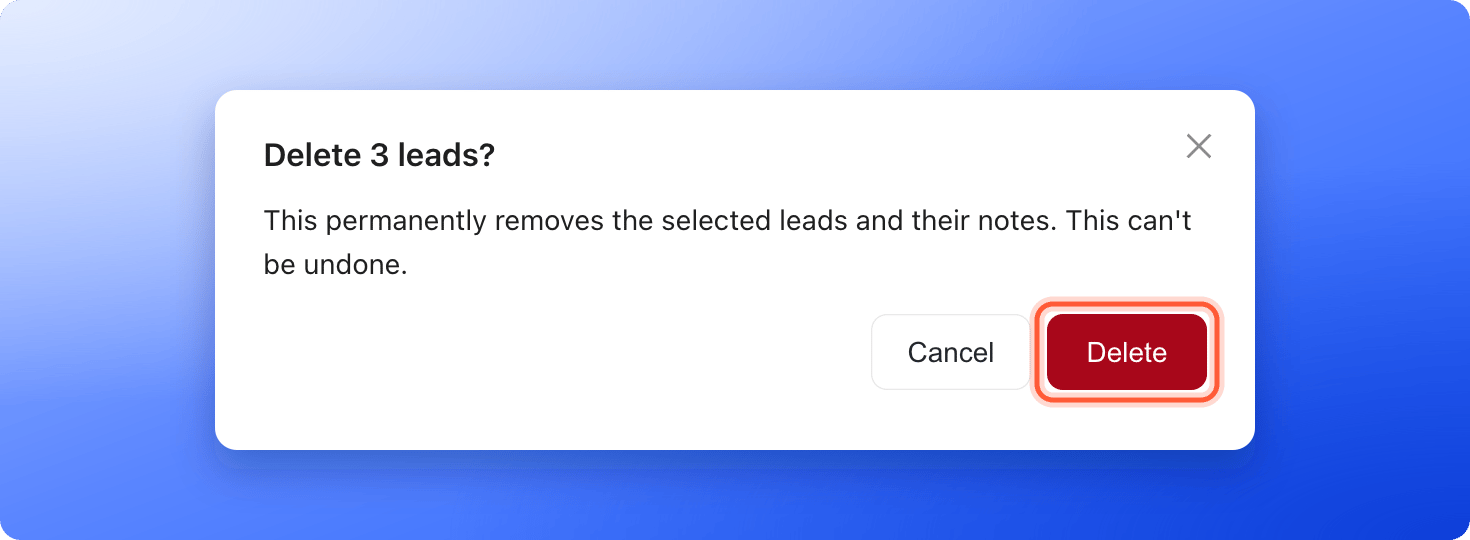
 A window titled **Delete this lead?** (or **Delete N leads?**) says: "This permanently removes the selected leads and their notes. This can't be undone." Click **"Delete"** to confirm, or **"Cancel"** to keep them.
 ## Troubleshooting
If a few deletions fail, AskFunnel shows a message such as **Deleted 8 of 10. Couldn't delete the rest, try again.** The leads that remain come back in the table. Select them again and click **"Delete"**.
Deleted leads cannot be recovered. If you have an earlier export, you can bring back contact details with **"Import leads"** in the **View options** menu. Notes and history do not come back.
## What to do next
Keep a copy of your leads as a file.
Follow up with the leads you keep.
Need help? Email [support@askfunnel.com](mailto:support@askfunnel.com).
## Troubleshooting
If a few deletions fail, AskFunnel shows a message such as **Deleted 8 of 10. Couldn't delete the rest, try again.** The leads that remain come back in the table. Select them again and click **"Delete"**.
Deleted leads cannot be recovered. If you have an earlier export, you can bring back contact details with **"Import leads"** in the **View options** menu. Notes and history do not come back.
## What to do next
Keep a copy of your leads as a file.
Follow up with the leads you keep.
Need help? Email [support@askfunnel.com](mailto:support@askfunnel.com).