> ## Documentation Index
> Fetch the complete documentation index at: https://help.askfunnel.com/llms.txt
> Use this file to discover all available pages before exploring further.
# What is a CRM contact?
> Every funnel submission becomes a lead with a full profile: answers, status, notes and where they came from.
AskFunnel includes a built-in CRM (a place to keep track of the people you talk to). Every person who completes a funnel becomes a lead, with a full profile you can use to follow up without a separate spreadsheet. You may also hear leads called contacts or CRM contacts. Each lead is one row in your funnel's **Leads** tab and one profile in the side panel.
**Before you start**, you need:
* A role that can see lead profiles: Global Admin, Workspace Admin or Contacts Manager. Content Editors do not have access.
## Important to note
* AskFunnel adds a new lead every time someone submits your funnel. If the same person completes it twice, you see two leads.
* Deleting a lead removes its profile, notes and activity history for good. See [Delete leads](/leads/delete-leads).
## What a lead profile holds
* **Contact details:** the name, email and phone your form collected. Hover over an email or phone to see a shield that shows whether it was verified.
* **Answers:** one field for every quiz question and form field in your funnel, with what the person chose or typed.
* **Status:** where the lead is in your follow-up. New leads start as **RECEIVED**. See [Track leads with statuses](/leads/contact-status).
* **Score:** **Hot**, **Warm** or **Cold**, shown only when [lead scoring](/funnel-settings/lead-scoring) is on for the funnel.
* **Assigned To and Tags:** who owns the lead and how you group it.
* **Notes:** comments from you and your team.
* **Tracking:** where the lead came from and what device they used. See [See where a lead came from](/analytics/lead-insights).
* **Email flows:** which automated emails the lead is in or has received. This section appears only for leads that entered an [email flow](/messages/automated-emails).
## Open a lead profile
1. Open your funnel's **Leads** tab. See [View and manage your leads](/leads/view-and-manage-leads).
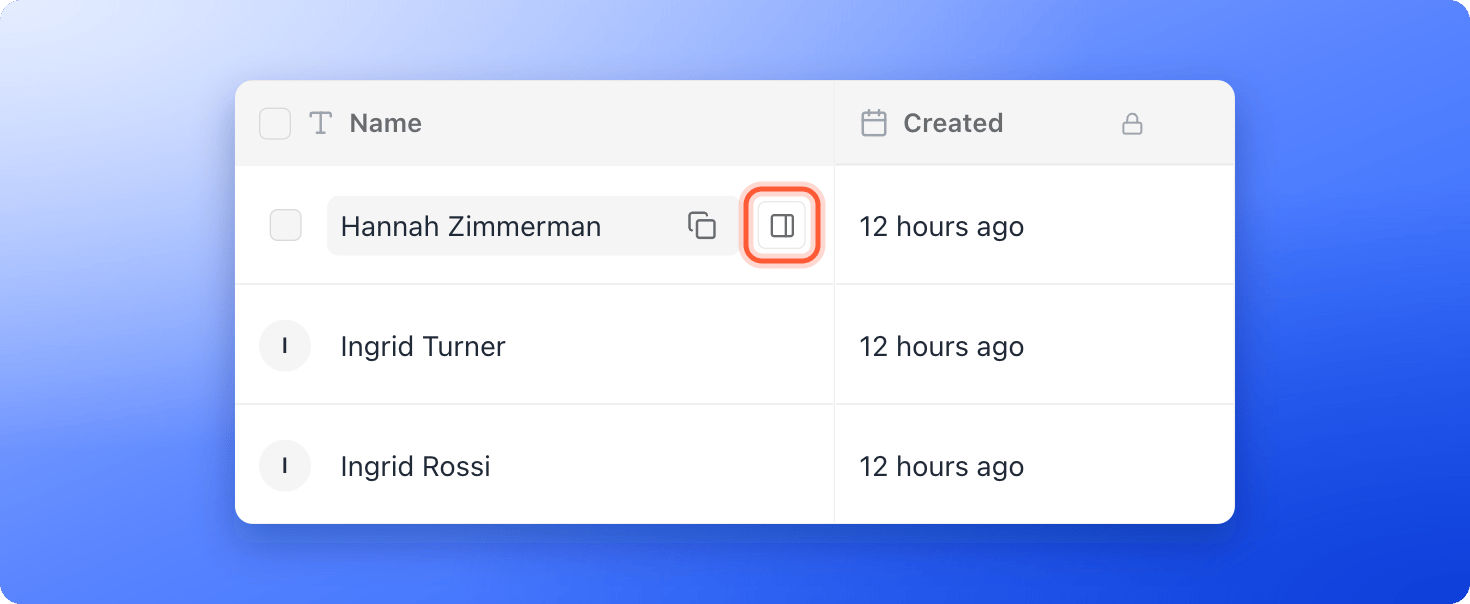
2. Hover over the lead's name and click the **"Open lead"** icon at the right edge of the name cell.
3. Use the tabs **Profile**, **Notes** and **Tracking** to move around. The top of the panel shows the lead's name, their status and icon buttons to email, call or message them on WhatsApp. The buttons appear when the lead has an email address or phone number.
4. Use the up and down arrows to move to the next or previous lead, and the close icon to go back to the table.
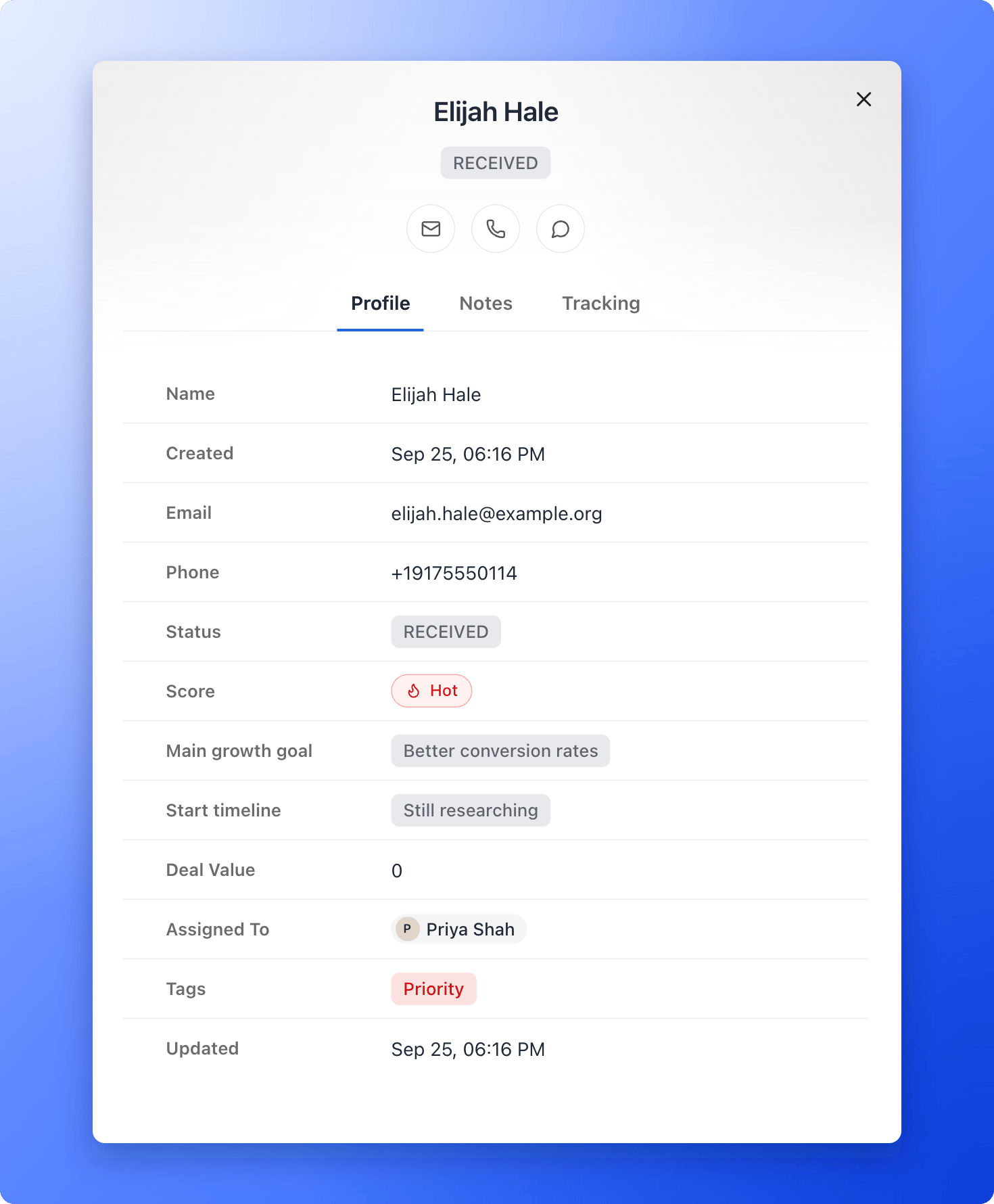 You can edit the fields in **Profile** the same way as in the table, except fields with a lock icon. Drag a field by its handle to change its order, and the table columns follow.
## What to do next
Show where each lead is in your follow-up.
See who to call first.
Find the ad, device and page behind each lead.
Need help? Email [support@askfunnel.com](mailto:support@askfunnel.com).
You can edit the fields in **Profile** the same way as in the table, except fields with a lock icon. Drag a field by its handle to change its order, and the table columns follow.
## What to do next
Show where each lead is in your follow-up.
See who to call first.
Find the ad, device and page behind each lead.
Need help? Email [support@askfunnel.com](mailto:support@askfunnel.com).