> ## Documentation Index
> Fetch the complete documentation index at: https://help.askfunnel.com/llms.txt
> Use this file to discover all available pages before exploring further.
# Sign in to AskFunnel with Google or an email link
> Sign in with your Google account or a one time link sent to your email. AskFunnel has no password to remember or reset.
AskFunnel has no passwords. You sign in one of two ways: with your Google account, or with a link that we email to you. This page shows both, what each screen says and what to do when a link does not work.
With these two ways, you can:
* **Sign in with Google.** One click, if you signed up with a Google account.
* **Sign in with an email link.** Enter your email address, open our message and click the link.
* **Forget about passwords.** There is nothing to remember, change or reset.
**Before you start**, you need:
* An AskFunnel account. See [Create your account and start your free trial](/getting-started/create-account).
* Access to the Google account, or to the email inbox, that you used to sign up.
## Important to note
* Use the same email address you signed up with. If you enter an address that has no account, AskFunnel emails you a link to create a new account instead. An email with the subject **Create your AskFunnel account**, when you expected to sign in, usually means you typed a different address.
* A sign in link works once and for one hour. Do not forward it.
* If your free trial or subscription has ended, you see a page about that after you sign in.
## Sign in
Go to [dash.askfunnel.com](https://dash.askfunnel.com). If you are not signed in, you see the page **Welcome back**.
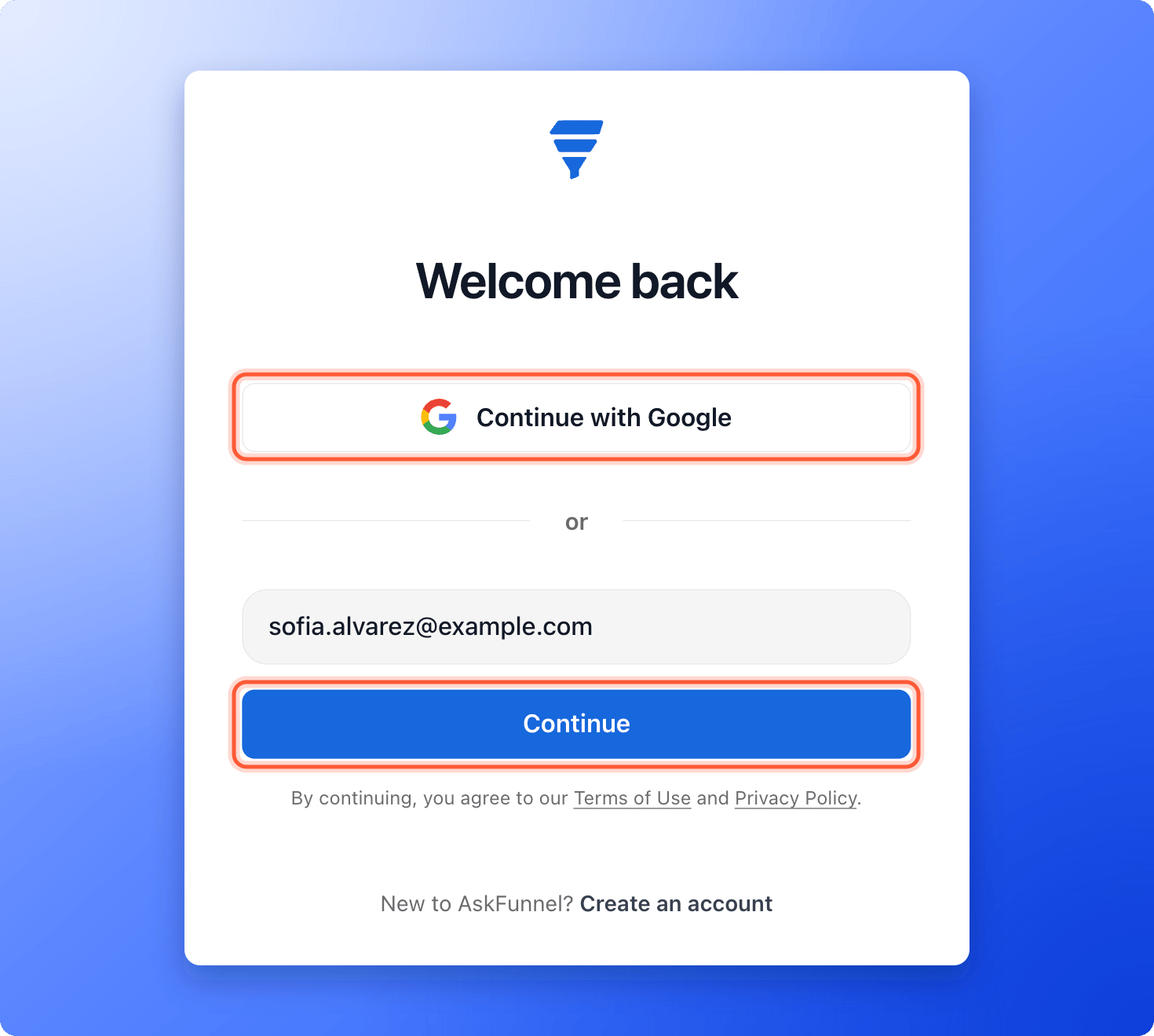 * **With Google:** click **"Continue with Google"** and choose your account in the Google window. When it closes, you land on **Your workspaces**. If you close the Google window yourself, nothing happens. Click the button again.
* **With an email link:** type your address in **Enter email address** and click **"Continue"**. You see **Check your email** and a line that says "We sent a link to" your address. If you made a typing mistake, click **"Use a different email"**.
The email has the subject **Sign in to AskFunnel** and a button **"Continue to Askfunnel"**. Click it. A page says **Signing you in...** and then opens **Your workspaces**.
If you have an invitation waiting for this address, AskFunnel takes you to the invitation page first. See [Invite a teammate or client to a workspace](/workspaces/give-access).
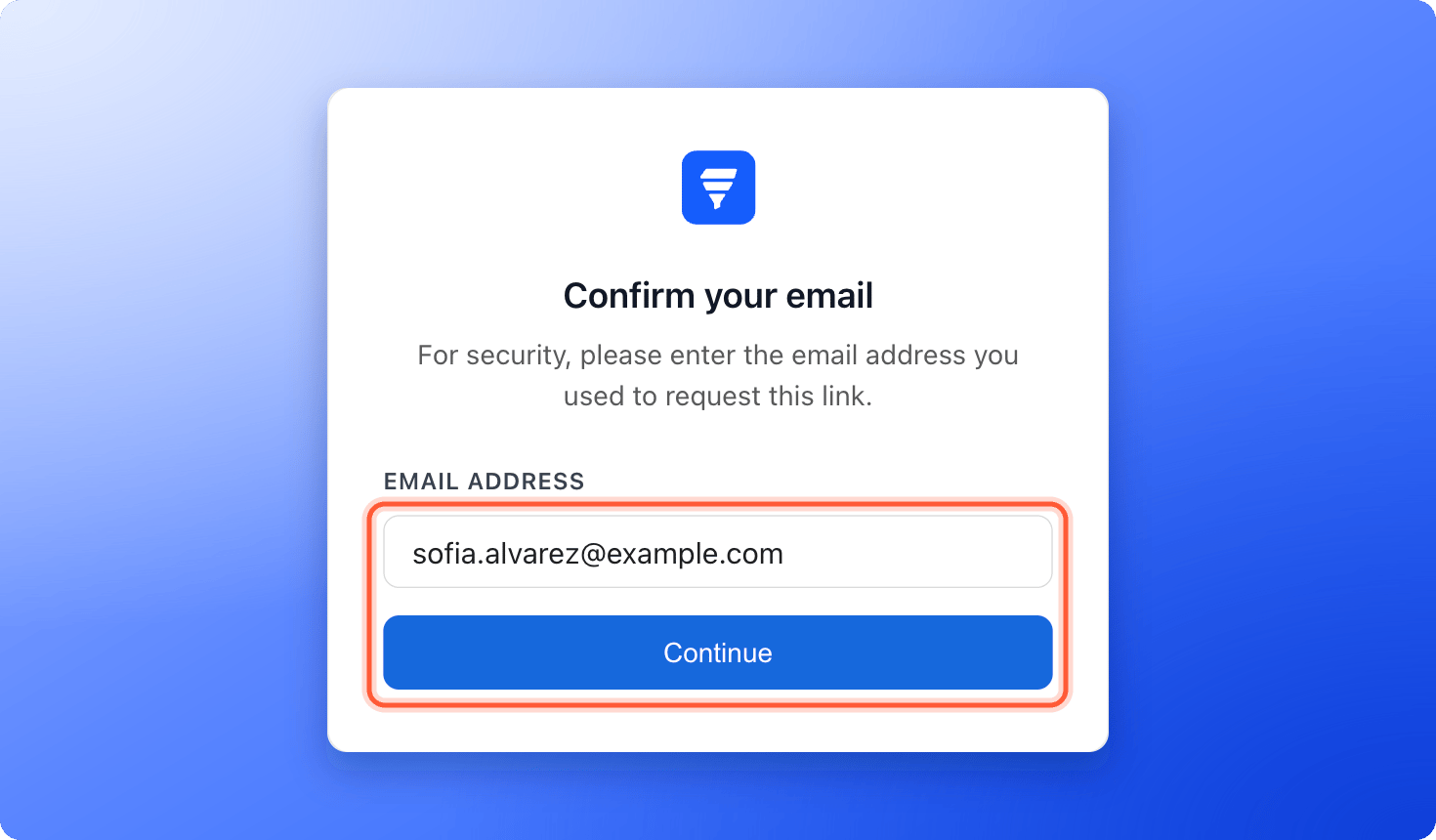
If you open the link in a different browser, or on a different device, than the one where you asked for it, you see **Confirm your email**. Type the same address you used and click **"Continue"**.
* **With Google:** click **"Continue with Google"** and choose your account in the Google window. When it closes, you land on **Your workspaces**. If you close the Google window yourself, nothing happens. Click the button again.
* **With an email link:** type your address in **Enter email address** and click **"Continue"**. You see **Check your email** and a line that says "We sent a link to" your address. If you made a typing mistake, click **"Use a different email"**.
The email has the subject **Sign in to AskFunnel** and a button **"Continue to Askfunnel"**. Click it. A page says **Signing you in...** and then opens **Your workspaces**.
If you have an invitation waiting for this address, AskFunnel takes you to the invitation page first. See [Invite a teammate or client to a workspace](/workspaces/give-access).
If you open the link in a different browser, or on a different device, than the one where you asked for it, you see **Confirm your email**. Type the same address you used and click **"Continue"**.
 ## Sign out
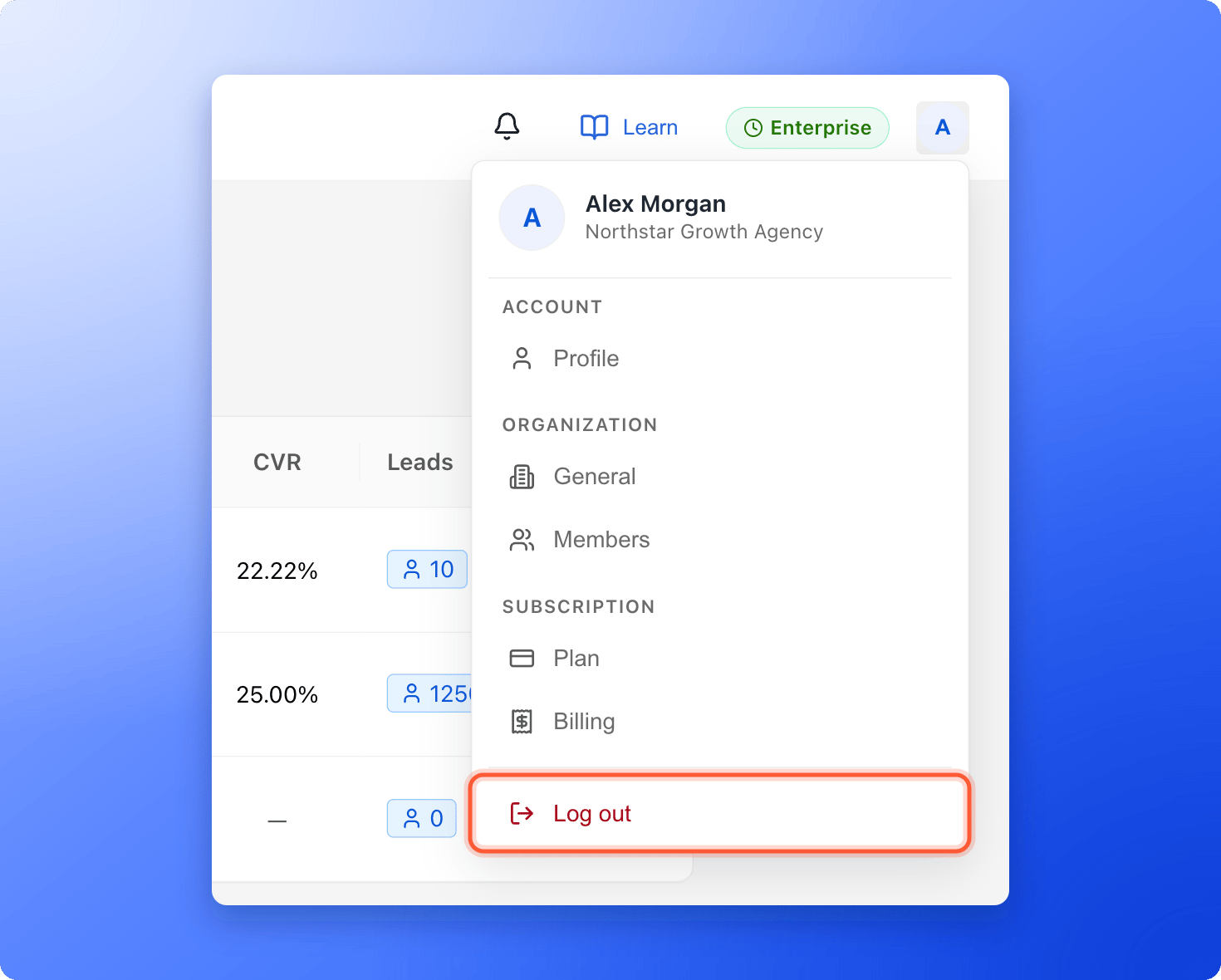
Click your profile picture in the top right corner, then click **"Log out"** at the bottom of the menu. The same menu also opens your profile, your organization settings, your plan and your billing.
## Sign out
Click your profile picture in the top right corner, then click **"Log out"** at the bottom of the menu. The same menu also opens your profile, your organization settings, your plan and your billing.
 ## How do I know it is working?
* You land on **Your workspaces** and see your workspaces.
* Your profile picture shows in the top right corner.
## Troubleshooting
There is none, because AskFunnel does not use passwords. Click **"Continue with Google"**, or type your email address, click **"Continue"** and use the link we send you.
Check your spam or junk folder. Then check that the address on the **Check your email** screen is the right one. If it is wrong, click **"Use a different email"**. AskFunnel only sends a few links a minute, so wait a minute before you try again. If it still does not arrive, email support.
You entered an address that has no account, for example a different work address or a personal one. Go back, click **"Use a different email"** and enter the address you signed up with. If you signed up with Google, click **"Continue with Google"** instead.
The page shows the reason: **This link has expired. Please request a new one.** or **This link is invalid or has already been used.** Click **"Back to sign in"** and ask for a new link. Each link works once, for one hour.
You opened the link in a different browser or on a different device than the one where you asked for it. Type the same address you used and click **"Continue"**.
Google opens in a small pop-up window. Allow pop-ups for dash.askfunnel.com in your browser, then click the button again. If you see **Failed to sign in with Google. Please try again.**, try again, or use an email link instead.
Email support and tell us which address you use.
Your sign in worked. The page **Your free trial has ended** or **Your subscription has ended** asks you to choose a plan. Click **"Upgrade plan"** or **"Resubscribe"**. See [Upgrade your plan](/billing/upgrade).
The page opens by itself when it is ready. If it takes long, click **"Try again"**, or check your internet connection.
## What to do next
Start from a template and publish your first funnel in about 15 minutes.
Open the workspace you want to work in.
Tell us what you were trying to do and what happened.
Need help? Email [support@askfunnel.com](mailto:support@askfunnel.com).
## How do I know it is working?
* You land on **Your workspaces** and see your workspaces.
* Your profile picture shows in the top right corner.
## Troubleshooting
There is none, because AskFunnel does not use passwords. Click **"Continue with Google"**, or type your email address, click **"Continue"** and use the link we send you.
Check your spam or junk folder. Then check that the address on the **Check your email** screen is the right one. If it is wrong, click **"Use a different email"**. AskFunnel only sends a few links a minute, so wait a minute before you try again. If it still does not arrive, email support.
You entered an address that has no account, for example a different work address or a personal one. Go back, click **"Use a different email"** and enter the address you signed up with. If you signed up with Google, click **"Continue with Google"** instead.
The page shows the reason: **This link has expired. Please request a new one.** or **This link is invalid or has already been used.** Click **"Back to sign in"** and ask for a new link. Each link works once, for one hour.
You opened the link in a different browser or on a different device than the one where you asked for it. Type the same address you used and click **"Continue"**.
Google opens in a small pop-up window. Allow pop-ups for dash.askfunnel.com in your browser, then click the button again. If you see **Failed to sign in with Google. Please try again.**, try again, or use an email link instead.
Email support and tell us which address you use.
Your sign in worked. The page **Your free trial has ended** or **Your subscription has ended** asks you to choose a plan. Click **"Upgrade plan"** or **"Resubscribe"**. See [Upgrade your plan](/billing/upgrade).
The page opens by itself when it is ready. If it takes long, click **"Try again"**, or check your internet connection.
## What to do next
Start from a template and publish your first funnel in about 15 minutes.
Open the workspace you want to work in.
Tell us what you were trying to do and what happened.
Need help? Email [support@askfunnel.com](mailto:support@askfunnel.com).