> ## Documentation Index
> Fetch the complete documentation index at: https://help.askfunnel.com/llms.txt
> Use this file to discover all available pages before exploring further.
# Launch your first funnel
> Go from a ready-made template to a live funnel and your first lead in about 15 minutes.
This guide takes you through the fastest way to a working funnel: start from a template, make it yours, publish it and check that a lead arrives. You can change everything later, so do not aim for perfect on the first try.
**Before you start**, you need:
* An AskFunnel account and a workspace. If you do not have them yet, see [Create your account](/getting-started/create-account).
* A **verified email address**. AskFunnel asks you to verify it before you can publish.
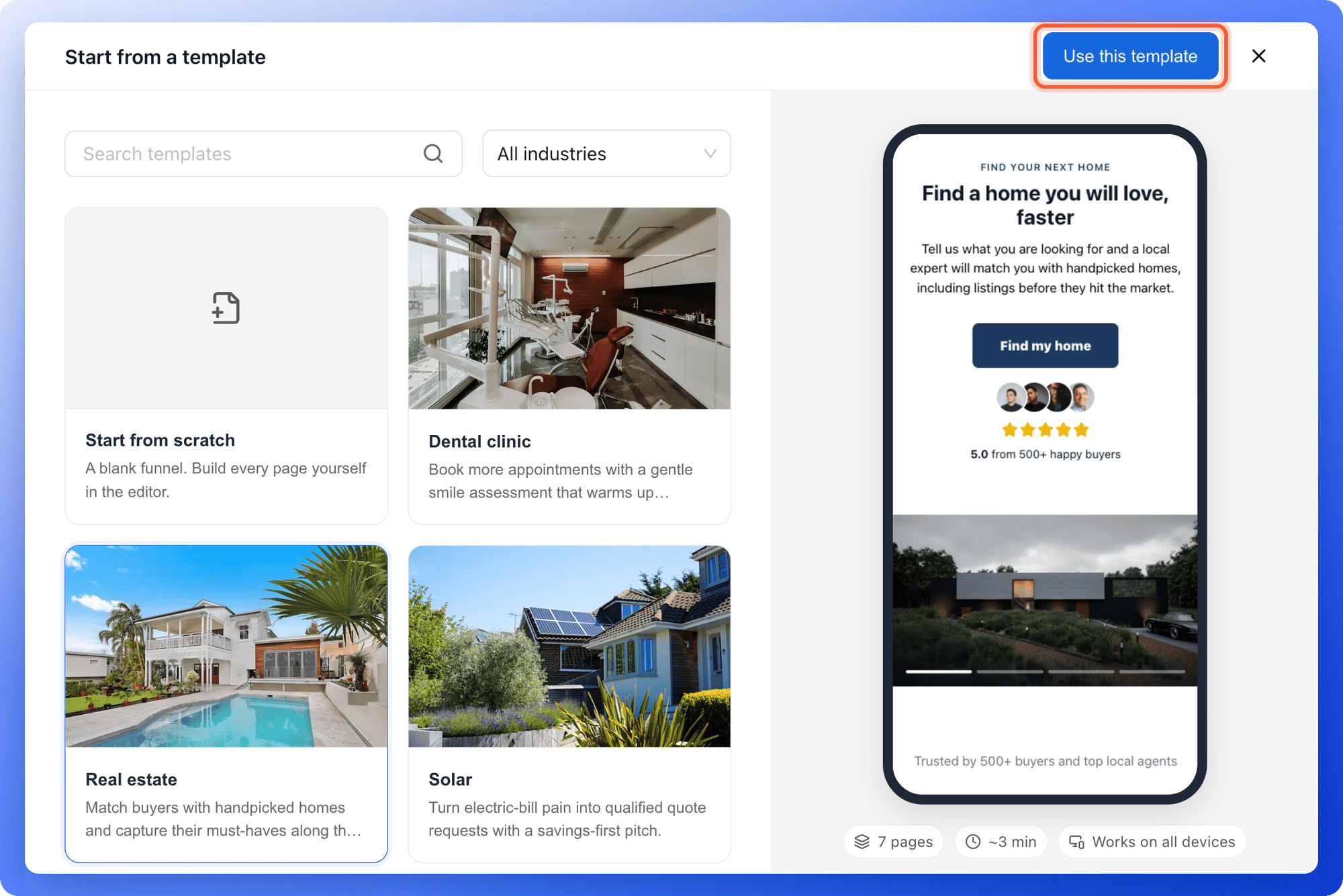
1. Open your workspace and click **"Create Funnel"** at the top right.
2. Click **"Start from a template"**.
3. Click a template to preview it. Check that the offer and the questions fit the conversation you want to have with your visitors.
4. Click **"Use this template"**. The funnel builder opens with your new funnel.
 Prefer to start another way? You can [build from a blank page](/funnels/create-your-first-funnel), or click **"Generate with AI"** to have a first draft written for your business (a build uses 50 AI credits).
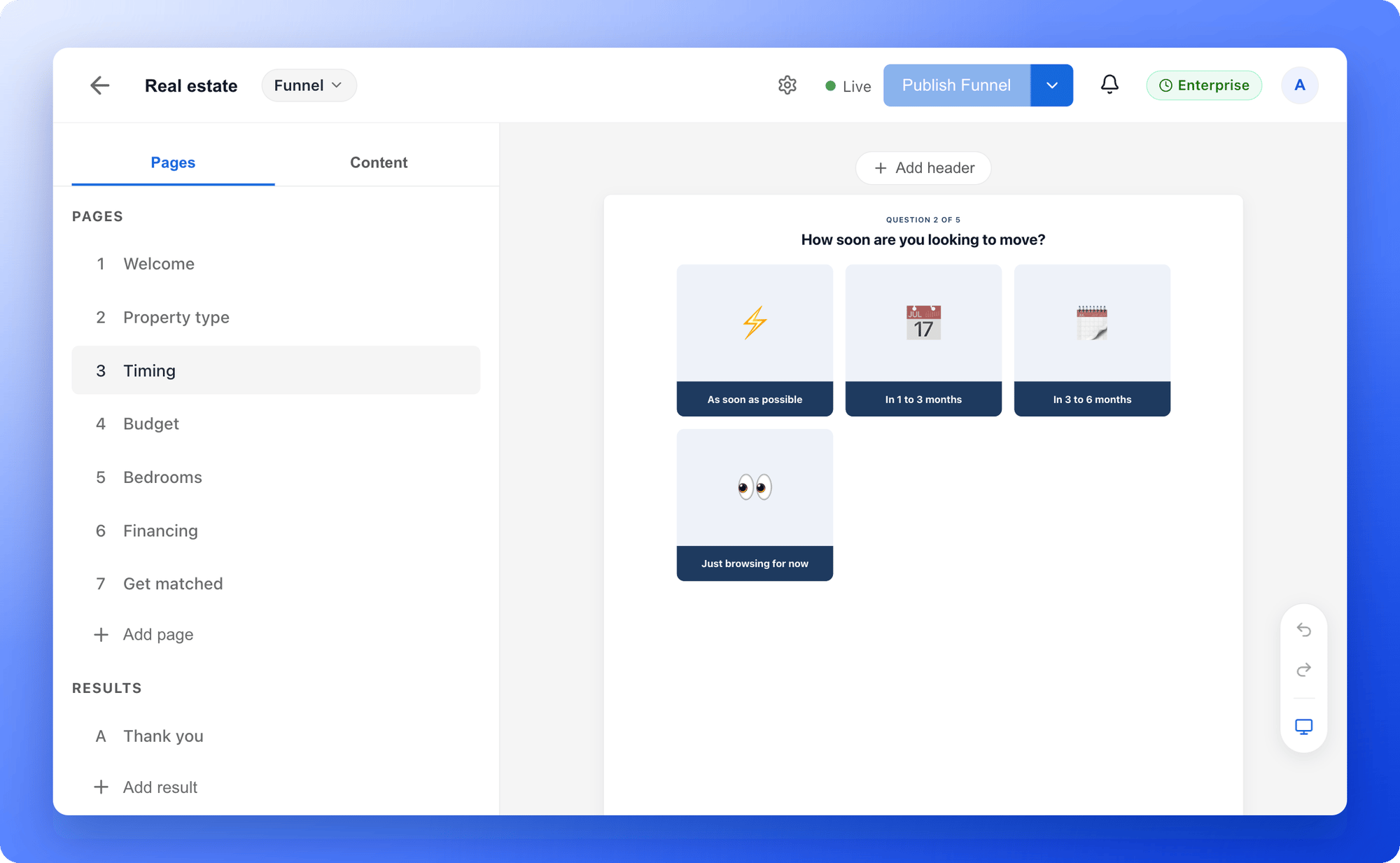
The page list on the left shows the whole journey, from the first page through the questions and contact details to the thank you page. Open each page and:
* **Replace the example text.** Click any text on the page and type your own. Keep headlines short enough to read on a phone.
* **Add your logo and colors.** Select text to change its size, weight and color. Add your logo in the header.
* **Swap the images.** Click an image to upload your own or search free photos.
* **Check desktop and mobile.** Use the device button at the top to see both layouts.
Prefer to start another way? You can [build from a blank page](/funnels/create-your-first-funnel), or click **"Generate with AI"** to have a first draft written for your business (a build uses 50 AI credits).
The page list on the left shows the whole journey, from the first page through the questions and contact details to the thank you page. Open each page and:
* **Replace the example text.** Click any text on the page and type your own. Keep headlines short enough to read on a phone.
* **Add your logo and colors.** Select text to change its size, weight and color. Add your logo in the header.
* **Swap the images.** Click an image to upload your own or search free photos.
* **Check desktop and mobile.** Use the device button at the top to see both layouts.
 Templates contain example claims, reviews and business details. Replace every one with your own accurate content before you publish.
1. Edit each question and its answer choices directly on the page. Keep choices short and clearly different from each other.
2. Drag pages in the page list to put related questions together.
3. Open the page with the contact form, select a field and check **Required**. Only require what you need to follow up, such as an email or phone number.
Learn more in [Build quiz questions](/funnels/quiz-questions), [Set up your lead capture form](/funnels/lead-capture-forms) and [Manage your funnel pages](/funnels/manage-pages).
Click **"Publish Funnel"** at the top right and wait for the **Live** indicator. Your funnel is now online.
Templates contain example claims, reviews and business details. Replace every one with your own accurate content before you publish.
1. Edit each question and its answer choices directly on the page. Keep choices short and clearly different from each other.
2. Drag pages in the page list to put related questions together.
3. Open the page with the contact form, select a field and check **Required**. Only require what you need to follow up, such as an email or phone number.
Learn more in [Build quiz questions](/funnels/quiz-questions), [Set up your lead capture form](/funnels/lead-capture-forms) and [Manage your funnel pages](/funnels/manage-pages).
Click **"Publish Funnel"** at the top right and wait for the **Live** indicator. Your funnel is now online.
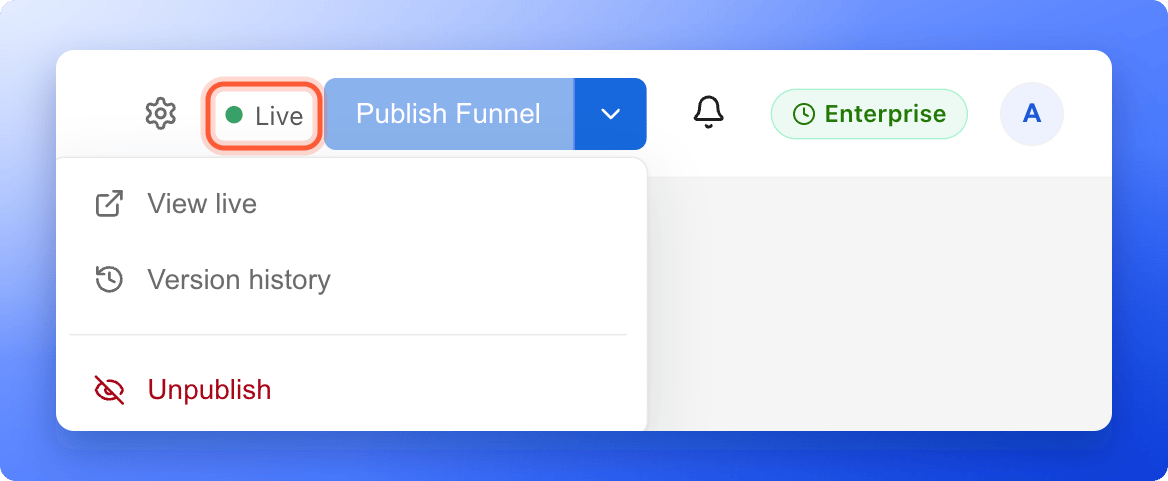 1. Open the arrow next to **"Publish Funnel"** and choose **"View live"**. This is exactly what your visitors see.
2. Go through the funnel, answer the questions and submit the form with details you will recognize, for example your own name and an email address you control.
3. Wait for the thank you page.
4. Back in the dashboard, open the funnel's **Leads** tab. Your test lead is there with every answer.
1. Open the arrow next to **"Publish Funnel"** and choose **"View live"**. This is exactly what your visitors see.
2. Go through the funnel, answer the questions and submit the form with details you will recognize, for example your own name and an email address you control.
3. Wait for the thank you page.
4. Back in the dashboard, open the funnel's **Leads** tab. Your test lead is there with every answer.
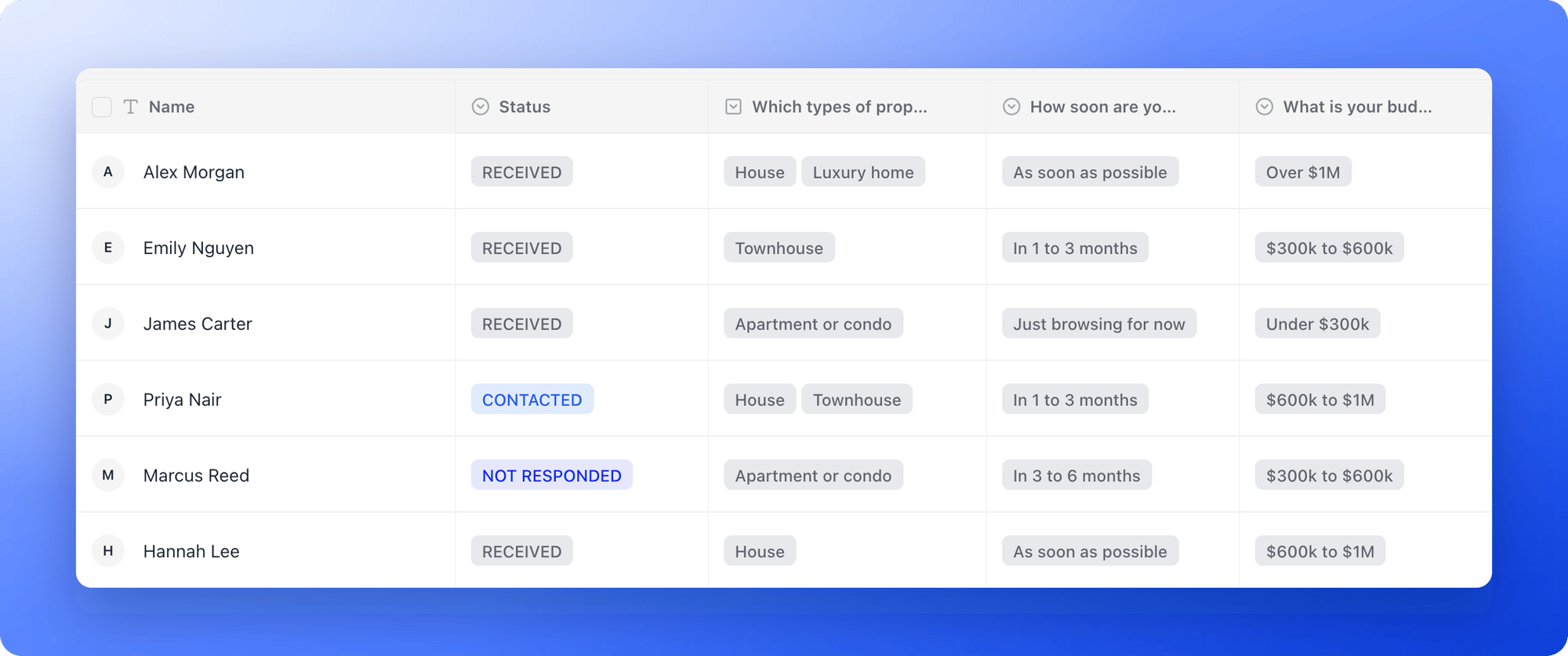 If your test lead shows up with the right answers, your funnel works. Reaching the thank you page alone is not enough, so always check the lead.
Copy your funnel's link and put it in your ads, emails, social posts or website. See [Share your funnel](/funnels/share-your-funnel). To use your own web address instead, see [Connect your custom domain](/funnel-settings/custom-domain).
## What to do next
Every new lead goes straight to HighLevel, Google Sheets or any tool through webhooks.
Send a welcome email, a guide or a follow-up the moment someone submits.
Connect Meta Pixel, Google Analytics or TikTok Pixel to see which ads bring leads.
Visitors, conversions and where people drop off.
Need help? Email [support@askfunnel.com](mailto:support@askfunnel.com).
If your test lead shows up with the right answers, your funnel works. Reaching the thank you page alone is not enough, so always check the lead.
Copy your funnel's link and put it in your ads, emails, social posts or website. See [Share your funnel](/funnels/share-your-funnel). To use your own web address instead, see [Connect your custom domain](/funnel-settings/custom-domain).
## What to do next
Every new lead goes straight to HighLevel, Google Sheets or any tool through webhooks.
Send a welcome email, a guide or a follow-up the moment someone submits.
Connect Meta Pixel, Google Analytics or TikTok Pixel to see which ads bring leads.
Visitors, conversions and where people drop off.
Need help? Email [support@askfunnel.com](mailto:support@askfunnel.com).