> ## Documentation Index
> Fetch the complete documentation index at: https://help.askfunnel.com/llms.txt
> Use this file to discover all available pages before exploring further.
# Create your account and start your free trial
> Sign up with your email or Google, answer a few setup questions and start your 14-day free trial.
Create your AskFunnel account and start your 14-day free trial in a few minutes. You sign up with your email or your Google account, answer a short setup form and pick a plan. You do not need a credit card.
**Before you start**, you need:
* A permanent email address you can open right now (for example your work email), or a Google account. Free trials are not available with temporary or disposable email addresses.
Joining a team you were invited to? Use the link in your invitation email instead. See [Invite a teammate](/workspaces/give-access).
## Sign up
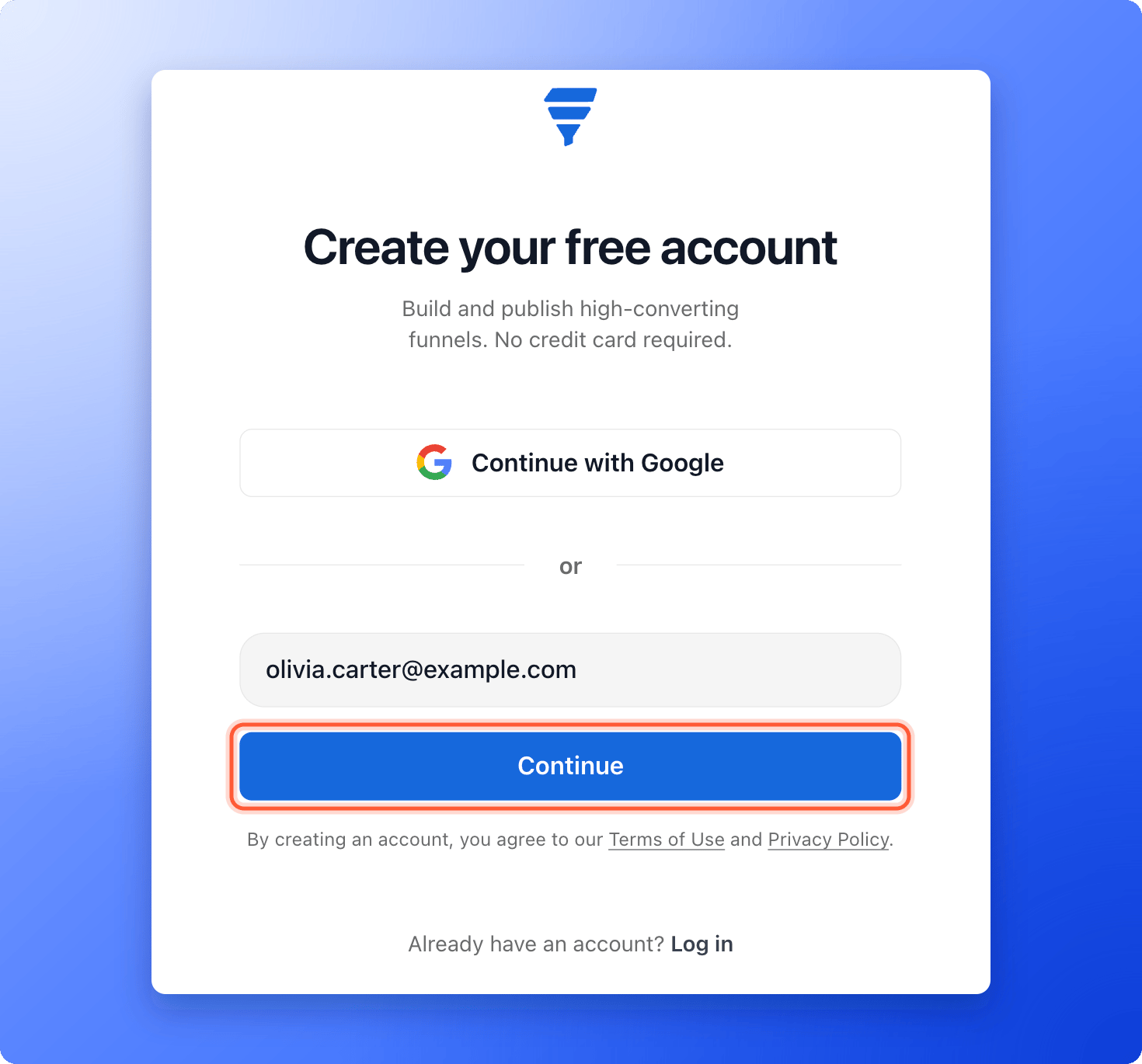
1. Go to [dash.askfunnel.com](https://dash.askfunnel.com) and click **"Create an account"**.
2. Enter your email address and click **"Continue"**.
To skip the email step, click **"Continue with Google"** instead and follow the Google window. Then skip ahead to **Answer the setup questions**.
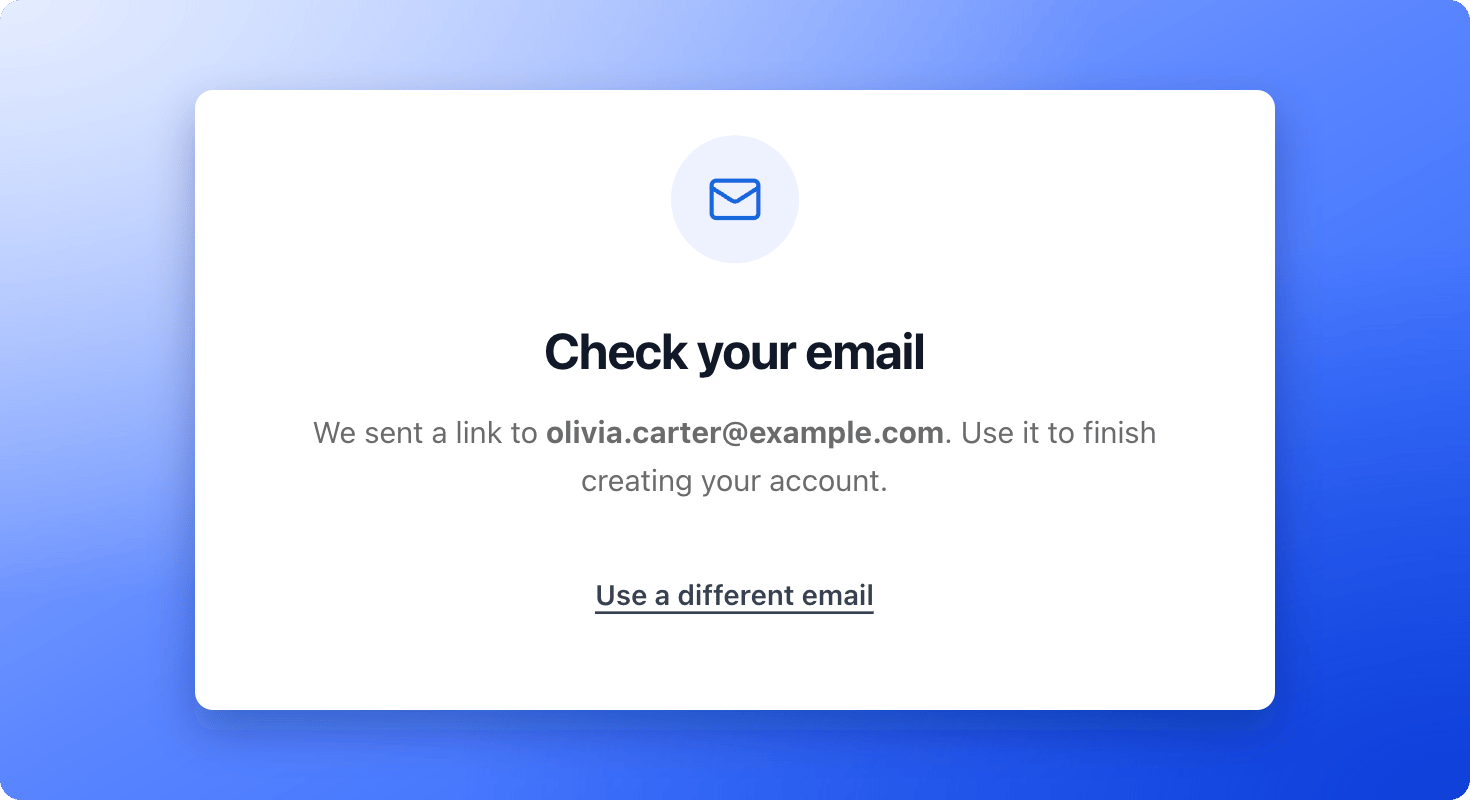
 AskFunnel does not use passwords. You see a **Check your email** message with the address you entered.
 1. Open the email with the subject **Create your AskFunnel account**.
2. Click **"Create my account"**. You are signed in and taken to the setup form.
The link works for one hour. If it runs out, go back to the sign up page and enter your email again.
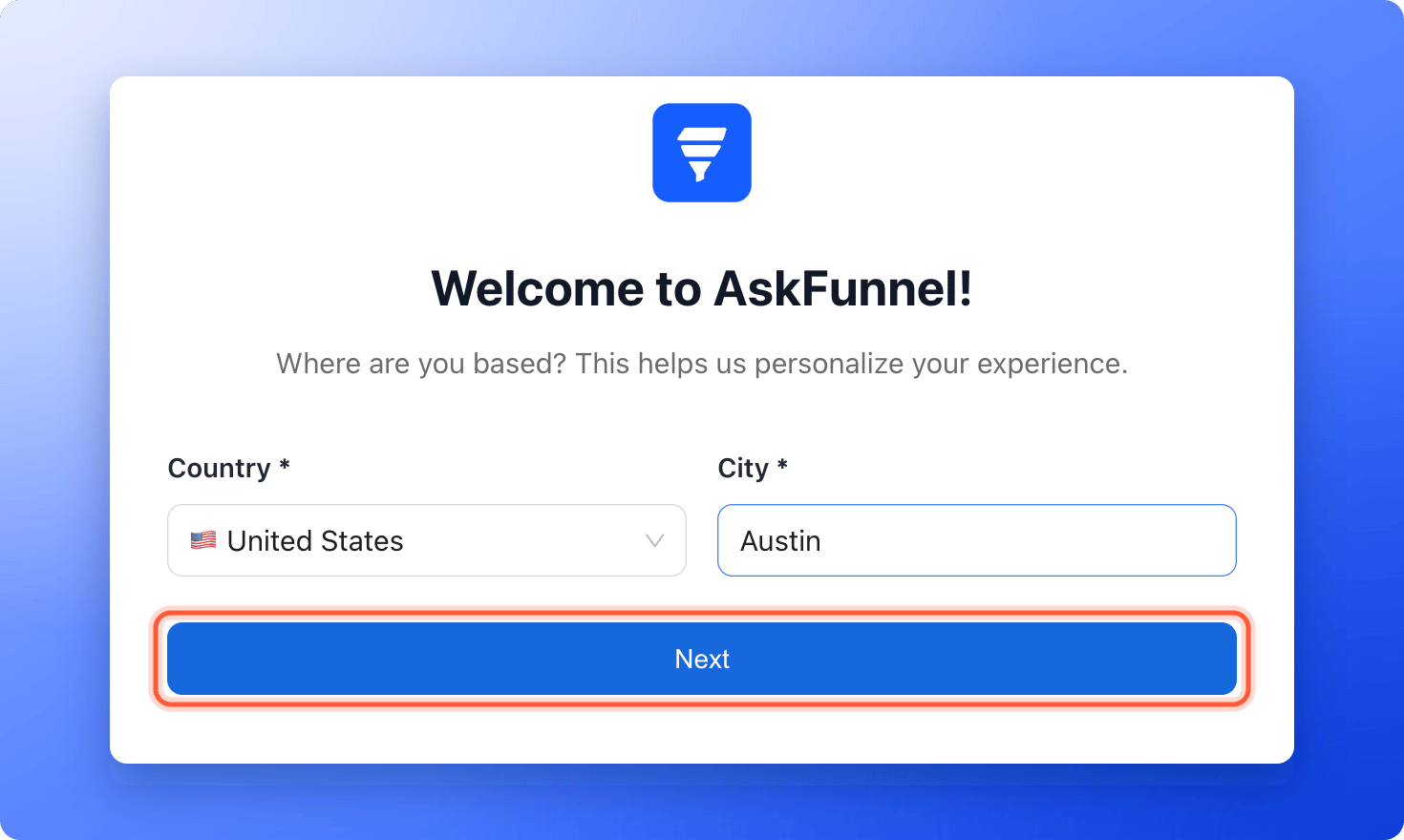
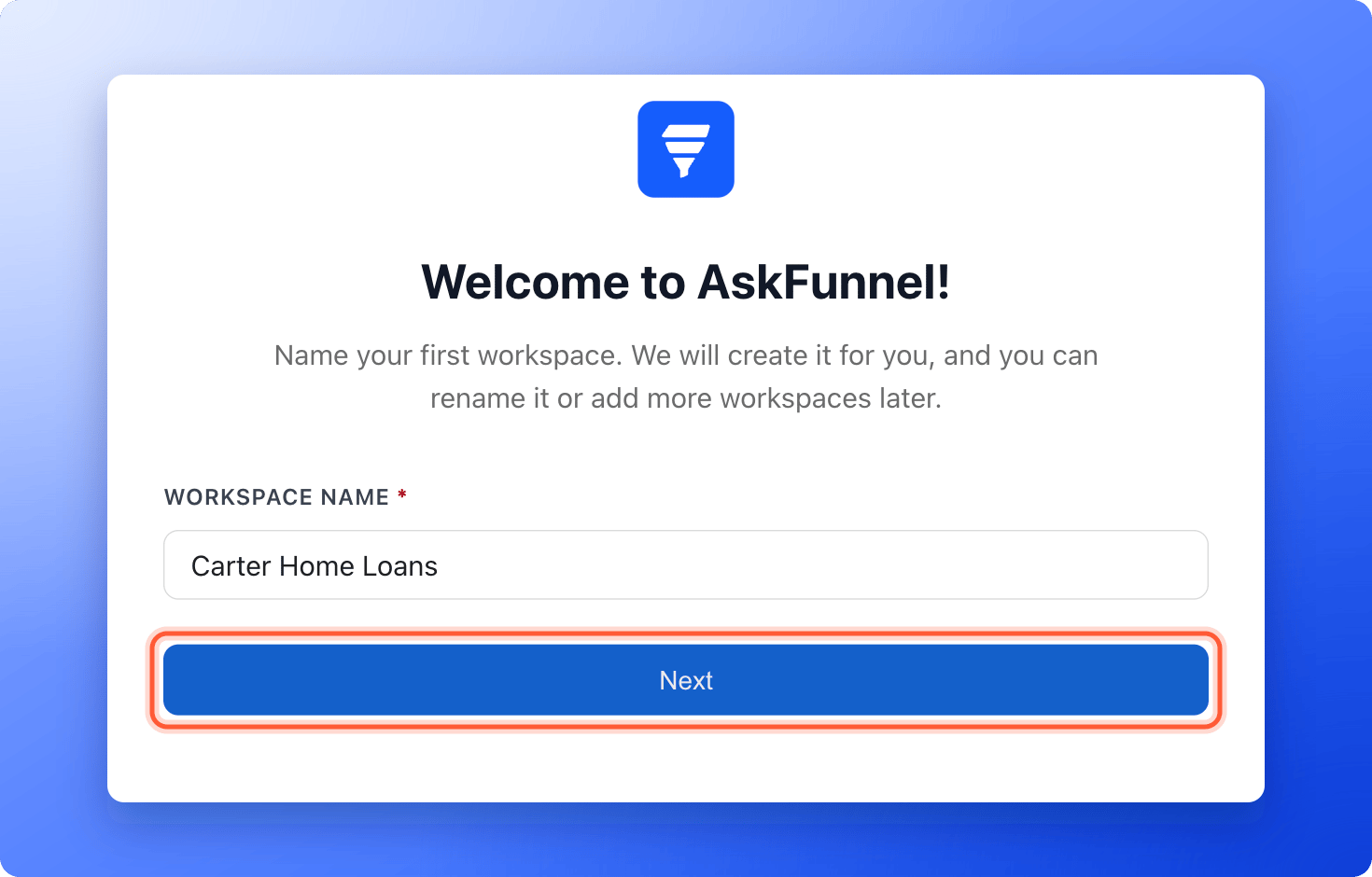
The setup form is titled **Welcome to AskFunnel!**. Click **"Next"** to move on from each screen.
1. **Full name:** Enter your name. **Phone** is optional. Your email is already filled in.
2. **Country** and **City:** Choose your country from the list, then start typing your city.
3. **Workspace name:** This names your first [workspace](/workspaces/what-is-a-workspace). You can rename it later.
4. **Start from a template:** Pick a template and click **"Use this template"**, or click **"Start from scratch"**. You may not see this screen if no templates are available.
5. **Company website**, **LinkedIn**, **Facebook page**, **Twitter / X** and **Instagram:** All optional. Fill them in and click **"Next"**, or use the close icon in the top right corner to skip.
1. Open the email with the subject **Create your AskFunnel account**.
2. Click **"Create my account"**. You are signed in and taken to the setup form.
The link works for one hour. If it runs out, go back to the sign up page and enter your email again.
The setup form is titled **Welcome to AskFunnel!**. Click **"Next"** to move on from each screen.
1. **Full name:** Enter your name. **Phone** is optional. Your email is already filled in.
2. **Country** and **City:** Choose your country from the list, then start typing your city.
3. **Workspace name:** This names your first [workspace](/workspaces/what-is-a-workspace). You can rename it later.
4. **Start from a template:** Pick a template and click **"Use this template"**, or click **"Start from scratch"**. You may not see this screen if no templates are available.
5. **Company website**, **LinkedIn**, **Facebook page**, **Twitter / X** and **Instagram:** All optional. Fill them in and click **"Next"**, or use the close icon in the top right corner to skip.
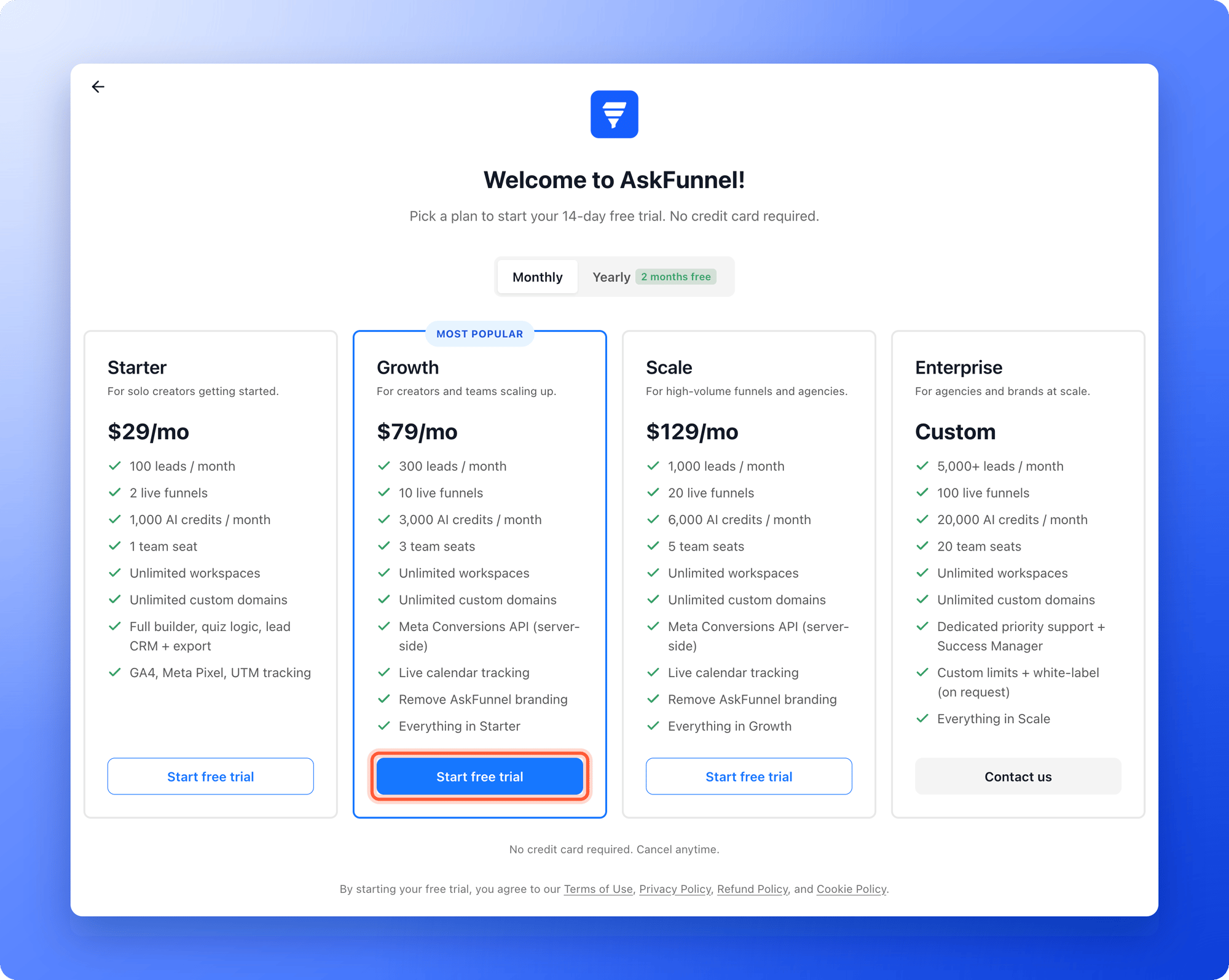
 1. Choose **Monthly** or **Yearly** billing.
2. Compare the plans. Growth is marked **Most popular**. **Enterprise** shows **"Contact us"** instead of a trial.
3. Click **"Start free trial"** under the plan you want.
1. Choose **Monthly** or **Yearly** billing.
2. Compare the plans. Growth is marked **Most popular**. **Enterprise** shows **"Contact us"** instead of a trial.
3. Click **"Start free trial"** under the plan you want.
 Your trial starts right away. See [How the 14-day free trial works](/billing/free-trial), or [choose the right plan](/billing/choose-a-plan) first.
## How do I know it is working?
* You see the message "Your 14-day free trial has started. Welcome to AskFunnel!"
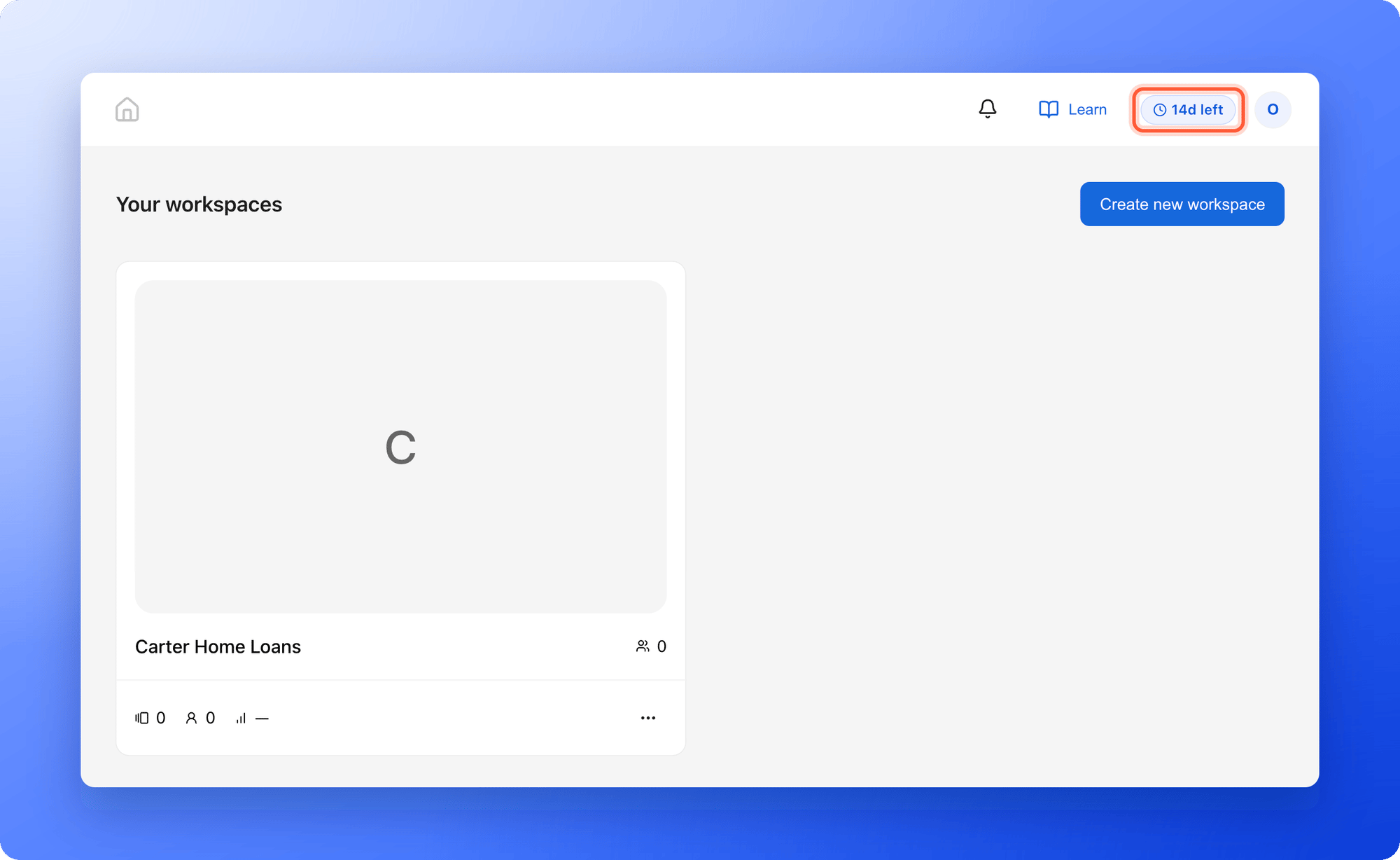
* You land on **Your workspaces** with your first workspace. If you picked a template, you land in the editor of your first funnel instead.
* The plan badge in the top right corner shows how many days are left, for example **14d left**.
Your trial starts right away. See [How the 14-day free trial works](/billing/free-trial), or [choose the right plan](/billing/choose-a-plan) first.
## How do I know it is working?
* You see the message "Your 14-day free trial has started. Welcome to AskFunnel!"
* You land on **Your workspaces** with your first workspace. If you picked a template, you land in the editor of your first funnel instead.
* The plan badge in the top right corner shows how many days are left, for example **14d left**.
 ## Troubleshooting
Check your spam or junk folder, then check that the address on the **Check your email** screen is correct. If it is wrong, click **"Use a different email"** and try again. If the email still does not arrive after a few minutes, email support.
Click **"Back to sign in"** and request a new link. Each link works for one hour.
This happens when you open the link on a different device or browser than the one you signed up on. Enter the same email address you signed up with and click **"Continue"**.
Sign up again with a permanent address, such as your work email. Temporary or disposable addresses cannot start a free trial.
Each person gets one free trial. To keep using AskFunnel, subscribe to a plan. See [Choose the right plan](/billing/choose-a-plan). If you think this is a mistake, email support.
Sign in again. AskFunnel takes you back to the setup form, and the answers you already entered are kept in the same browser.
## What to do next
Start from a template and publish your first funnel in about 15 minutes.
A plan for your 14 days, so you know what to try first.
Get a live walkthrough with the AskFunnel team.
Need help? Email [support@askfunnel.com](mailto:support@askfunnel.com).
## Troubleshooting
Check your spam or junk folder, then check that the address on the **Check your email** screen is correct. If it is wrong, click **"Use a different email"** and try again. If the email still does not arrive after a few minutes, email support.
Click **"Back to sign in"** and request a new link. Each link works for one hour.
This happens when you open the link on a different device or browser than the one you signed up on. Enter the same email address you signed up with and click **"Continue"**.
Sign up again with a permanent address, such as your work email. Temporary or disposable addresses cannot start a free trial.
Each person gets one free trial. To keep using AskFunnel, subscribe to a plan. See [Choose the right plan](/billing/choose-a-plan). If you think this is a mistake, email support.
Sign in again. AskFunnel takes you back to the setup form, and the answers you already entered are kept in the same browser.
## What to do next
Start from a template and publish your first funnel in about 15 minutes.
A plan for your 14 days, so you know what to try first.
Get a live walkthrough with the AskFunnel team.
Need help? Email [support@askfunnel.com](mailto:support@askfunnel.com).